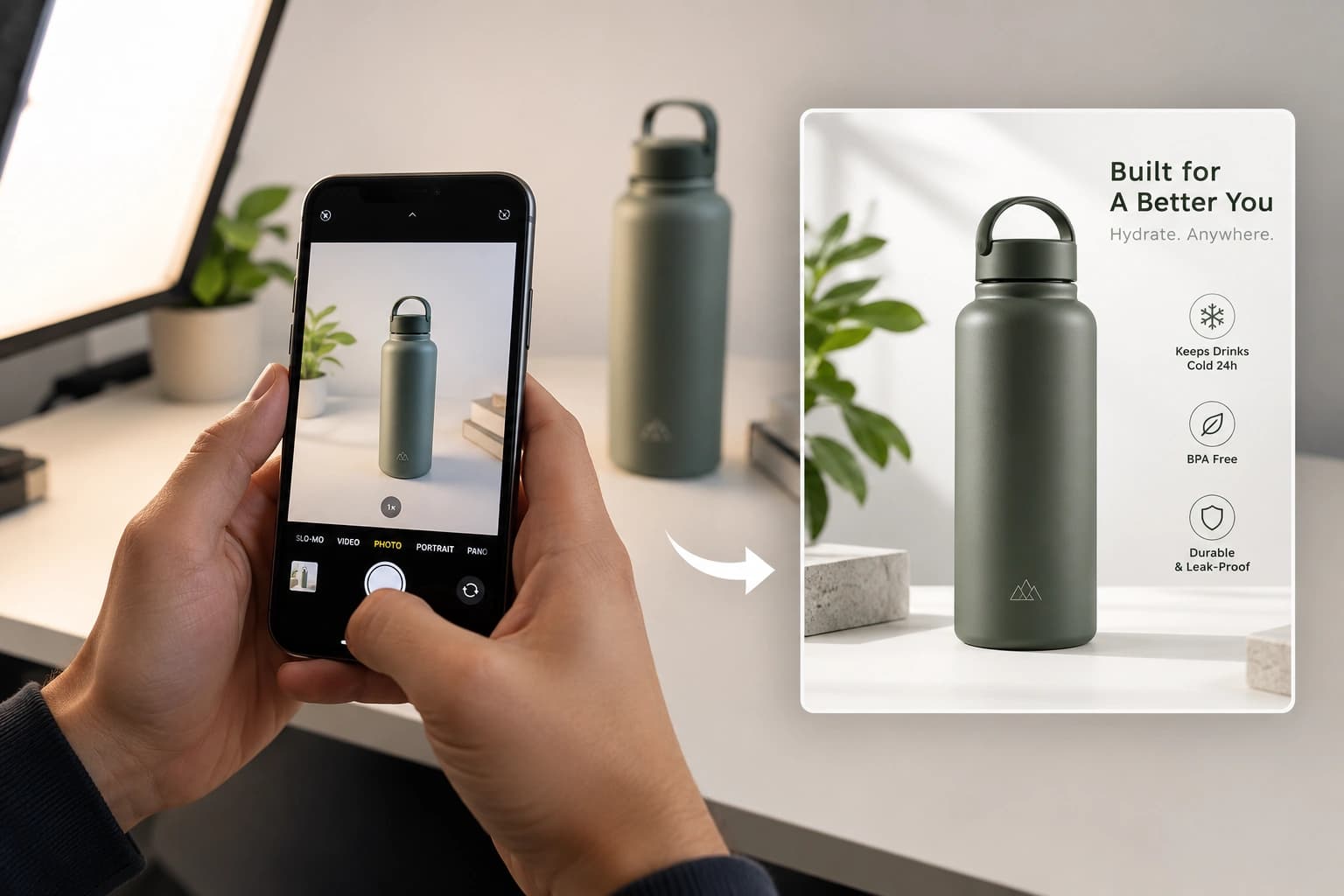
In ecommerce, customers cannot pick up your product, inspect the material, try it on, or see it from every angle.
Your product images have to do that work for them.
That is why ecommerce product photography is more than creating attractive photos. A strong product gallery should help shoppers understand what they are buying, how large it is, what the details look like, how it fits or works, and what they can expect when it arrives.
This guide covers the essential product photos every online brand should consider, a practical photography setup, marketplace differences, category-specific tips, and how AI can help you create more ecommerce images without losing product accuracy.
What Is Ecommerce Product Photography?
Ecommerce product photography is the process of creating images specifically to present and sell products online.
Unlike campaign photography, where mood can be the main focus, ecommerce photography needs to balance clarity and desirability.
The product should look appealing, but shoppers should also be able to evaluate its:
- shape and proportions
- color and material
- texture and construction
- size and scale
- packaging and important details
- fit or real-world use
A good ecommerce gallery therefore rarely relies on one beautiful hero image.
Each image should answer a different buyer question.
5 Essential Types of Ecommerce Product Photos
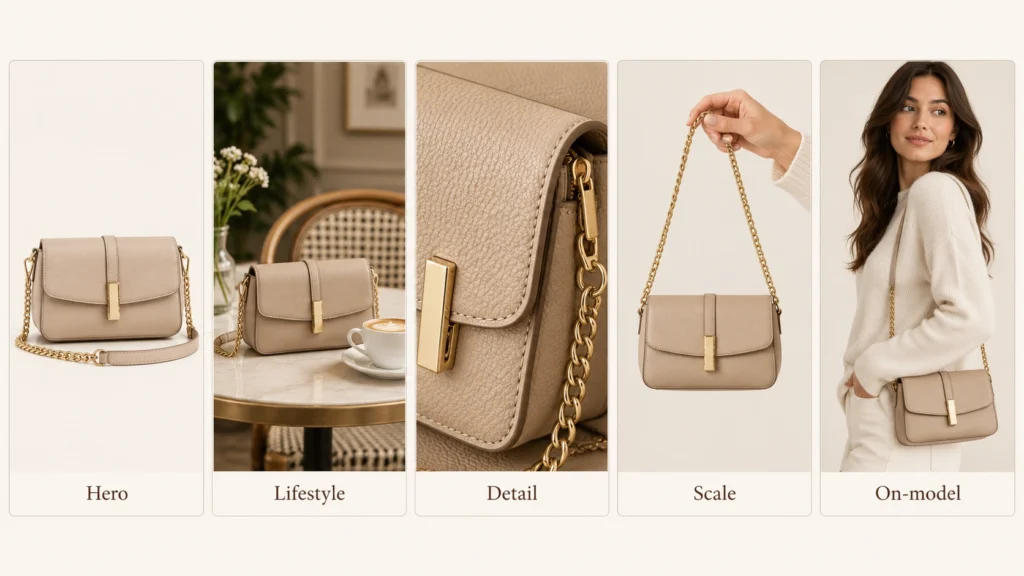
A useful product image set normally combines several types of photography.
| Image type | What it helps shoppers understand |
|---|---|
| Hero / white-background | What exactly the product is |
| Lifestyle | Where and how the product fits into real life |
| Detail | Materials, texture and craftsmanship |
| Scale | Actual size and proportions |
| On-model / in-use | Fit, placement and real-world appearance |
1. Hero or White-Background Photos
Your hero image should make the product immediately recognizable, even when viewed as a small thumbnail.
Keep the product large in the frame, remove unnecessary distractions and preserve its real shape and color.
White backgrounds remain especially useful for marketplaces, while DTC brands can also use subtle neutral or brand-aligned backgrounds on their own stores.
2. Lifestyle Images
Lifestyle photography gives the product context.
A perfume bottle might sit on a premium vanity. A necklace can be shown naturally on a model. A skincare product can appear in a clean bathroom environment.
The environment should support the product rather than compete with it.
3. Detail Shots
Use close-ups to show information buyers may inspect in person.
For jewelry, that could be stone settings or metal finish. For clothing, stitching and fabric texture. For beauty products, packaging, applicators or label details.
Every close-up should communicate something useful.
4. Scale Photos
Dimensions written in a description are not always easy to visualize.
Showing a handbag being carried, jewelry being worn, or a skincare bottle held naturally can communicate scale faster than text alone.
5. On-Model or In-Use Photos
Wearable products often need human context.
Fashion customers want to understand fit and drape. Jewelry buyers want to see how a piece sits on the body. Beauty images can demonstrate where or how a product is applied.
For alternative fashion workflows, see our guide on how to photograph clothes without a model.
Ecommerce Product Photography Setup

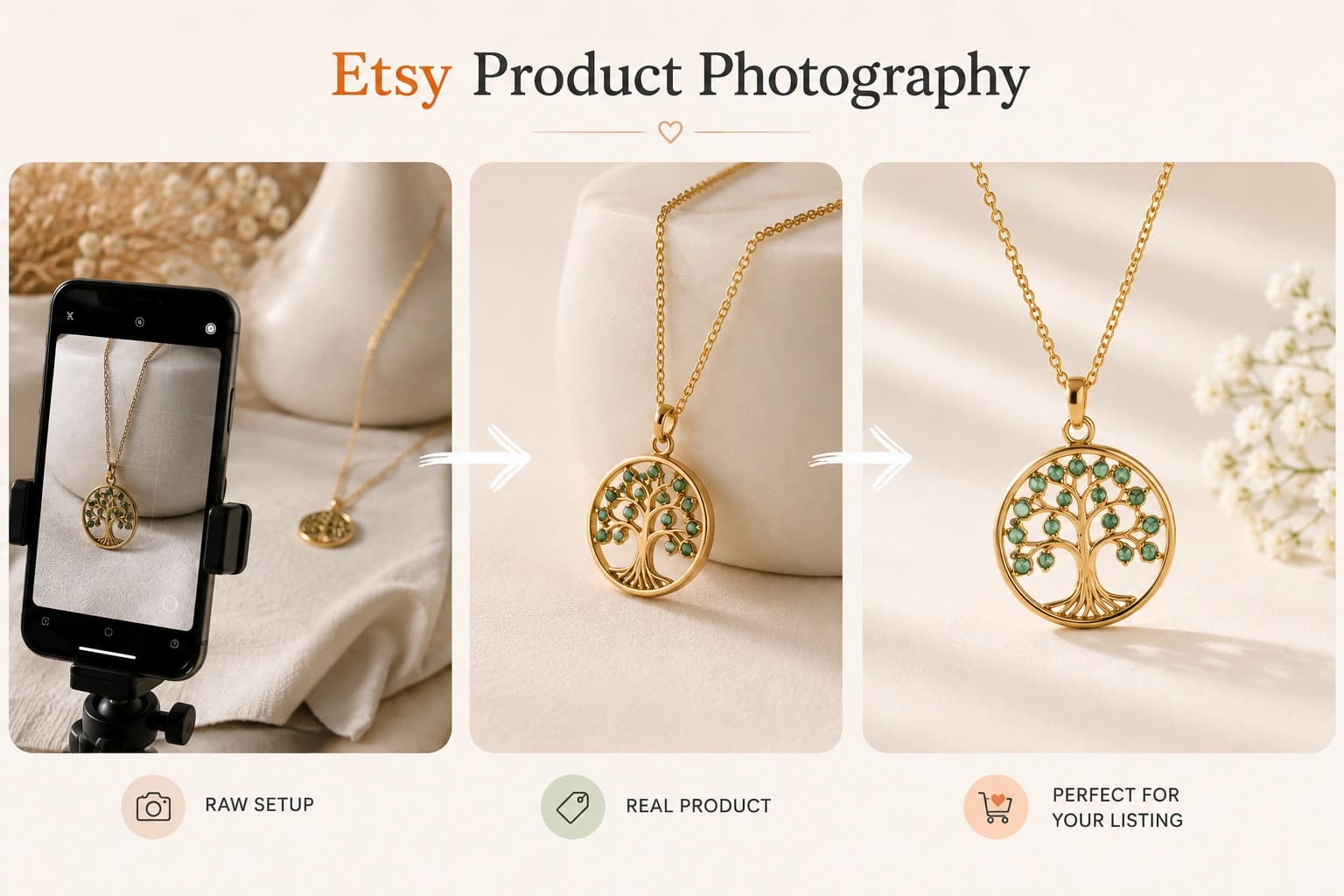
You do not need an expensive studio to create good product photos.
A simple setup can include:
- a modern phone or camera
- a tripod
- soft window light or a diffused studio light
- a white reflector or foam board
- a clean background
- a cloth, brush or cleaning kit for product preparation
Start by cleaning the product carefully. Dust, fingerprints, wrinkles and loose threads become much more noticeable in high-resolution images.
For lighting, soft and diffused usually works better than direct flash.
A simple setup is:
large soft light → product → white reflector
The reflector brightens the darker side without completely removing natural shadows.
Avoid mixing warm indoor bulbs with daylight because it can create inconsistent product colors.
Consistency matters too. If you photograph many SKUs, keep the camera distance, background, lighting and product position as repeatable as possible.
Choosing Product Photography Backgrounds
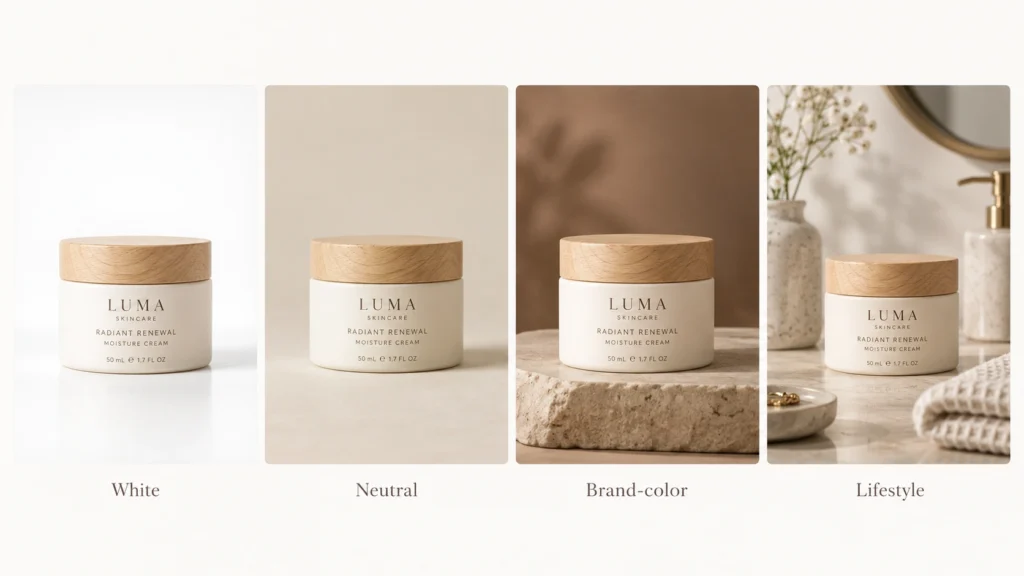
Different images have different jobs, so you do not need one background for everything.
Use white or neutral backgrounds when clarity matters most.
Use brand colors or subtle textures for DTC product pages and campaigns.
Use lifestyle environments when context adds useful information or emotion.
Stone, plaster, wood, glass, fabric and subtle gradients can work well when they complement the product.
The simplest rule is:
If the background becomes more noticeable than the product, simplify it.
Ecommerce Product Photography Shot List
Instead of asking your photographer to simply take “more photos,” decide what question each image should answer.
A useful starting shot list is:
- Hero image — the clearest product view
- Alternate angle — another side or perspective
- Detail shot — material, texture or construction
- Scale image — communicates size
- On-model or in-use image — shows fit or application
- Lifestyle image — adds real-world context
- Packaging image — shows what arrives
- Feature image — highlights something buyers may otherwise miss
You do not need exactly eight photographs for every SKU.
Use enough images to remove the important uncertainties around buying the product.
Amazon vs Shopify vs Etsy Product Photography
The same image strategy should not automatically be copied to every ecommerce platform.
Amazon
Amazon has comparatively strict MAIN-image rules. Current guidance requires a pure-white background, the actual product being sold, no added text or watermarks, and the product generally filling at least 85% of the frame. Amazon also recommends images of at least 1,000 pixels on the longest side for zoom.
For dimensions, category examples and current platform rules, see our Amazon product photography requirements guide.
Shopify
Shopify gives brands much more creative freedom. Product images can currently be up to 5000 × 5000 pixels or 25 megapixels and under 20 MB. Shopify says 2048 × 2048 pixels usually works well for square product photography.
Fashion brands can also follow our Shopify product photography guide for fashion brands.
Etsy
Etsy recommends listing photos at least 2000 pixels wide and high, while the first listing image should meet its minimum guidance to avoid search-display issues.
If you sell on Etsy, see our complete Etsy product photography guide.
The best approach is to build a strong master image library and then adapt it for each channel.
Ecommerce Photography by Product Category
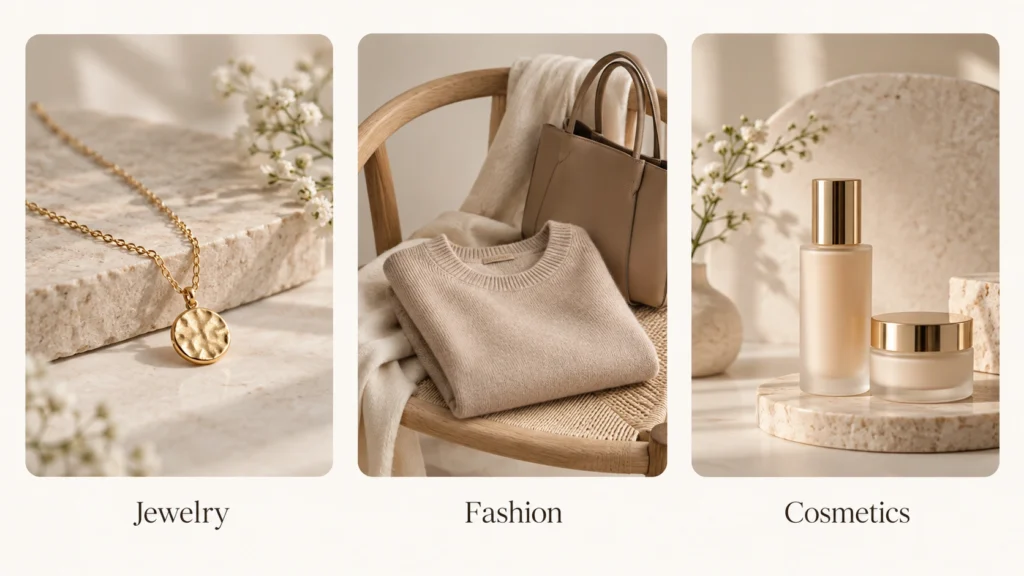
Different products need different visual information.
Jewelry
Jewelry photography needs excellent detail control.
Show metal finish, gemstones, settings, clasps, engravings and real-world scale. Because polished metals are highly reflective, soft lighting and controlled reflections are especially important.
For reflective metals, lighting, backgrounds and AI workflows, read our jewelry product photography guide.
Fashion
Fashion photography needs to communicate shape, fabric, construction and fit.
Combine front and back product views with fabric details and, where appropriate, on-model photography, flat lays or ghost mannequin images.
For AI-generated model, lifestyle and catalog images, explore AI fashion photography.
Beauty and Cosmetics
Beauty photography needs to make packaging attractive without sacrificing readability.
Pay close attention to bottle shape, labels, brand colors, caps, applicators, textures and reflective packaging.
See our comparison of the best AI tools for cosmetics product photography.
Explore AI cosmetics product photography ->
Traditional vs AI Product Photography
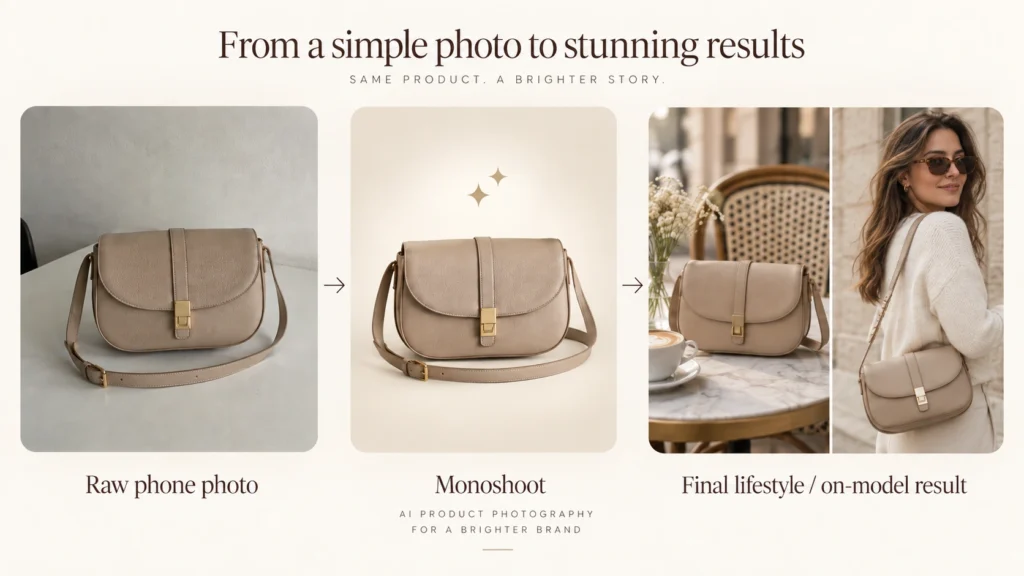
Traditional photography and AI product photography do not need to be opposing workflows.
For many online brands, the best approach is hybrid.
Traditional photography is excellent for capturing the real product accurately.
AI becomes useful when you already have a clear source image and need more:
- backgrounds
- studio variations
- lifestyle scenes
- on-model images
- campaign concepts
- aspect ratios
- social and advertising creatives
Instead of photographing an entirely new physical set every time, the same real product photo can become the starting point for multiple visual directions.
If you’re comparing platforms, see our guide to the best AI product photography tools.
How to Preserve Product Accuracy With AI
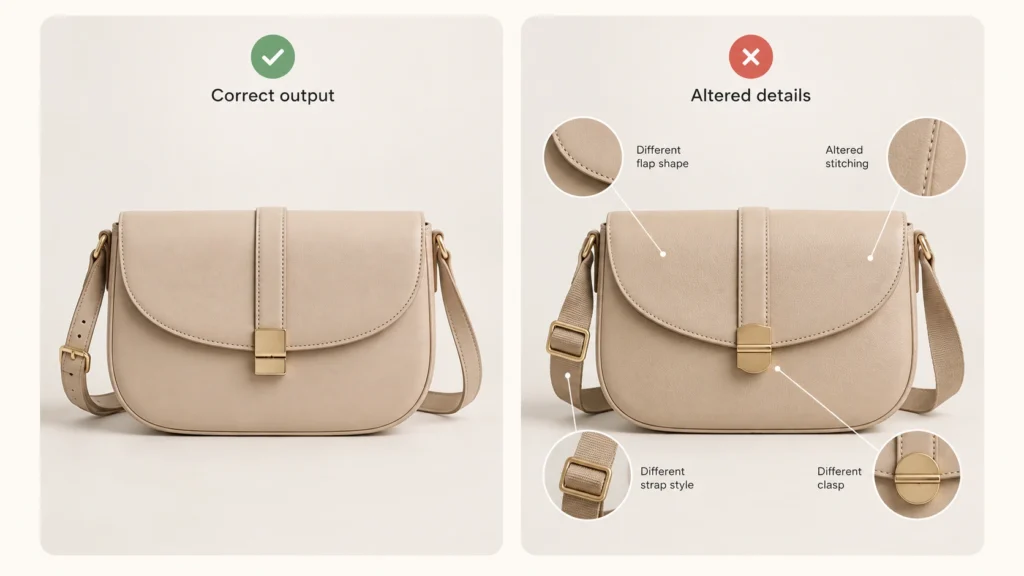
A realistic-looking AI image is not automatically a good ecommerce image.
AI can accidentally change a logo, label, gemstone, bottle shape, seam, pattern, color or other important detail.
Before publishing an AI-generated image, compare it with the original and check:
shape → proportions → color → material → logo → text → construction → small details → scale
The safest workflow is to start from a clear photograph of the real product and use AI mainly to change its presentation, rather than asking AI to invent the product itself.
Learn more about product fidelity in AI product photography.
Ecommerce Product Photography Checklist
Before publishing a product gallery, check:
- Is the product immediately recognizable?
- Is the color accurate?
- Are important angles shown?
- Can customers see materials and details?
- Is scale clear where necessary?
- Is fit or use shown where relevant?
- Are the images consistent across the catalog?
- Does the main image meet marketplace requirements?
- Are AI-generated details identical to the real product?
- Do the images still look clear on mobile?
- Are filenames and alt text descriptive?
The goal is not to create the largest image gallery.
It is to create the most useful one.
Final Thoughts
Great ecommerce product photography starts with a simple question:
What does the shopper still need to understand before buying?
Use hero photos for clarity, detail images for confidence, scale and model shots for context, and lifestyle photography for storytelling.
And when AI is part of the workflow, use it to expand what you can create without losing the identity of the product you actually sell.
With Monoshoot’s AI product photography studio, brands can turn existing product photos into ecommerce-ready studio, lifestyle and on-model images.
FAQs
What is ecommerce product photography?
Ecommerce product photography is photography created to present and sell products online through product pages, marketplaces, ads and other digital sales channels.
How many product photos should an ecommerce listing have?
There is no universal number. Include enough images to clearly show the product, important angles, details, scale, use or fit, and anything else shoppers need before purchasing.
Can I take ecommerce product photos with a phone?
Yes. A modern smartphone, stable camera position, soft lighting and clean background can produce strong ecommerce source images.
Can AI be used for ecommerce product photography?
Yes. AI can help create additional backgrounds, lifestyle images, model scenes and creative variations from existing product photographs. Generated results should always be checked against the real product for accuracy.
Turn one product photo into multiple AI Ecommerce photoshoots.
Create studio, lifestyle and on-model product images for jewelry, fashion and beauty with Monoshoot.