StudiosHow It WorksPricing
Free Tools
Free Image ConvertersClient-Side & Fast
PNG to JPG
Compress to JPEG
JPG to PNG
Lossless PNG format
WEBP to PNG
Preserve transparency
WEBP to JPG
Universal JPEG format
JPG to WEBP
Lightweight WebP images
PNG to WEBP
Cut size up to 80%
AVIF to PNG
Photoshop ready
AVIF to JPG
Universal shareable
AVIF to WEBP
Fast next-gen WebP
HEIC to JPG
iPhone photos to JPG
HEIC to PNG
Transparent & lossless
HEIC to WEBP
High compression WebP
WEBP to AVIF
Next-gen compression
TIFF to JPG
High-res TIFF to JPEG
Monoshoot - AI Fashion Photography StudioMonoshoot
✦ AI Fashion Photography Studio — One Phone Photo. Any Shot You Need.

AI Fashion Photography for Clothing Brands

Transform flat lays, hanger shots, and mannequin photos into realistic on-model fashion photography and studio-grade catalog imagery. Our AI fashion model generator preserves your actual garment's prints, textures, seams, and fit without costly physical photoshoots.
See Real Results
AI apparel photography realistic fashion model photoshoot with natural fabric drape
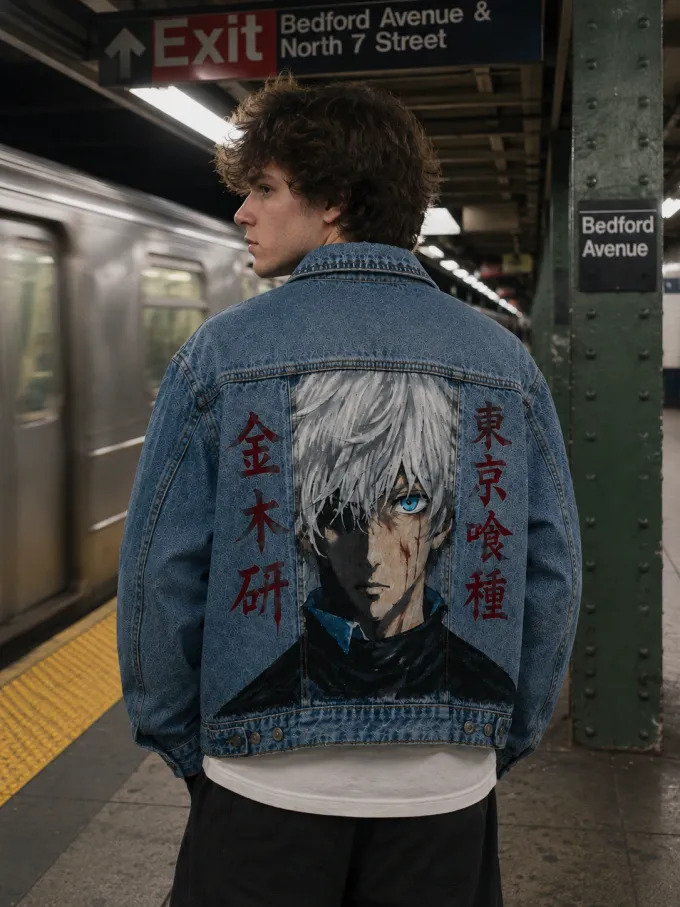
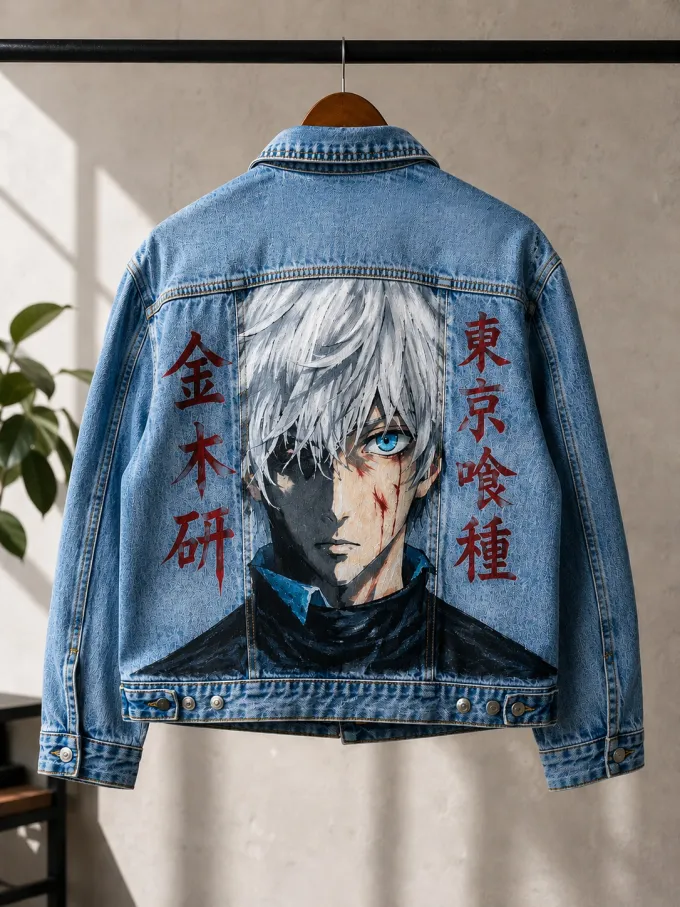
AI fashion photoshoot streetwear jacket on high-fashion studio model
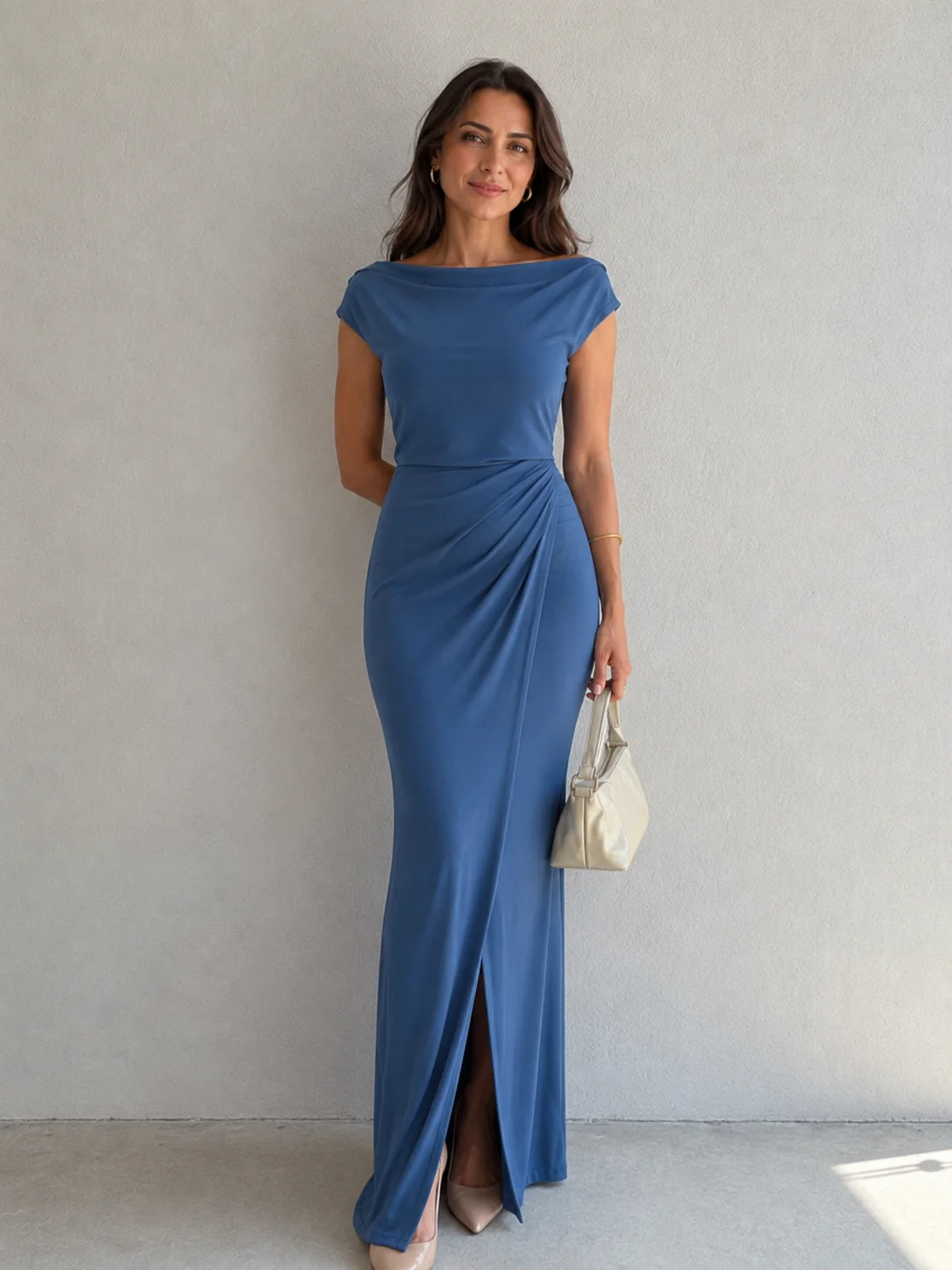
AI fashion photoshoot elegant evening dress with natural silhouette fall
AI fashion product photography urban streetwear subway photoshoot
AI fashion photoshoot men casual button down shirt with textile texture
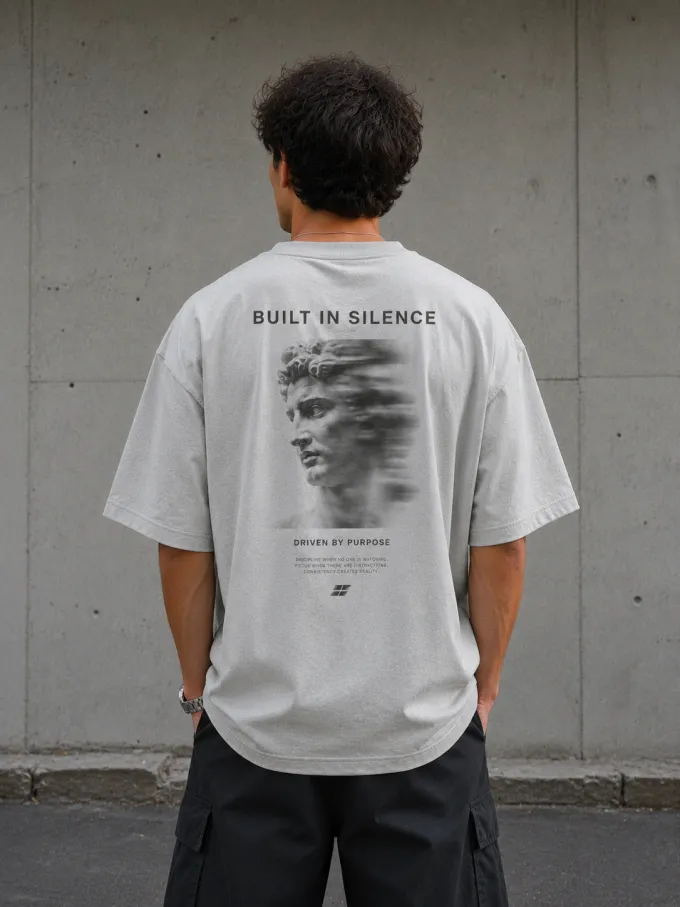
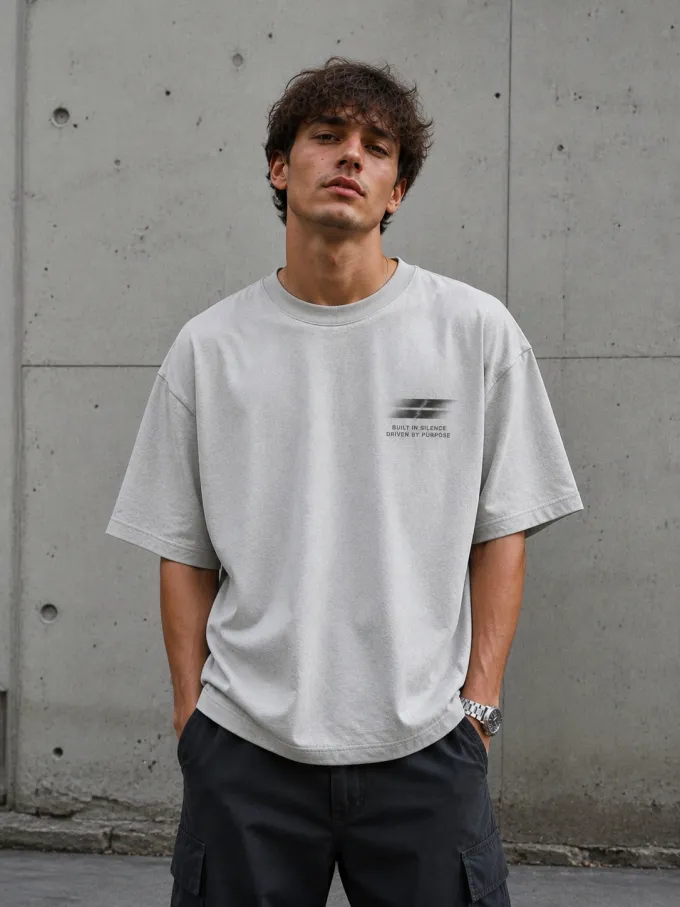
AI ecommerce product photography minimal graphic tshirt on fashion model
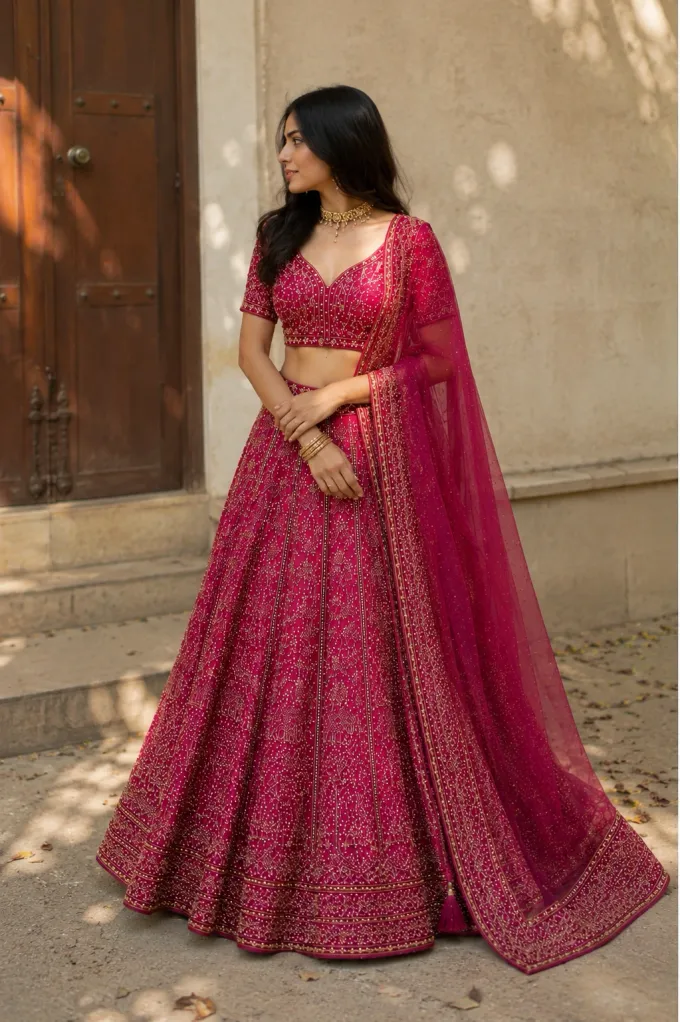
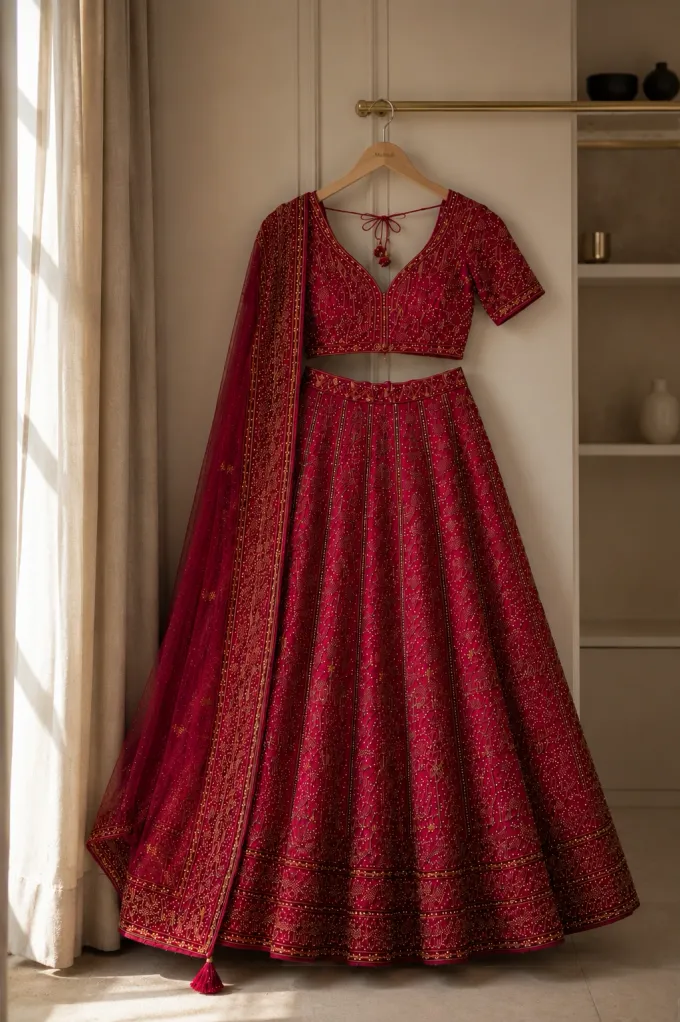
AI fashion photoshoot traditional ethnic wear with intricate embroidery detail
AI on-model full body fashion photography in minimalist studio
AI streetwear lookbook photography for social ads and ecommerce storefronts
AI apparel photography realistic fashion model photoshoot with natural fabric drape
AI fashion photoshoot streetwear jacket on high-fashion studio model
AI fashion photoshoot elegant evening dress with natural silhouette fall
AI fashion product photography urban streetwear subway photoshoot
AI fashion photoshoot men casual button down shirt with textile texture
AI ecommerce product photography minimal graphic tshirt on fashion model
AI fashion photoshoot traditional ethnic wear with intricate embroidery detail
AI on-model full body fashion photography in minimalist studio
AI streetwear lookbook photography for social ads and ecommerce storefronts
Before & After

Raw photo. Studio shot. Same garment.

Upload any clothing photo—flat lay, hanger, or mannequin packshot—and select your desired shot style. Monoshoot prioritizes your garment's fabric weave, prints, and tailoring while generating photorealistic on-model studio imagery.
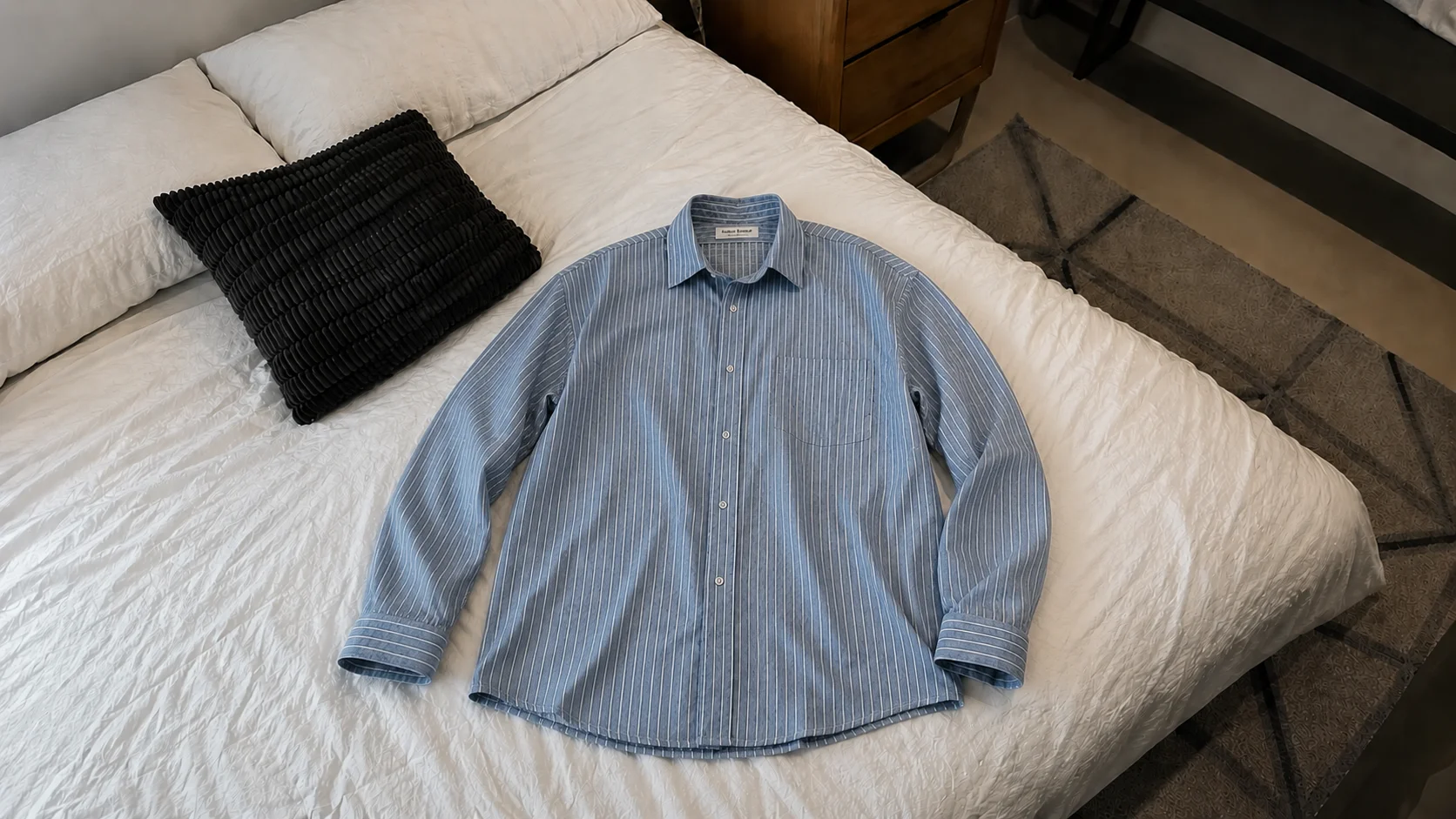
Raw smartphone flat lay of casual shirt before AI photoshoot processing
Wrinkled flat layFlat hanger shotLacks body contextFlat daylightUnstyled packshotWrinkled flat layFlat hanger shotLacks body contextFlat daylightUnstyled packshotWrinkled flat layFlat hanger shotLacks body contextFlat daylightUnstyled packshot

Raw Packshot / Flat Lay

Raw flat lays and hanger shots lack context. Flat lighting, accidental folds, and missing models make premium apparel harder for buyers to visualize, impacting conversions.
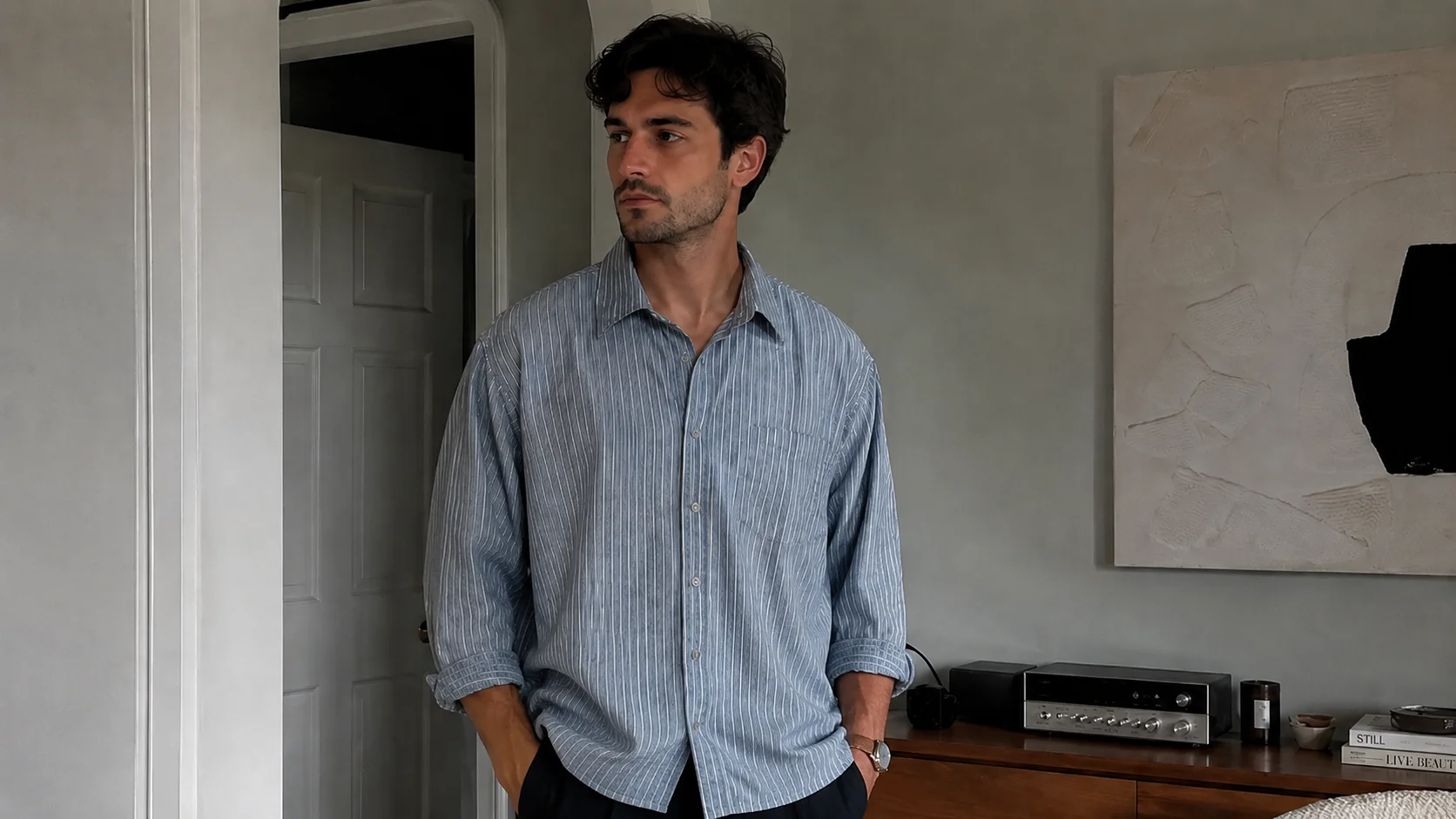
Studio-grade AI on-model photoshoot of casual shirt with preserved fabric drape and commercial lighting
Natural gravitational drapeReal textile weaveDiverse virtual modelsPreserved visible seamsEcommerce & catalog readyNatural gravitational drapeReal textile weaveDiverse virtual modelsPreserved visible seamsEcommerce & catalog readyNatural gravitational drapeReal textile weaveDiverse virtual modelsPreserved visible seamsEcommerce & catalog ready

Monoshoot On-Model Output

Monoshoot prioritizes your actual garment, prints, and fabric texture while placing it on diverse virtual models with natural drape, commercial studio lighting, and high-converting PDP framing.

Industry Definition

What Is AI Fashion Photography?

Zero Studio Logistics

AI fashion photography is a digital visual production workflow that transforms photos of real garments—such as flat lays, hanger photos, or mannequin packshots—into commercial on-model, catalog, and campaign imagery using artificial intelligence, bypassing the need for physical studio sessions or casting agencies.

Photorealistic Scaling

Fashion ecommerce brands upload a photo of their actual garment. Advanced generative models calculate natural body contours and fabric weight, rendering photorealistic AI fashion models. The imagery is instantly ready for product detail pages (PDPs), lookbooks, and high-CTR social ads at a fraction of traditional costs.

✦ Reference-Based Clothing Generation◈ Real Garment Fidelity◉ On-Model & Flat Lay Formats⬡ Zero Studio Logistics
AI Fashion Model Generator

Turn Your Clothing Photo Into an AI Model Shoot

Put clothes on AI models without losing fabric texture, seam placement, or branding. Monoshoot turns your raw flat lays, hanger shots, and ghost mannequins into believable, high-converting on-model photography for your online store.

Raw smartphone flat lay of casual shirtInput
AI fashion model wearing casual shirt with natural drape and studio lightingAI Model
→

Flat Lay → AI Fashion Model

Transform simple tabletop or floor flat lays into realistic on-model fashion photography with natural chest volume, sleeve drape, and torso fit.
Flat Lay InputNatural Body ContourFabric Flow Engine
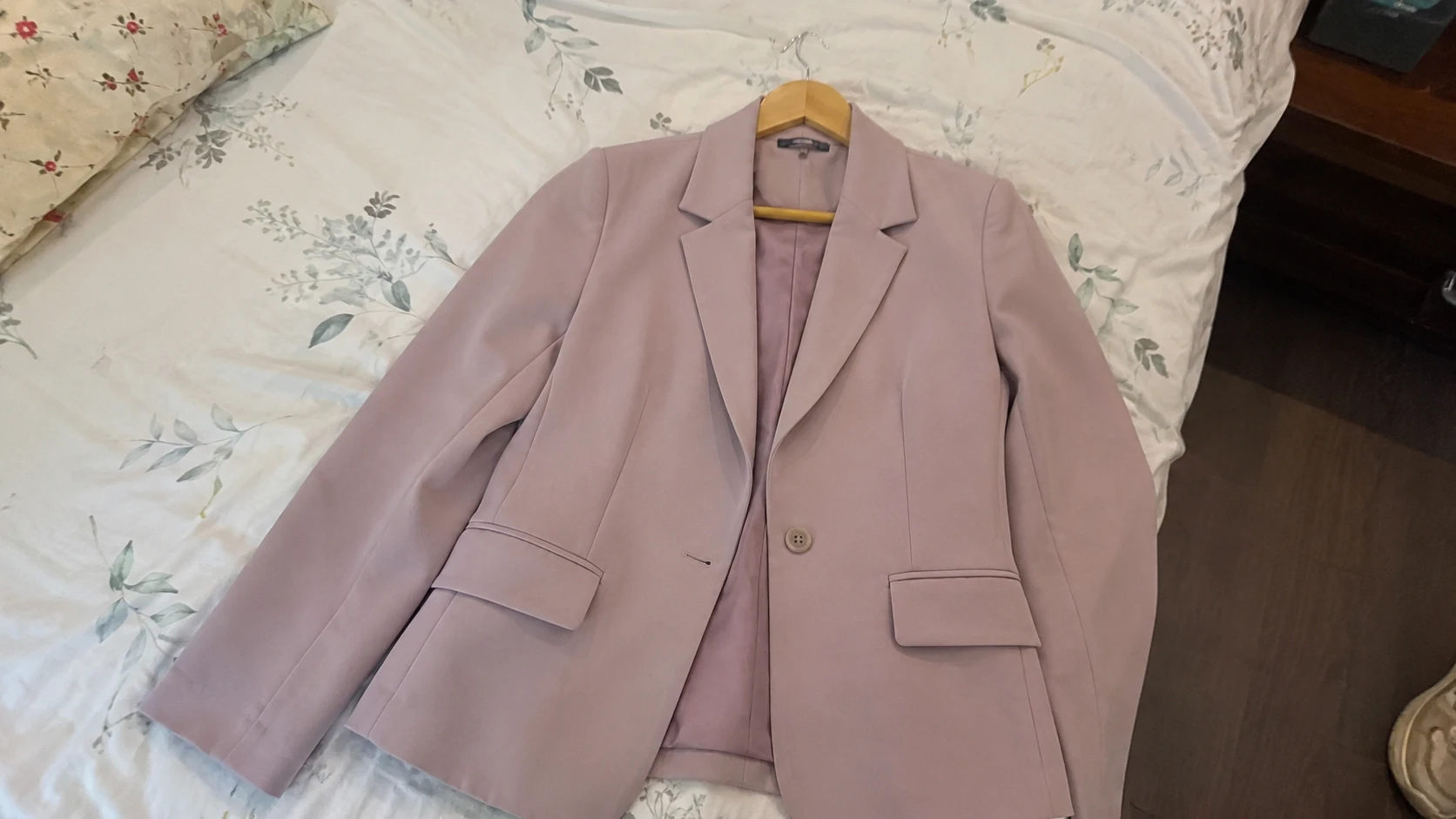
Raw photo of pink tailored blazer on hangerInput
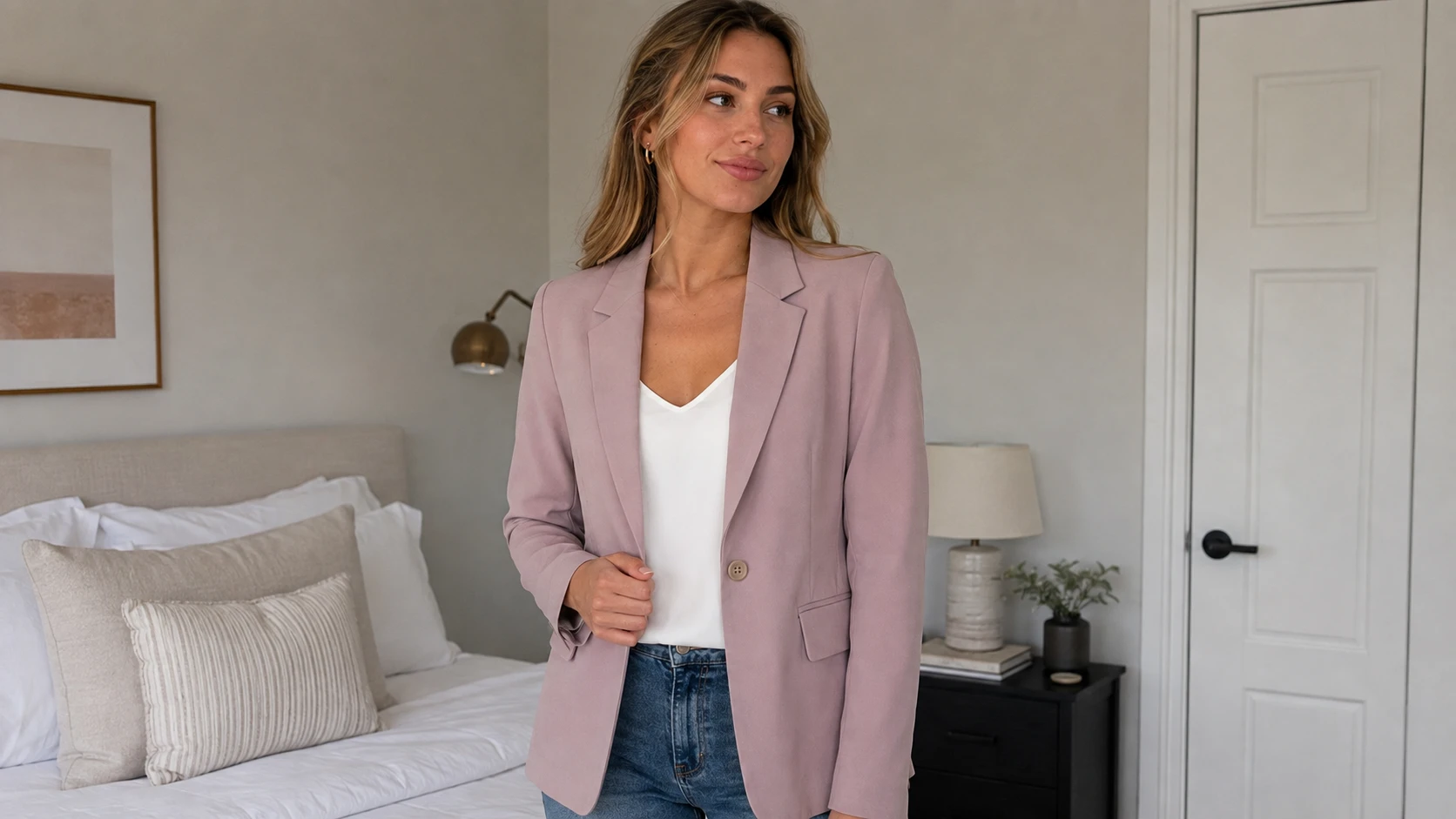
AI fashion model wearing pink tailored blazer in lifestyle bedroom studioAI Model
→

Hanger → AI Fashion Model

Turn upright hanger photos into relaxed studio or lifestyle model shoots with authentic shoulder posture, lapel alignment, and realistic lighting.

Hanger Photo InputShoulder AlignmentTrue Silhouette
Garment on retail display mannequinInput
AI fashion model wearing garment with human skin realism and natural postureAI Model
→

Mannequin → AI Fashion Model

Convert static retail mannequin or ghost mannequin photos into dynamic, photorealistic human fashion models with believable hands and skin tones.

Mannequin InputHuman Skin Realism3D Volume Fit
How it works

How AI Fashion Photography Works With Monoshoot

What used to mean hiring models, booking studios, and waiting weeks now takes three simple steps. Start with any raw phone photo of your garment.

01

Upload Your Garment

Start

Start with any smartphone photo—a flat lay on a clean floor, a hanger photo against a wall, or a mannequin packshot. Good natural daylight and an unwrinkled garment yield the highest fidelity.

02

Choose Shot & Model Direction

Customize

Select your shot style (on-model full body, half body, flat lay, ghost mannequin, or street style). Configure model attributes—including gender, body fit, ethnicity, and skin tone—along with studio lighting and background.

03

Generate Your Fashion Images

Done

Monoshoot synthesizes a realistic scene and fashion model around your garment, prioritizing fabric weave, prints, seams, and color fidelity. Download high-resolution visuals ready for your catalog.

Studio Shot Styles

One Garment Photo. Multiple Fashion Shot Styles.

Pick the shot style your brand needs. Every format is generated from the same raw garment image—fabric drape, weave textures, and tailoring preserved with high fidelity.

Ecommerce & Marketplace Ready

01

On-Model Full Body

02

On-Model Half Body

03

Flat Lay

04

Invisible Mannequin

05

Hanger Shot

06

Mannequin

07

Street Style

08
AI clothing photography ecommerce marketplace ready white background for Amazon Shopify Etsy

Ecommerce & Marketplace Ready

Clean, product-focused shots on a white or neutral background. Designed to create clean product imagery suitable for Shopify, Etsy, Amazon, and ecommerce product listings.

Garment Fidelity Engine

Your Model Can Change. Your Garment Shouldn’t.

Unlike generic text-to-image generators that hallucinate imaginary clothes, Monoshoot builds the model, lighting, and environment around your actual garment.

◈

Color & Material

Engineered to maintain authentic dye tones, surface sheen, and textile properties under balanced studio illumination.

✦

Prints & Patterns

Graphic screen prints, chest logos, and complex repeat patterns are protected against generative warping.

◉

Logos & Embroidery

Brand insignia, chest embroidery, badges, and sleeve tags remain legible and sharply defined.

⬡

Buttons, Zippers & Hardware

Metallic zippers, buttons, snaps, grommets, and drawstrings maintain their physical placement and realistic finish.

◈

Seams & Stitching

Hemlines, collar ribbing, topstitching, and cuff construction stay true to your garment's actual tailoring.

✦

Shape & Silhouette

Preserves structured shoulders, waist taper, and hem cuts without unnatural distortion or stretching.

◉

Fabric Texture & Drape

Respects physical fabric weight—denim hangs with density, silk flows fluidly, and knitwear shows authentic stitch weave.

✦
Garment Fidelity Note: Output fidelity is directly influenced by input image quality. Clear, well-lit photos with visible texture and uncropped edges give the best generative results. We recommend reviewing generated outputs before publishing to your storefront.
Model Customization

Choose an AI Fashion Model That Fits Your Brand

Showcase your apparel on virtual models tailored to your target audience. In Monoshoot's Clothing Studio, you can configure actual model controls directly without casting calls or agency fees.

Model Gender
Body Fit
Ethnicity
Skin Tone: Medium
AI South Asian female model wearing intricate apparel
Live Studio Configuration
South Asian Model · Intricate Drape
Gender: FemaleFit: Regular FitEthnicity: Indian / South AsianTone: Medium

Live studio parameters matched directly to Monoshoot Clothing Studio engine.

AI Fashion Photography for Ecommerce, Catalogs and Campaigns

One garment upload powers every sales and marketing touchpoint across your brand.

PDP Focus

Product Detail Pages (PDP)

High-resolution on-model and packshot imagery that shows real garment drape, builds buyer confidence, and helps reduce returns.

Fast Drops

Collection & Catalog Drops

Quickly shoot 30+ SKUs in uniform lighting to keep your digital storefront cohesive across seasonal drops without production delays.

Wholesale & Press

Lookbooks & Line Sheets

Elevated, cohesive styling for wholesale line sheets, buyer lookbooks, and seasonal digital brochures that captivate retail partners.

High CTR

Ads & Social Creatives

Street style and lifestyle on-model visuals formatted for Instagram feed, TikTok, and Meta performance ads to drive higher engagement.

Multi-Channel

Marketplace Listings

Clean, well-lit white-background visuals suitable for Shopify, Etsy, Amazon, and multi-channel sellers.

AI Fashion Photography vs. Traditional Shoots

See how digital apparel production compares to conventional commercial photography.

Production FactorTraditional Fashion ShootMonoshoot AI Studio
Cost per SKU$500 – $3,000+ per shootFrom $0 / pennies per image
Turnaround Time2 to 4 weeks (booking, shoot, retouch)Under 60 seconds
Model DiversityLimited to 1–2 models per castingGender, ethnicity, skin tone & fit controls
Sample LogisticsShipping, steaming, packing & returnsZero physical shipping (use phone photo)
Reshooting & TweaksExpensive re-bookings & studio rentalInstant prompt & scene iteration
Format VarietyFixed angles per shot list8 shot styles from a single raw upload
Before you generate

Start with a photothe AI can read.

Give the AI a clean reference and it can spend more of its attention on the details that matter: fit, fabric, seams, and silhouette.

✓Three simple checksfor a cleaner, more faithful result
01Before you upload

Smooth & Lay Flat

Lay the garment flat on a clean surface or hang it smoothly. Avoid deep accidental folds so the AI can read seam lines and silhouette.

↗
02Before you upload

Bright, Indirect Light

Photograph near a daylight window or under even room lighting. Avoid heavy shadows or harsh yellow overhead light.

↗
03Before you upload

Keep Full Garment in Frame

Capture the full item from collar to hemline without cropping sleeves or edges. Good input clarity creates high output fidelity.

↗
Simple Pricing

Try AI Fashion Photography Free

Put your clothing on virtual models today. Sign up and receive 3 free credits—no credit card required.

1 image generation = 1 credit
Free
$0
  • 3 credits
  • Medium quality
  • Watermark
  • Multiple aspect ratios
  • Export JPG, PNG, WEBP, AVIF
Starter
$14 / month
AI Engines
Mono Core
  • 40 credits
  • Unused credits roll over monthly
  • High quality
  • No watermark
  • Multiple aspect ratios
  • Export JPG, PNG, WEBP, AVIF
Plus
Most Popular
$34 / month
AI Engines
Mono GenMono Core
  • 100 credits
  • Upload up to 2 reference images
  • Unused credits roll over monthly
  • High quality
  • No watermark
  • Multiple aspect ratios
  • Export JPG, PNG, WEBP, AVIF
Production
$199 / month
Production Lite
AI Engines
Mono GenMono CoreMono Vision
  • 200 credits
  • Upload up to 2 reference images
  • Unused credits roll over monthly
  • Ultra quality
  • No watermark
  • Multiple aspect ratios
  • Export JPG, PNG, WEBP, AVIF
🎬

Make a Reel, get Monoshoot for free.

See how it works →
Common Questions

Your questions, answered.

Your catalog is in your camera roll

Any shot.
One phone photo.

On-model, flat lay, hanger, ghost mannequin, street style, or clean white background — pick your shot type, and Monoshoot handles the rest. No studio, no casting, no waiting.

Explore the workflow
Monoshoot - AI Product Photography StudioMonoshoot

AI on-model fashion photography and apparel studio images from raw flat lays and packshots.

Monoshoot - Featured on Startup FameFeatured on Twelve Tools

Free Tools

Background RemoverWEBP to PNGWEBP to JPGPNG to WEBPAVIF to PNGAVIF to JPGAVIF to WEBP

Resources

BlogPhotography GuideFAQRefer & EarnCreator Program

Product

How It WorksAI Background GeneratorPricingStart Free

Categories

Clothing & FashionGhost MannequinJewellery & AccessoriesCosmetics & Wellness

Legal

Privacy PolicyTermsCancellation PolicyContact

© 2026 Monoshoot. All rights reserved.