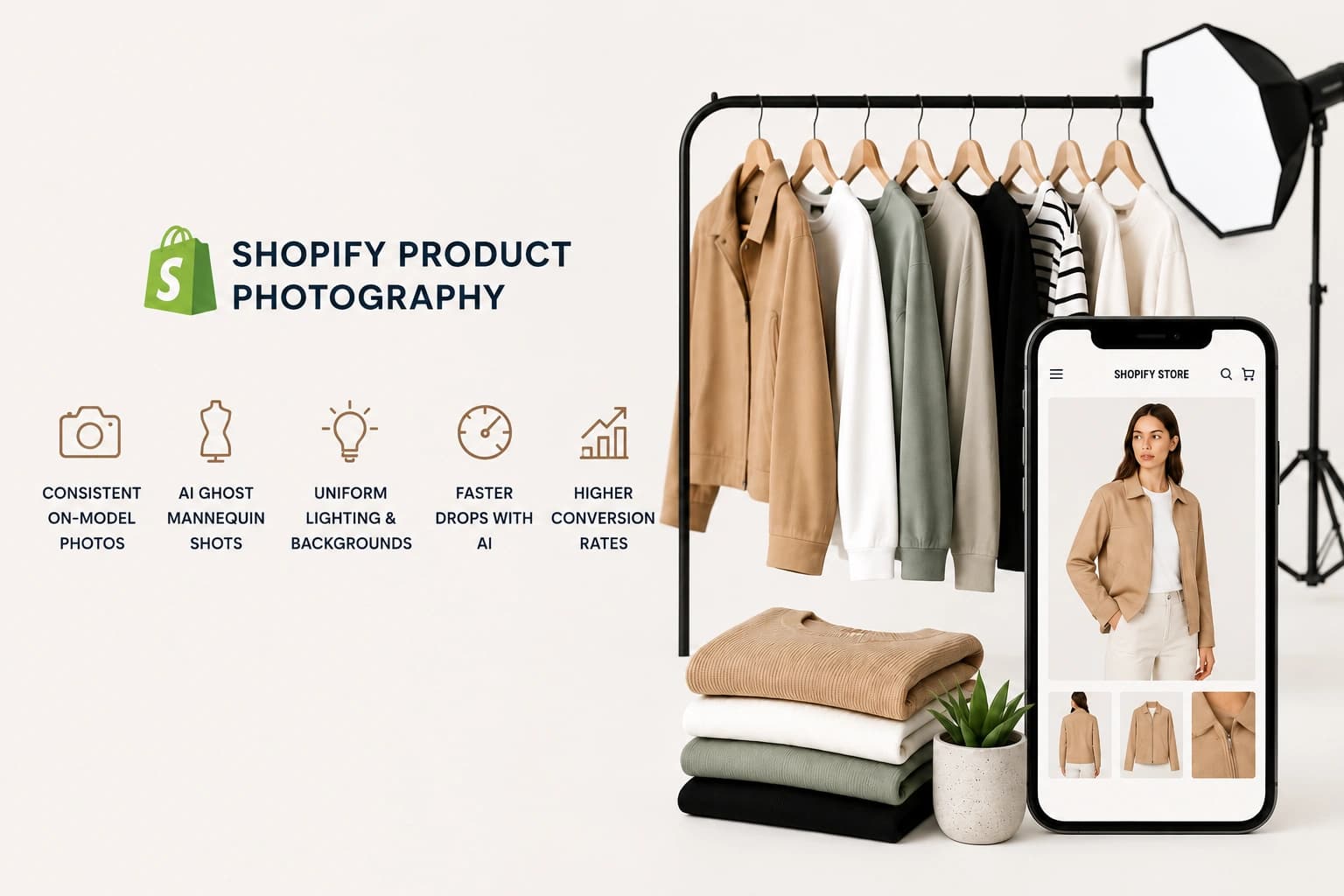
Shopify product photography for fashion brands is one of the few areas where small visual inconsistencies translate directly into lost sales. A jacket shot in one lighting setup next to a jacket shot in another, a model swapped halfway through a collection, or a background that shifts from white to off-white across SKUs – all of it quietly signals “this store isn’t quite finished” to a shopper scrolling fast.
Below are 7 proven, practical ways fashion brands are using AI photography to keep their Shopify catalog consistent, get new products live faster, and convert more of the traffic they’re already getting.
Why Consistency Matters More Than Individual Photo Quality
A single great photo doesn’t sell a fashion brand. A consistent set of photos does.
When a shopper browses a collection page, they’re comparing products side by side. If one product looks studio-shot and the next looks like it was photographed on a different day with different lighting, the inconsistency itself becomes the takeaway – even if every individual photo is technically fine.
For fashion brands especially, this shows up in three places: the product grid (where mismatched backgrounds or crops break the visual rhythm), the product detail page (where on-model and flat-lay shots need to feel like the same product, not two different items), and search/social previews (where your first image needs to hold up at thumbnail size).
Tip 1: Follow Shopify’s Image Specs From Day One
Before consistency or style even comes into play, technical specs matter. Shopify recommends square product images at 2048 x 2048 pixels, which gives enough resolution for zoom functionality while keeping file sizes manageable. Shopify recommends 2048×2048 pixel square product images with a max file size of 20MB in JPEG, PNG, or WebP format.
Square format isn’t just a technical recommendation – it’s what most Shopify themes are built around, so non-square images often get cropped or padded with whitespace in collection grids. Standardizing every image to the same dimensions and aspect ratio before upload avoids this entirely.
Tip 2: Shopify Product Photography for Fashion Brands – Why On-Model Consistency Wins
For Shopify product photography for fashion brands, on-model images consistently outperform flat lays and ghost mannequin shots alone – shoppers want to see how a garment fits, drapes, and moves on a body, not just what it looks like flat on a table.
The challenge is consistency: if every product in a collection uses a different model, pose, or framing, the catalog feels disjointed. AI photography makes it possible to apply the same model type, pose style, and framing across an entire collection – something that would require rebooking the same model and studio setup in traditional photography, which most fashion brands simply can’t do for every drop.
Tip 3: Use Ghost Mannequin for Flat, Consistent Apparel Shots
Ghost mannequin photography – where a garment appears to float with the shape of a body, but no visible model – remains one of the most widely used formats for apparel on Shopify, especially for the primary product image in a listing.
The advantage of ghost mannequin shots is consistency at scale: every product can use the exact same framing, angle, and lighting, which makes collection pages feel cohesive even across very different garment types. AI-generated ghost mannequin images let fashion brands produce this format without a physical mannequin or specialized studio setup for every SKU.
Tip 4: Standardize Backgrounds and Lighting Across Every SKU
One of the fastest ways to make a Shopify store look unfinished is inconsistent backgrounds – pure white for some products, off-white or gray for others, slight color casts from different lighting setups.
Pick one background style for your primary product images (pure white is the safest default for fashion) and one or two secondary styles for lifestyle or detail shots, then apply those consistently across the entire catalog. With AI photography, this means setting a background and lighting preset once and reusing it across every product, rather than manually matching lighting conditions shot by shot.
Tip 5: Speed Up New Drops With Batch Image Generation
Fashion moves fast – new drops, seasonal collections, and restocks all need fresh images on a tight timeline. Traditional photography means booking a studio, model, and photographer for each cycle, which is often the actual bottleneck between “product is ready” and “product is live.”
AI photography removes this bottleneck. Once your style presets (background, lighting, model type, framing) are set for a collection, new products can go through the same pipeline in batches – turning a multi-day photoshoot cycle into something that happens the same day a product is ready to list.
Tip 6: Test Fabric and Color Accuracy Before Scaling
Before applying any AI photography tool across a full collection, test it on a few products that represent your hardest cases – a dark fabric with fine texture, a patterned print, and a true-to-brand color that’s easy to get slightly wrong (navy vs. black, for example).
Check that fabric texture remains visible, that prints and patterns aren’t distorted or redrawn, and that color stays consistent across different generated scenes. If a tool struggles with these on a handful of test products, it’ll struggle across your whole catalog – better to find that out before a launch, not during one.
Tip 7: Optimize Image Sets for Conversion, Not Just Aesthetics
A complete, conversion-ready image set for a fashion product typically includes a clean primary shot (ghost mannequin or front-facing on-model), one or more on-model shots showing fit and movement, a detail shot highlighting fabric, print, or construction, and a lifestyle or styled shot for context.
Each of these serves a different part of the buying decision – the primary image gets the click from a collection page, the on-model shots answer “how will this look on me,” and the detail shot builds trust in quality. Consistency across all of these, for every product, is what turns a browsing session into a purchase.
How Monoshoot Helps
Monoshoot’s Clothing & Fashion studio is built specifically for the consistency challenge fashion brands face on Shopify. It includes Ghost Mannequin support for clean, consistent flat apparel shots without a physical mannequin, on-model scene generation with consistent model type, pose, and framing across an entire collection, and gender and styling options so every product in a drop follows the same visual standard.
Because Monoshoot transforms your actual uploaded product photo rather than generating a new one from scratch, fabric texture, prints, and color stay accurate to the real garment – while the scene, model, and background can be standardized across your whole catalog in a fraction of the time a traditional shoot would take.
For more on how Monoshoot approaches product accuracy across categories, see our guide on AI photography for cosmetics packaging, which covers the same fidelity-first approach applied to a different vertical.
What’s the best image format for Shopify product photography for fashion brands?
Square images at 2048 x 2048 pixels in JPEG or WebP format are recommended, since most Shopify themes are built around square product grids and this resolution supports zoom functionality.
How many product images does a fashion listing need on Shopify?
Most fashion brands use 4-6 images per product, covering a primary shot, on-model views, a detail shot of fabric or construction, and a lifestyle or styled image.
Can AI photography keep fabric texture and prints accurate?
Yes, if the tool transforms the uploaded product image rather than generating a new one – this preserves fabric texture, prints, and color rather than reimagining them.
Why does consistency matter more than individual photo quality for fashion brands?
Shoppers compare products side by side on collection pages, so inconsistent backgrounds, lighting, or styling between products creates a disjointed impression even when each photo is individually high quality.
Is ghost mannequin photography still relevant for AI-generated images?
Yes, ghost mannequin remains a standard format for apparel primary images, and AI photography can generate this format consistently across a catalog without a physical mannequin setup.
Try It Yourself
Ready to standardize your Shopify product photography for fashion brands across your whole collection? Upload a product to Monoshoot and see how ghost mannequin, on-model, and lifestyle scenes look with your actual garment – free to try, no credit card needed.
Ready to streamline your Shopify clothing imagery? Discover how AI fashion photography turns raw apparel packshots into high-converting on-model product photos.