01Pro Tip
Soft, Indirect Lighting
Photograph your jewelry beside a bright window or under diffused indoor light. Avoid harsh direct phone flash which creates blown-out white glare spots.
Turn a simple ring, necklace, earring, or bracelet photo into studio-grade product and realistic on-model jewelry imagery with Monoshoot’s AI jewelry model generator—prioritizing the exact metal luster, stone placements, and fine craft of your piece.
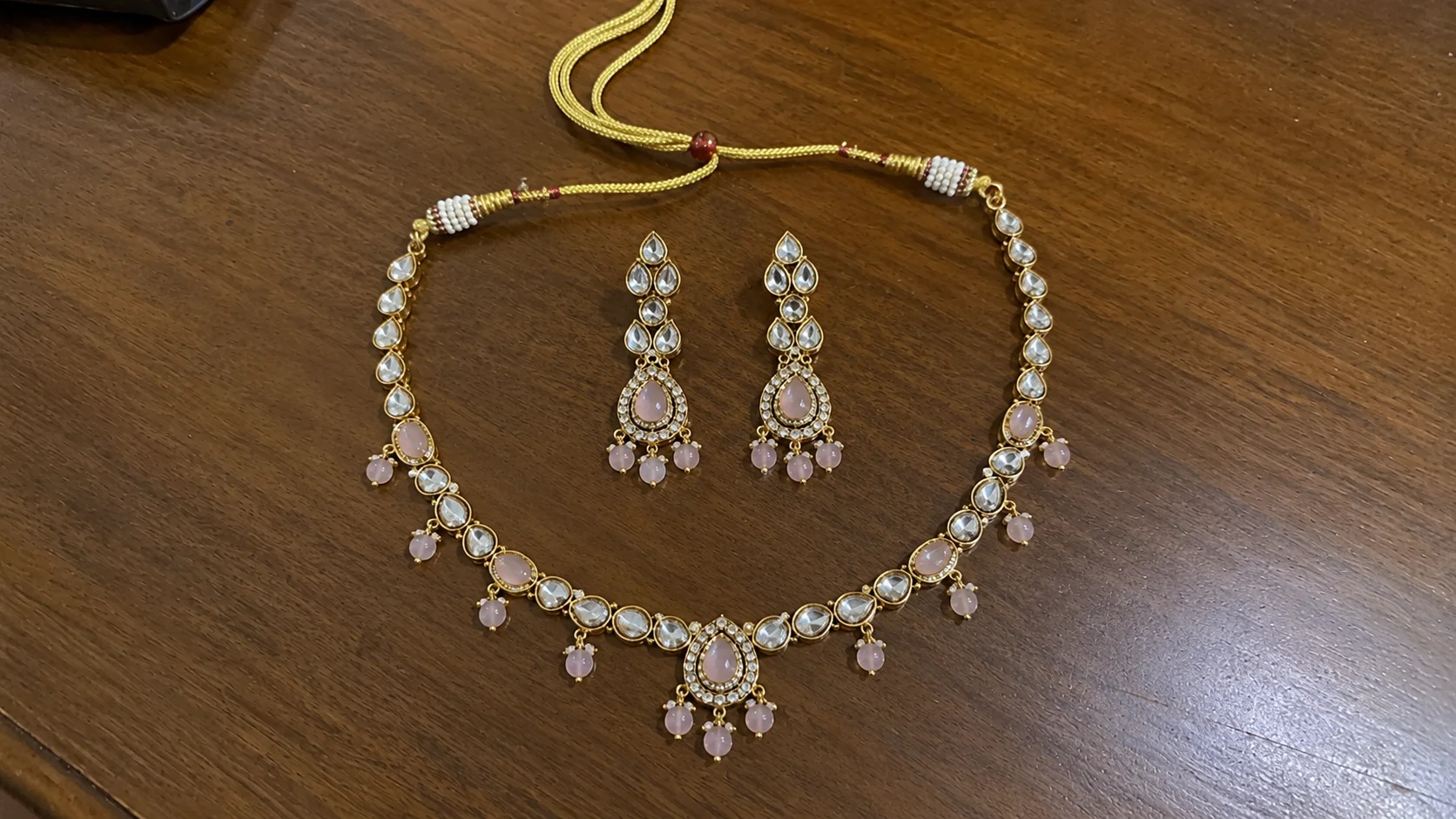 1. Raw Phone Photo
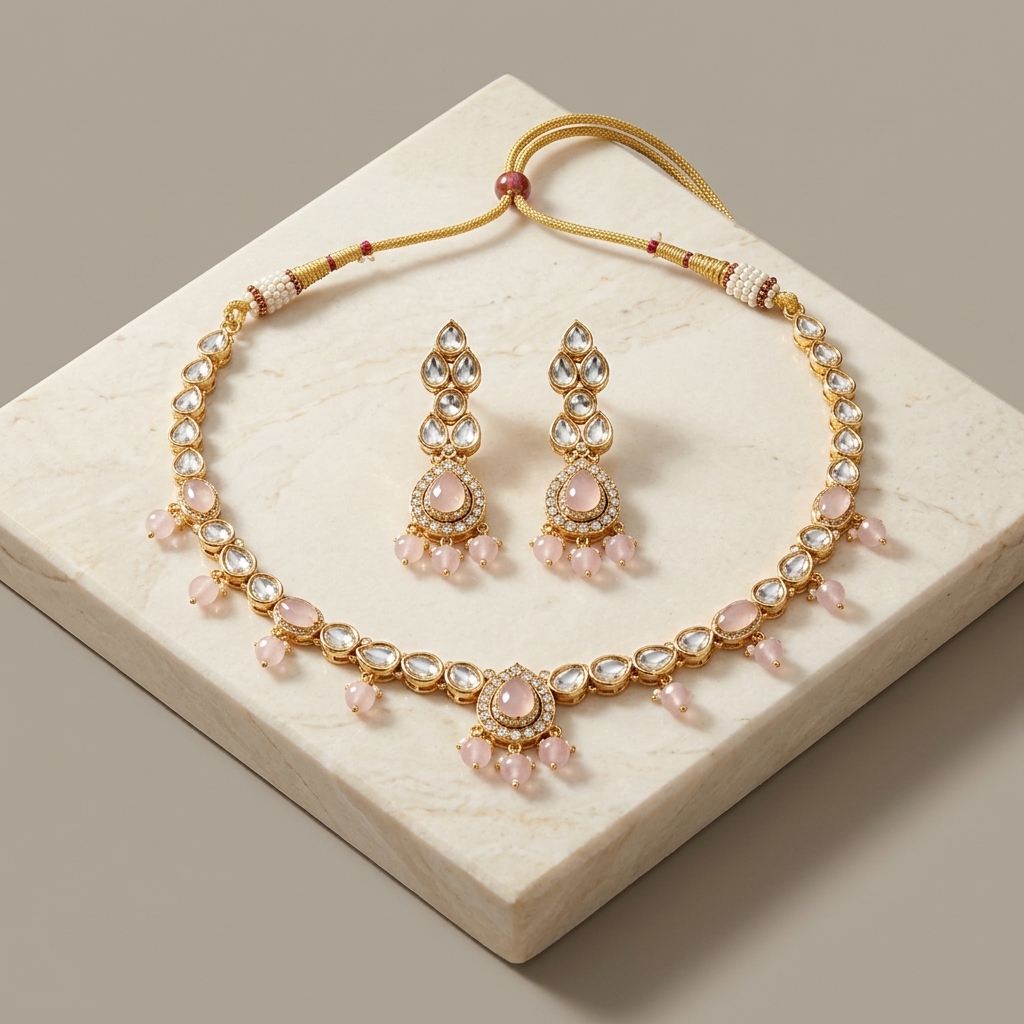 2. Studio Packshot
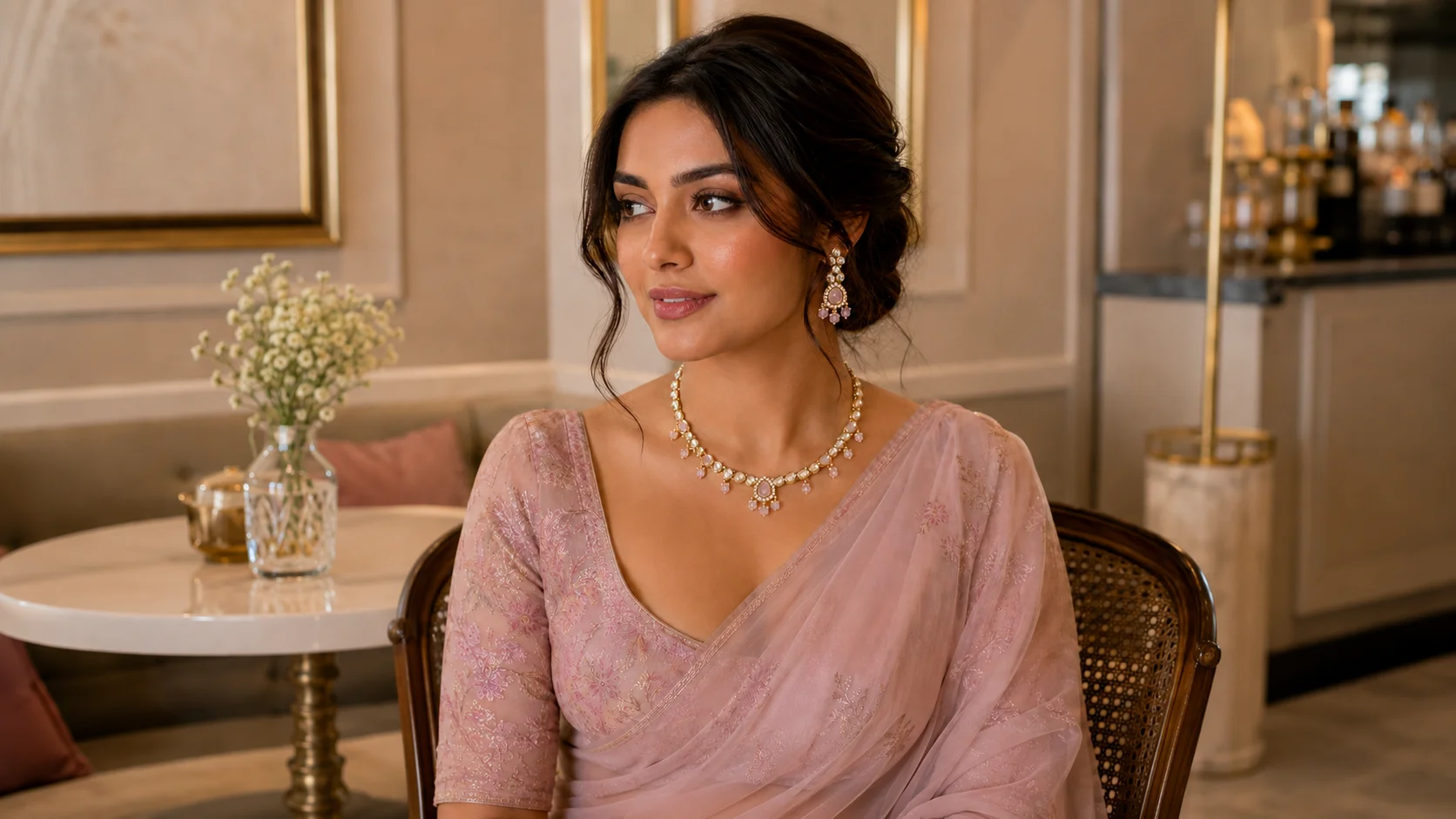 3. Realistic On-Model
Drag the tags below to explore the transformation. Monoshoot preserves your jewelry piece’s recognizable band, stone geometry, and prongs while replacing smartphone lighting with commercial studio refinement.
Uncalibrated lighting, harsh specular hotspots, and blurry gemstone cuts that reduce buyer confidence on luxury marketplaces.
Studio-grade highlight containment, diamond fire clarity, and natural on-model placement designed for Shopify and luxury campaigns.
AI jewelry photography is a high-precision digital imaging workflow that uses an existing jewelry product photo as a reference to synthesize commercial studio packshots, luxury lifestyle scenes, or realistic on-model imagery. Rather than booking expensive physical studio sessions, casting specialized hand models, and managing complex light-diffusion tents, jewelry brands upload a single photo of a ring, necklace, earring, or bracelet to generate comprehensive visual assets for ecommerce catalogs, Shopify PDPs, and global advertising campaigns.
Monoshoot preserves the identifiable physical characteristics of the jewelry—metal color, surface finish, stone count, prongs, and geometric proportions—so the item sold online matches what customers receive.
Generates authentic human interaction—placing rings on manicured fingers, necklaces across collarbones, earrings on ears, and bracelets on wrists with realistic scale and contact shadows.
One Jewelry Photo. Multiple Ways to Sell the Piece. Monoshoot supports 8 distinct commercial studio scenes configured specifically for jewelry and accessories.

Place jewelry naturally worn on a model with focus on the piece without face distraction. Perfect for highlighting necklace chain drape, ring scale on fingers, and earring drops.
Shoppers need to see jewelry on a human body before making a purchase. Monoshoot takes your actual jewelry product reference and renders it naturally worn by virtual models—giving your brand high-converting on-model photography without model casting fees.
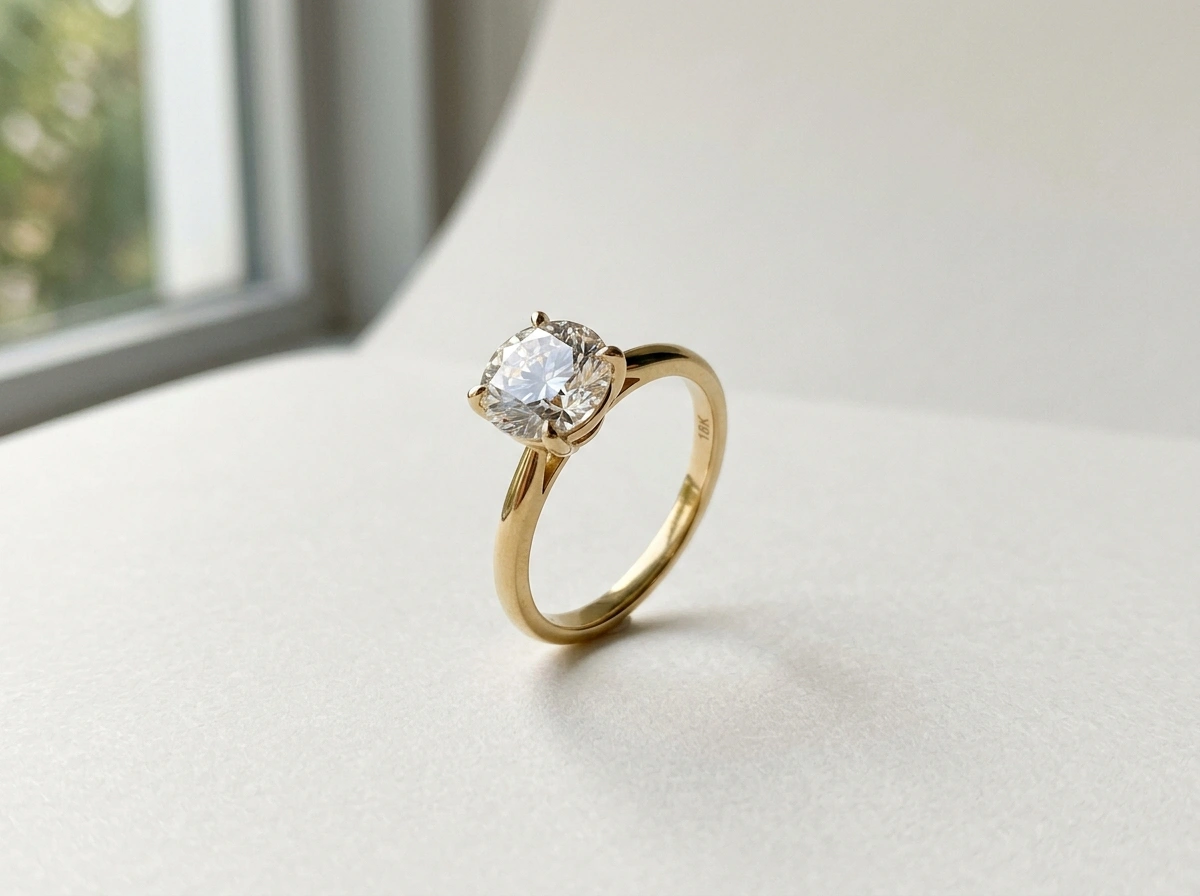 Packshot Input
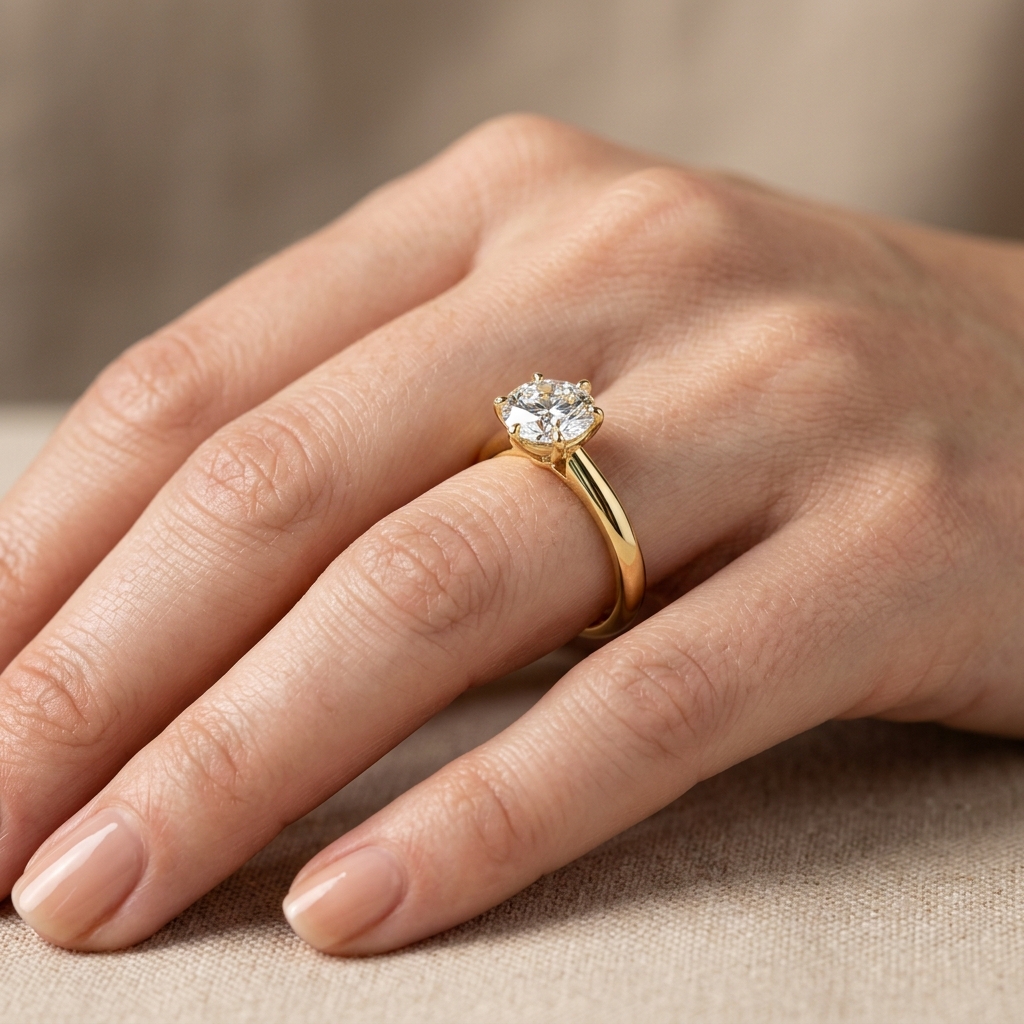 Ring on Hand
Generates realistic slender fingers, manicured nails, and believable skin contact that immediately clarifies ring band width and center stone proportion.
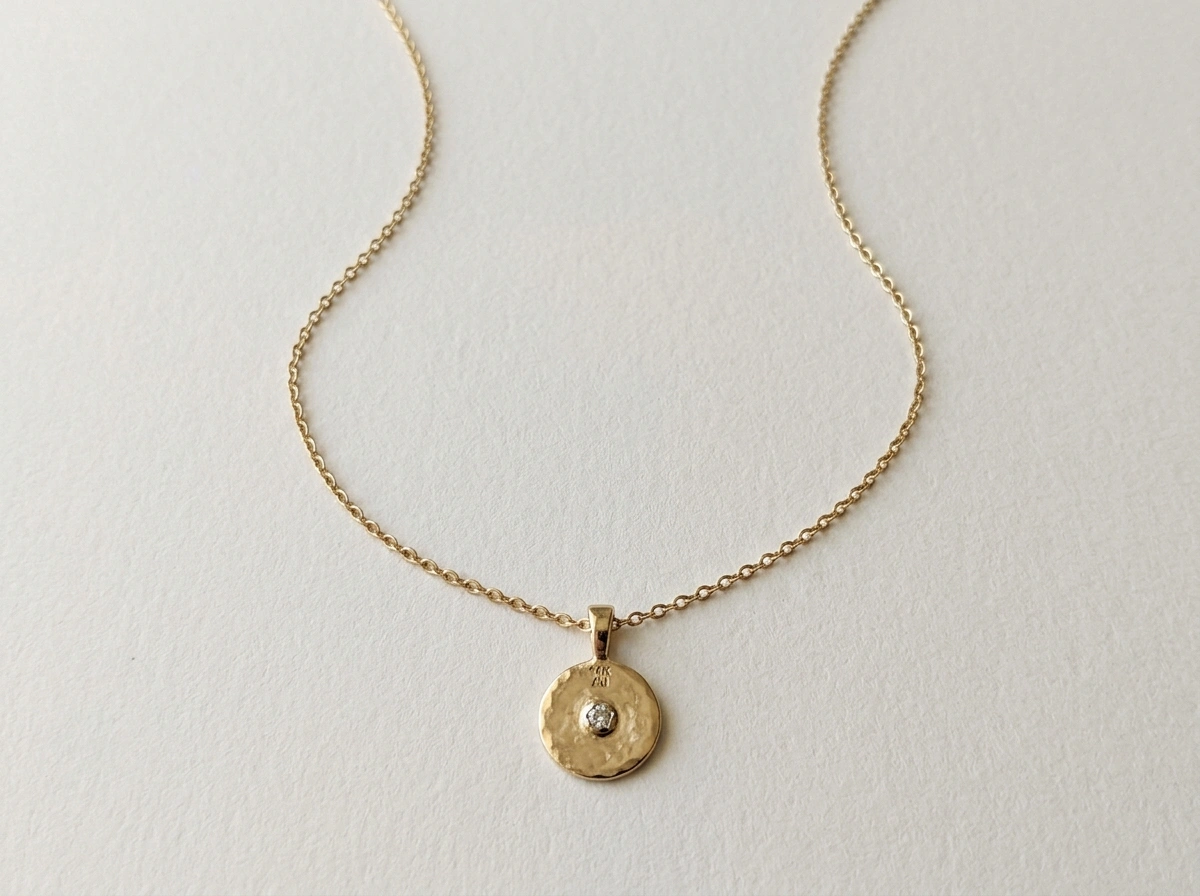 Flat Lay Input
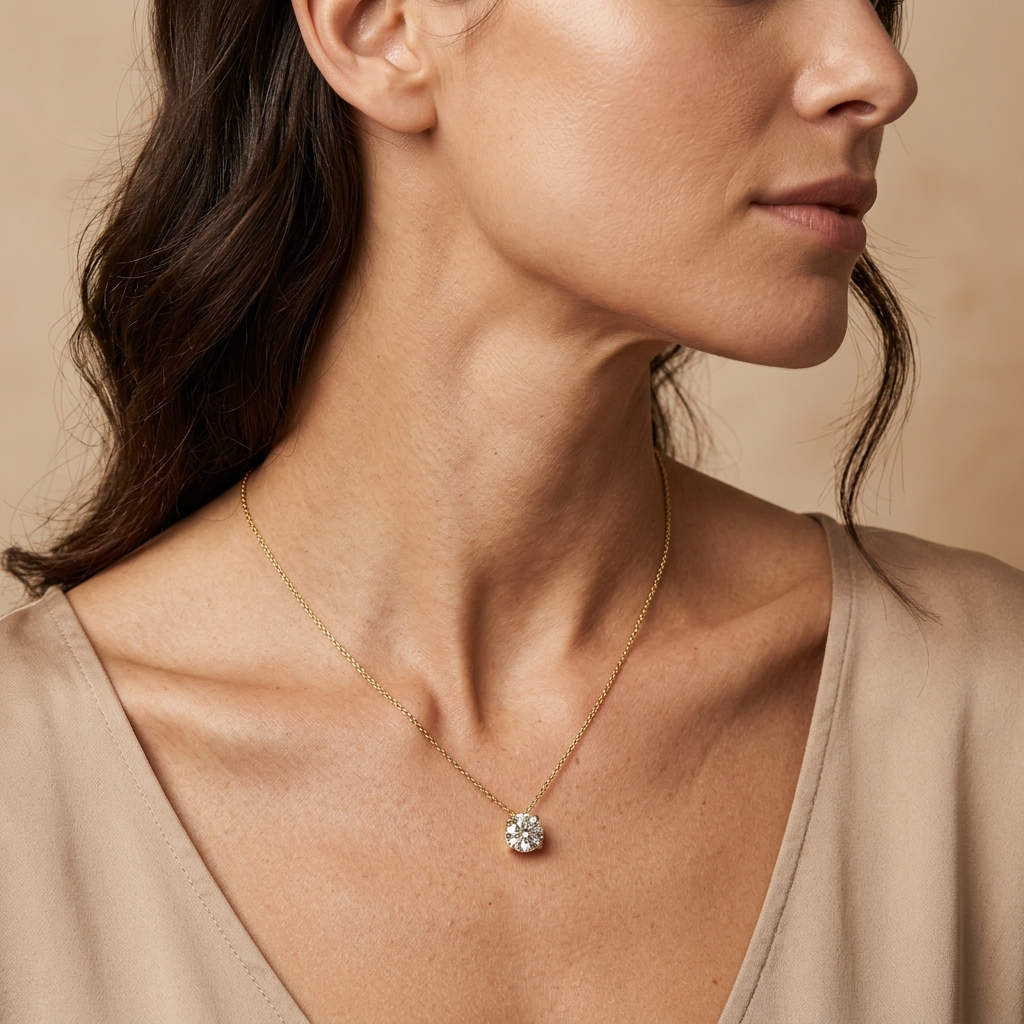 Necklace on Model
Accurately calculates gravitational chain drape along collarbone contours and neckline framing, showing customers exactly how the pendant rests when worn.
 Display Stand
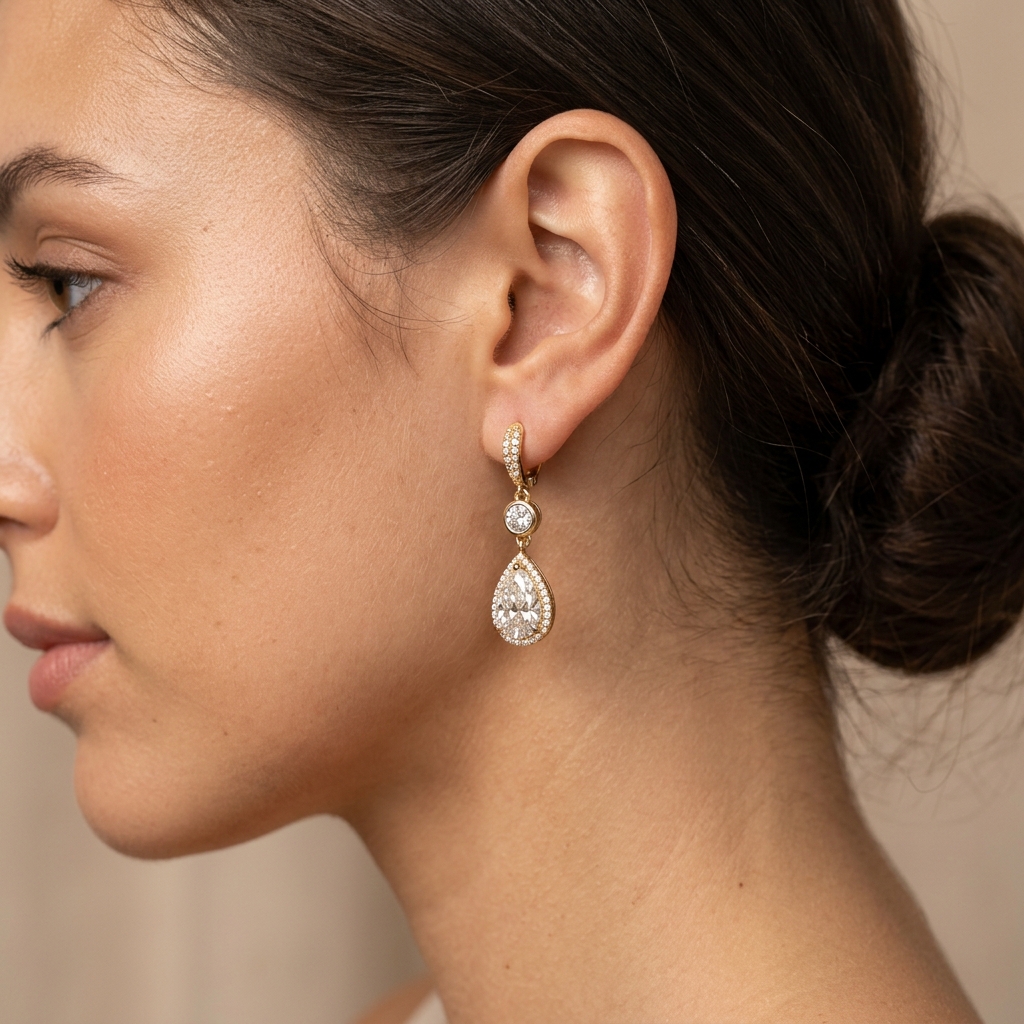 Earrings on Ear
Positions drop earrings and studs naturally on realistic earlobes with soft hair styling, creating an intimate, commercial editorial aesthetic.
Different jewelry types demand distinct human anatomy and camera angles. Monoshoot features tailored AI placement models for rings, necklaces, earrings, and bracelets.
ring on handShow band width, stone proportion, and styling scale on realistic fingers with natural skin pores, manicured nails, and authentic contact shadows.
necklace on modelDemonstrate chain length, collarbone drop, and pendant position with natural gravitational drape against realistic neck anatomy and skin tones.
earrings on earHighlight drop length, stud size, hoop orientation, and earlobe interaction with realistic ear anatomy and natural hair tucking.
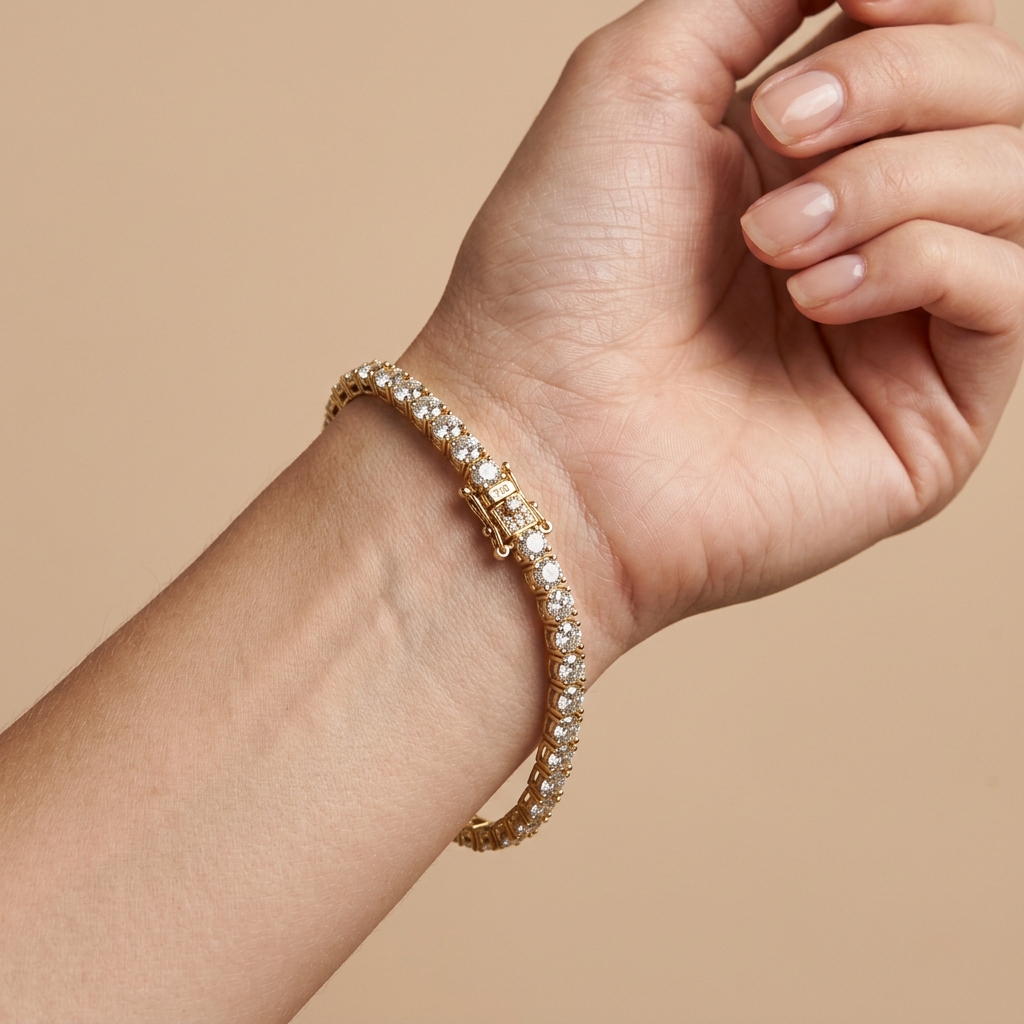 bracelet on wrist
Present bangle curvature, tennis bracelet drape, and clasp placement on graceful wrists without geometric stretching or synthetic blurring.
AI imagery is useless for jewelry ecommerce if it redesigns the piece you are selling. Monoshoot isolates your uploaded jewelry reference and generates the model and scene around it, prioritizing visible gemstone cuts, prong settings, and metal finish.
Engineered to preserve recognizable band curvature, pendant geometry, hoop diameter, and chain links without generative warping.
Protects center stones, surrounding halos, pavé accents, and multi-gem arrangements against unwanted hallucination.
Maintains authentic micro-prongs, bezel rims, channel walls, bail attachments, and clasps as crafted in the physical piece.
Renders true 18k yellow gold, rose gold, white gold, 925 sterling silver, and platinum luster with authentic high-polish or brushed matte texture.
Aims to retain visible hallmarks, filigree, milgrain borders, and surface etchings captured in your reference photo.
Jewelry photography has an optical challenge fashion does not: mirror-like metal surfaces and microscopic gemstone facets that easily blow out under harsh lighting. Monoshoot solves this with intelligent highlight containment.
Polished gold and platinum create intense specular flares under physical lights. Monoshoot balances highlight roll-off so band curvature and metal tone stay visible.
Gemstones require controlled light to showcase facet cut, brilliance, and color saturation without turning milky, washed out, or artificially plastic.
Generates realistic softbox reflections and ambient light gradients that contour metal surfaces, avoiding synthetic flat overlays.
Micro-prongs, gem seats, and bezel edges remain crisp and defined, providing the zoom-in clarity online jewelry buyers demand before purchasing.
Create professional studio packshots and on-model imagery from a single smartphone photo in three simple steps. Meet Ordoñez Le, a handmade jewelry brand using Monoshoot, in our customer story.
Start with any smartphone snapshot—a simple packshot on clean paper, a tabletop photo, or a catalog packshot. Clear focus and soft daylight yield the highest gemstone and metal fidelity.
Select from 8 studio shot styles, including on-model close-ups, full portraits, velvet boxes, or clean white studio packshots. Configure model gender, ethnicity, skin tone, and studio lighting.
Monoshoot synthesizes your chosen scene around your jewelry reference, prioritizing band geometry, gemstone clarity, prongs, and authentic metal luster. Download ecommerce-ready visuals in seconds.
Tailor virtual models to match your customer demographic. Configure Model Gender, Ethnicity, and Skin Tone swatches directly inside the Monoshoot Jewelry Studio to showcase pieces on diverse skin tones.

Jewelry-to-skin contact shadows and specular light roll-off automatically calibrate to selected tone.
Monoshoot is not just an on-model tool. Jewelry brands require clean studio packshots, luxury still lifes, velvet box presentations, and flat lays to complete their ecommerce PDPs.

Shadow-free or soft-drop-shadow presentation calibrated for Amazon, Shopify, and Google Shopping compliance.

Rich velvet box presentation conveying premium packaging value for engagement rings, pendants, and bridal sets.
Controlled pedestal and bust staging for catalog line sheets, wholesale catalogs, and retail buyer decks.

Overhead tabletop arrangements on slate, linen, or raw travertine designed for Instagram feed and lifestyle branding.
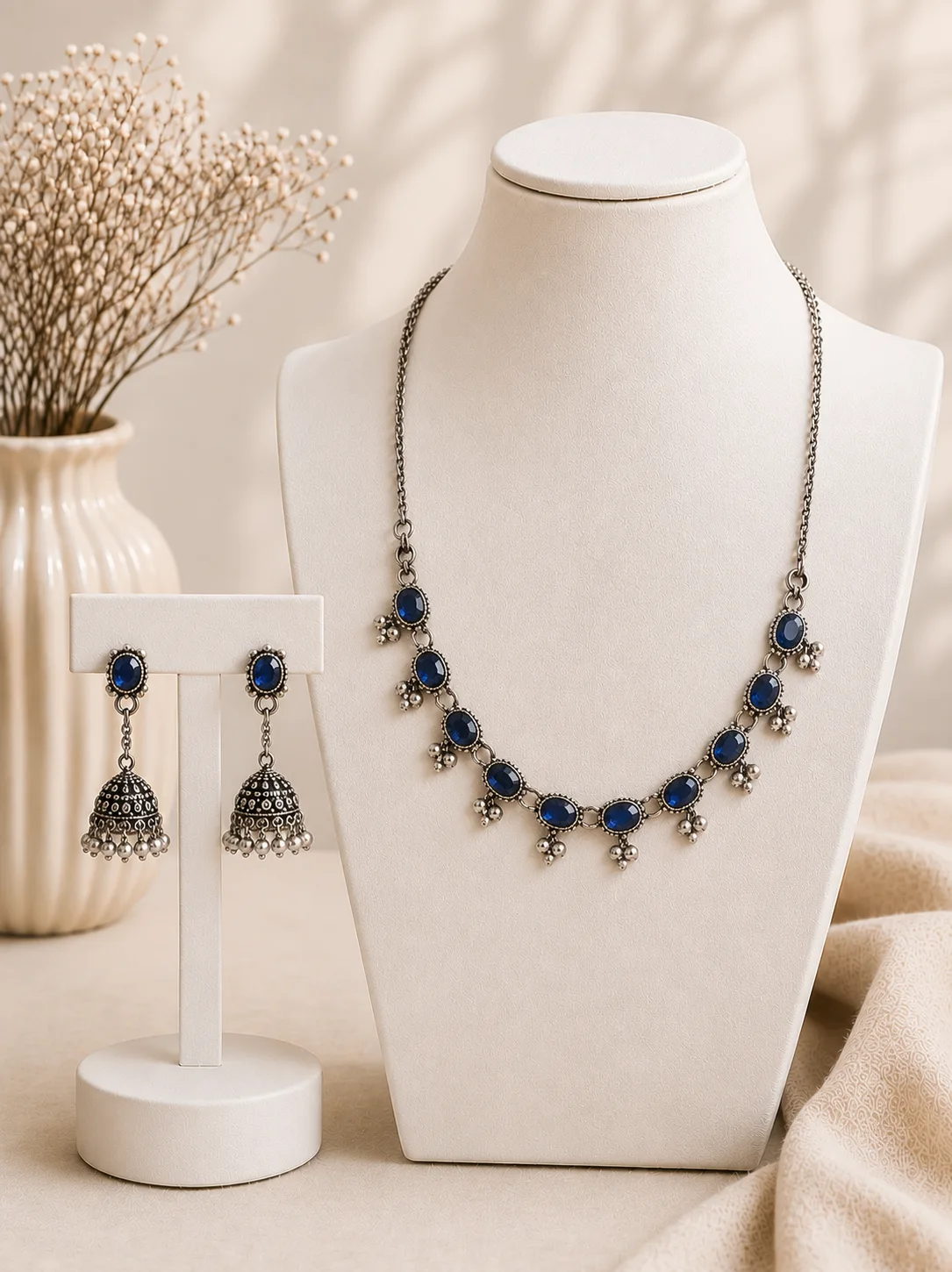
Minimalist architectural pedestals with directional softbox lighting and elegant compositional balance.

Organic sunlight, stone textures, and foliage accents creating an elevated luxury mood without outdoor permit costs.
One photoshoot reference generates high-resolution imagery for every digital customer touchpoint.
Combine clean product-only packshots with realistic on-model scale images (ring on hand, necklace on neck) to answer buyer questions and reduce sizing returns.
Shoot 40+ SKUs with uniform studio lighting and consistent model aesthetic across rings, earrings, and pendants in minutes rather than weeks.
Produce high-end editorial and lifestyle scenes on marble, velvet, and aspirational backgrounds for brand campaigns and wholesale line sheets.
Engaging close-up worn imagery formatted for Instagram, Pinterest, and TikTok ads that immediately draw the eye to precious stones.
Ecommerce-ready imagery suitable for Shopify storefronts, Etsy handmade shops, and clean marketplace listings across global channels.
Compare physical macro studio production with Monoshoot’s reference-guided generative studio.
| Production Step | Traditional Jewelry Studio | Monoshoot AI Jewelry Studio |
|---|---|---|
| Physical Jewelry Studio | Specialized macro lightbox & diffusers required | Starts directly from an existing product photo |
| Model Booking & Casting | Hand/face model casting ($800 – $2,500/day) | AI jewelry model generator included in workflow |
| Reflection & Glare Control | Hours of manual polarizing flags & retouching | Intelligent specular & reflection rendering |
| Turnaround Time | 2 to 4 weeks (sample shipping, shoot, retouch) | Under 60 seconds per visual |
| Shot Variety (Per Piece) | Requires rebuilding physical sets for each angle | 8 studio shot styles generated from one upload |
| Sample Shipping Logistics | High-insurance shipping & theft risk | Zero physical transit (use your smartphone photo) |
Test both product-only and realistic on-model jewelry photoshoots with your own products. Receive 3 free credits upon signup—no credit card required.
The quality of your raw input photo directly influences the fidelity of gemstone facets, metal shine, and prong clarity in your AI generations.
Photograph your jewelry beside a bright window or under diffused indoor light. Avoid harsh direct phone flash which creates blown-out white glare spots.
Step back slightly and use your phone's 2× optical lens instead of digital zoom. Tap your screen directly on the gemstone setting to lock razor-sharp focus.
Prop rings at 45° with a tiny speck of adhesive or lay necklaces in an open curve. Keep fingers and tools clear of the band and prongs so the AI can read every detail.
Everything you need to know about generating studio-grade product and on-model jewelry photos with artificial intelligence.
No physical studios, light tents, or hand model bookings required. Upload your jewelry piece now and generate commercial on-model and studio photography for your storefront.