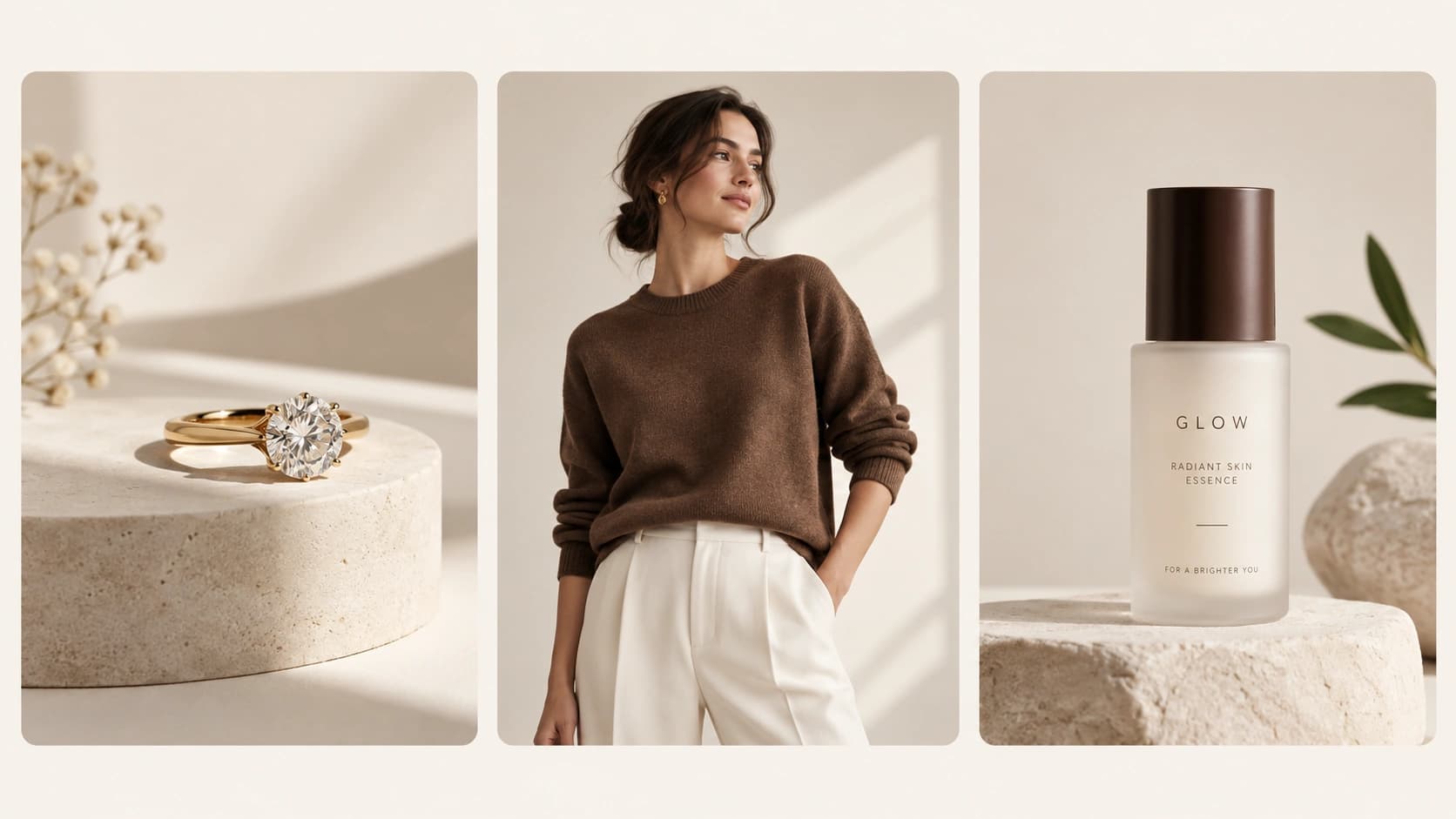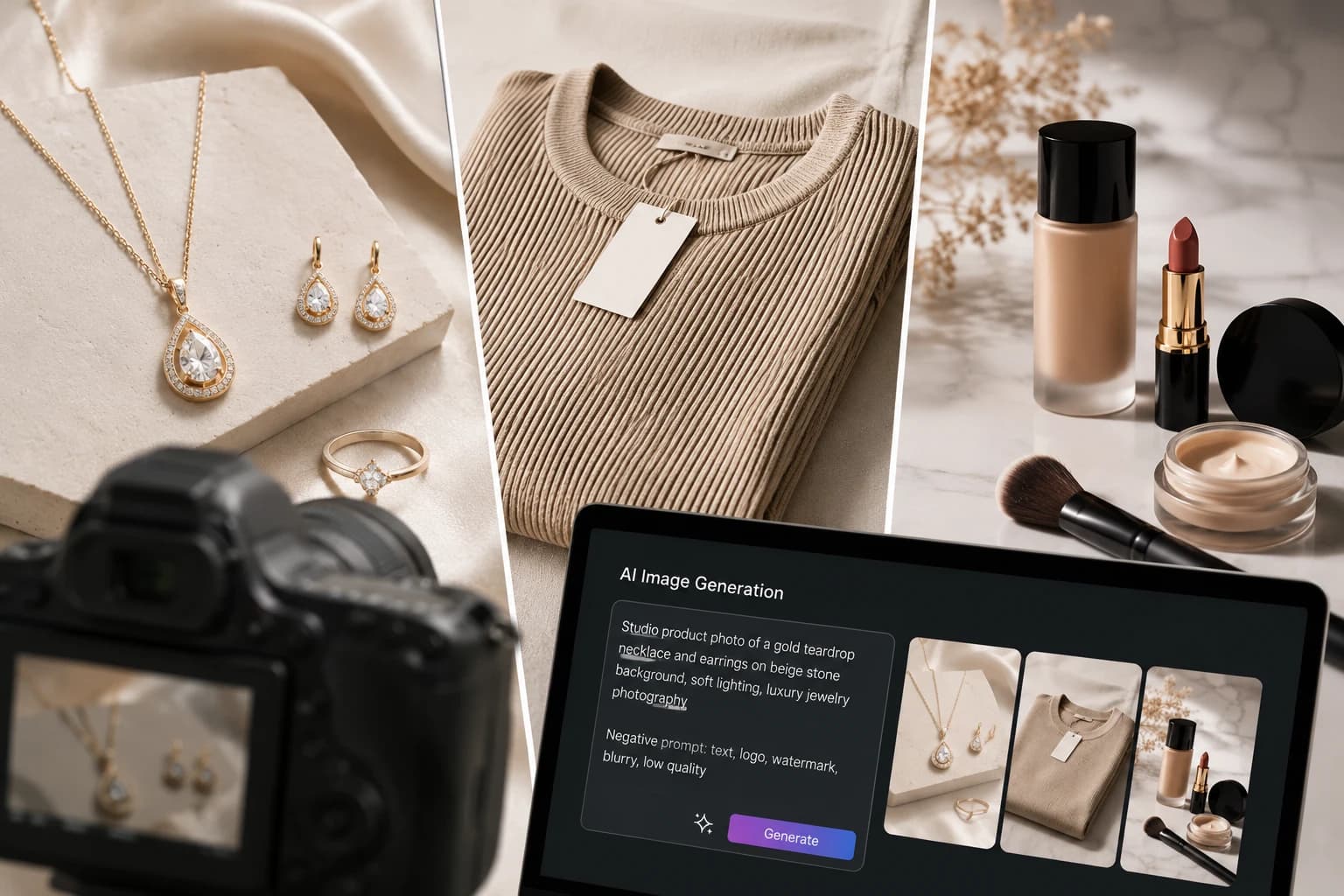
AI product photography can turn a basic product photo into a polished ecommerce image – but the quality of the result depends heavily on the instructions you give the image model.
A vague prompt like “make this product look premium” gives AI too much freedom.
A better AI product photography prompt tells the model what to preserve, what to change, how the product should be positioned, how it should be lit, and what the final image should look like.
That is especially important for jewelry, clothing, and cosmetics, where changing a small product detail can make the image inaccurate.
In this guide, you’ll find 10 copy-and-paste AI product photography prompts plus a reusable prompt template you can use with different AI image-generation tools.
And if you don’t want to write and refine prompts manually, you can use Monoshoot to turn your existing product photos into studio-quality ecommerce visuals.
The AI Product Photography Prompt Formula
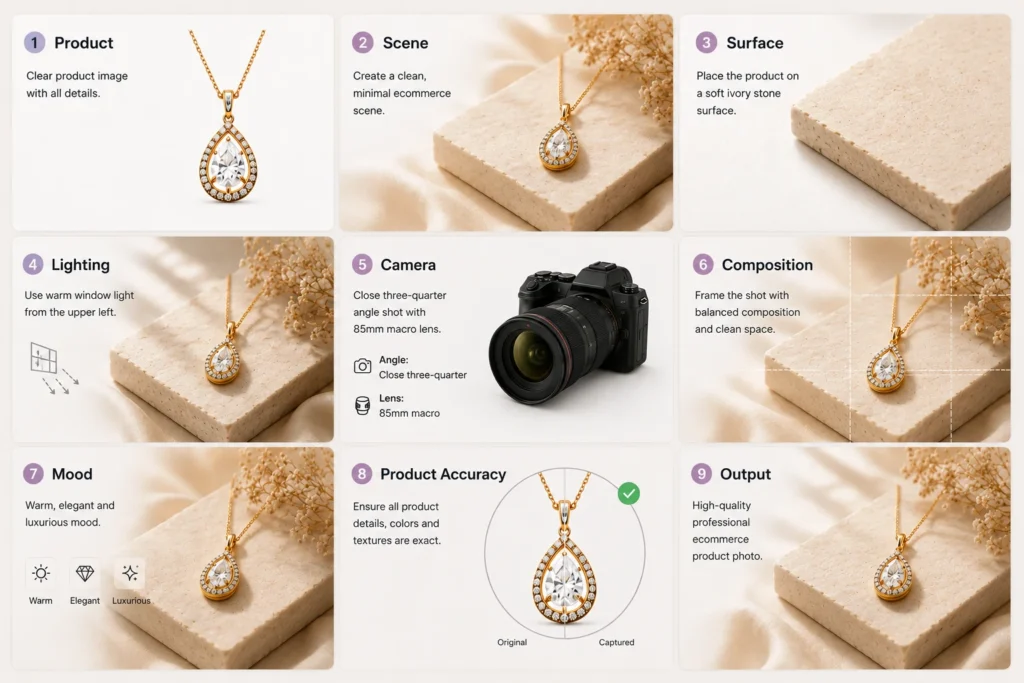
A strong prompt usually includes:
Product + Scene + Surface + Lighting + Camera + Composition + Mood + Product Accuracy + Output
For example:
Professional ecommerce product photography of the uploaded gold necklace, placed on a soft ivory stone surface, warm directional window light from the upper left, subtle natural shadow, close three-quarter angle, sharp focus on the necklace, clean luxury styling, minimal neutral background, premium jewelry campaign aesthetic. Preserve the exact necklace design, chain thickness, pendant shape, stone placement, metal color, proportions and finish. Do not redesign or replace any product details. Vertical 4:5 composition.
Think of the prompt as a creative brief: the product stays fixed, while the photography around it changes.
10 AI Product Photography Prompts You Can Copy
Jewelry Product Photography Prompts
Jewelry requires careful control of reflections, gemstones, metal, proportions and tiny details.
1. Luxury Jewelry Studio Hero Shot
Best for: Product pages, catalogs, Etsy, Shopify and ecommerce hero images.
Prompt
Create a premium studio product photograph using the uploaded jewelry product as the exact reference. Place the jewelry on a minimal warm ivory stone surface with a soft neutral background. Use controlled studio lighting with a large diffused key light from the upper left and subtle fill light from the front, creating gentle highlights on the metal and controlled sparkle on the gemstones. Photograph from a refined three-quarter angle at product level with the jewelry in sharp focus and a softly blurred background. Keep the composition minimal, elegant and spacious, with realistic grounding and a soft natural contact shadow. High-end commercial jewelry photography, sophisticated luxury aesthetic, realistic materials, clean color grading, premium ecommerce quality, vertical 4:5 composition.
Product accuracy: Preserve the uploaded jewelry exactly. Do not change the shape, proportions, metal color, finish, gemstone count, gemstone placement, stone cut, setting, chain thickness, clasp, engraving or any other design detail. Do not add or remove stones. Do not redesign the product.
Monoshoot tip: This is the kind of clean hero image you can create from a straightforward product photo in Monoshoot without setting up a physical studio.
2. Jewelry On-Model Lifestyle Shot
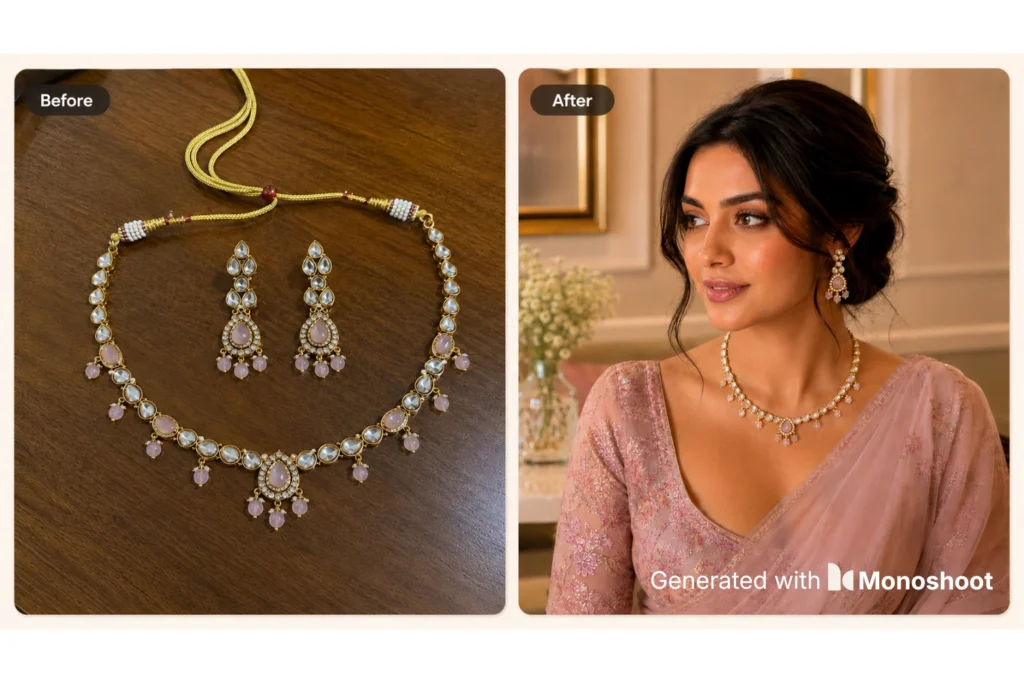
Best for: Instagram, paid ads and showing scale.
Prompt
Create a realistic editorial jewelry photograph using the uploaded jewelry piece as the exact product reference. Show the jewelry naturally worn by a stylish adult model with an understated neutral outfit. Keep the camera tightly focused on the jewelry, with the model’s face either outside the frame or softly out of focus. Use soft natural window light with gentle warm highlights and realistic skin texture. The jewelry should sit naturally on the body with believable scale, contact and positioning. Background should be an elegant modern interior with neutral tones and subtle depth of field. Premium fashion editorial photography, sophisticated, minimal and aspirational, realistic reflections, natural shadows, 85mm photography look, vertical 4:5 composition.
Product accuracy: Preserve the exact uploaded jewelry design, proportions, materials, stones, colors, finish and construction. Do not alter or simplify the jewelry. Do not add additional jewelry pieces unless explicitly requested.
For more jewelry-specific techniques, see your Master AI Jewelry Product Photography Guide (2026).
3. Jewelry Macro Detail Shot
Best for: Highlighting craftsmanship, gemstones and premium details.
Prompt
Create an ultra-realistic macro product photograph of the uploaded jewelry piece. Frame the most important craftsmanship details prominently while keeping the complete product recognizable. Use soft directional studio lighting from the side to reveal fine metal texture, gemstone facets and subtle surface reflections without creating blown-out highlights. Place the jewelry on a dark neutral matte surface with a subtle gradient background. Use shallow depth of field while keeping the key product details tack sharp. Premium jewelry campaign photography, realistic metal and gemstone materials, sophisticated editorial aesthetic, high micro-detail, clean composition.
Product accuracy: Preserve all original product characteristics exactly, including gemstone shape and count, metal color, setting, engraving, proportions and texture. Do not invent details that are not visible in the reference image.
Clothing Product Photography Prompts
For clothing, the most important things to protect are silhouette, proportions, fabric, stitching, patterns and construction.
4. Clean Fashion Catalog Shot
Best for: Shopify, ecommerce catalogs and product pages.
Prompt
Create a professional fashion ecommerce photograph using the uploaded garment as the exact product reference. Display the clothing item in a clean, well-fitted presentation against a seamless warm off-white studio background. Use soft diffused lighting from both sides with gentle fill light to reveal the fabric texture and natural folds. Keep the garment centered and fully visible with accurate proportions, natural drape and realistic construction. Minimal premium fashion catalog aesthetic, clean commercial photography, subtle grounded shadow, neutral color grading, crisp product detail, vertical 3:4 composition.
Product accuracy: Preserve the exact garment silhouette, color, fabric appearance, print, pattern, stitching, seams, buttons, zippers, hardware, neckline, sleeves and proportions. Do not redesign, simplify, remove or add garment details.
5. Clothing On-Model Editorial Shot
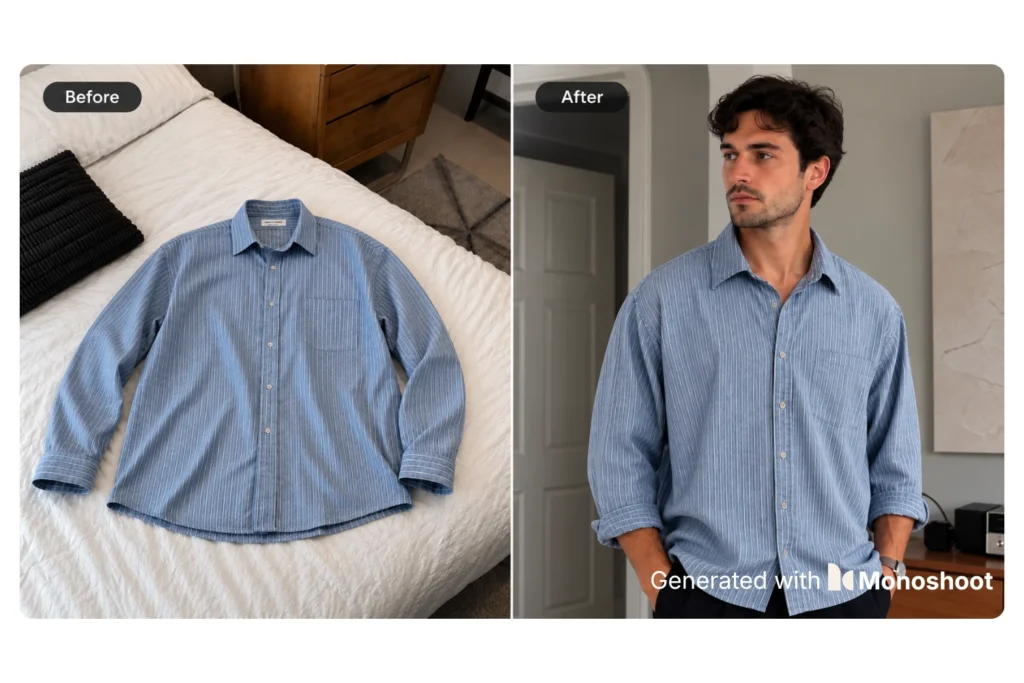
Best for: Fashion campaigns, Instagram, ads and lookbooks.
Prompt
Create a premium fashion editorial photograph using the uploaded garment as the exact clothing reference. Show the garment worn naturally by an adult fashion model in a modern minimalist architectural setting. Use soft directional daylight with subtle shadows and realistic fabric response. Choose a confident but natural pose that allows the garment silhouette, fit and key design details to remain clearly visible. Use a slightly shallow depth of field with the garment as the visual priority. High-end fashion campaign photography, sophisticated neutral color palette, realistic skin and fabric texture, editorial but commercially usable, vertical 4:5 composition.
Product accuracy: Preserve the exact garment design, color, fabric, print, cut, sleeve length, neckline, seams, hardware, proportions and construction. The model must not alter the garment’s structure. Do not invent pockets, patterns, stitching or accessories.
For more fashion-specific ecommerce advice, see Shopify Product Photography for Fashion Brands: 7 Proven Tips for Consistency, Speed & Conversion.
Monoshoot tip: This type of lifestyle variation is particularly useful when you have a single raw garment photo but need additional campaign creatives.
6. Fashion Fabric & Detail Shot
Best for: Premium clothing where material quality matters.
Prompt
Create a close-up commercial fashion photograph focused on the uploaded garment’s fabric and construction details. Show realistic textile texture, stitching, seams and material finish using soft side lighting that creates subtle dimensionality. Use a clean neutral background with no distracting props. Keep the garment’s original color and textile appearance accurate. Premium apparel campaign photography, realistic material rendering, sharp textile detail, sophisticated minimal composition, natural folds and believable fabric behavior.
Product accuracy: Do not change the fabric type, weave, print, color, texture, stitching, seams or construction. Do not smooth away authentic textile details or introduce patterns that are not present in the reference image.
Cosmetics Product Photography Prompts
Cosmetics and skincare products need careful control over packaging, labels, logos, color, reflections and materials.
7. Clean Cosmetic Ecommerce Hero Shot
Best for: Product pages, Shopify and ecommerce catalogs.
Prompt
Create a premium ecommerce product photograph using the uploaded cosmetic product as the exact reference. Place the product upright on a clean matte ivory surface against a seamless warm white background. Use soft diffused studio lighting with controlled highlights and a subtle natural contact shadow. Photograph straight-on at product height so the packaging is clearly visible and undistorted. Maintain crisp focus on the complete product and packaging. Minimal luxury beauty photography, clean commercial aesthetic, realistic materials, accurate color, premium ecommerce presentation, vertical 4:5 composition.
Product accuracy: Preserve the exact packaging shape, dimensions, cap, bottle or container structure, material, finish, colors, logo, label layout and visible text. Do not rewrite, replace, stylize or invent label text. Do not change the product color or packaging design.
For more packaging-specific advice, see AI Photography for Cosmetics Packaging: 7 Best Tips to Preserve Labels, Logos & Detail.
Monoshoot tip: Clean ecommerce product shots like this are a strong use case for Monoshoot when you want polished product imagery without organizing a new studio shoot.
8. Skincare Lifestyle Scene
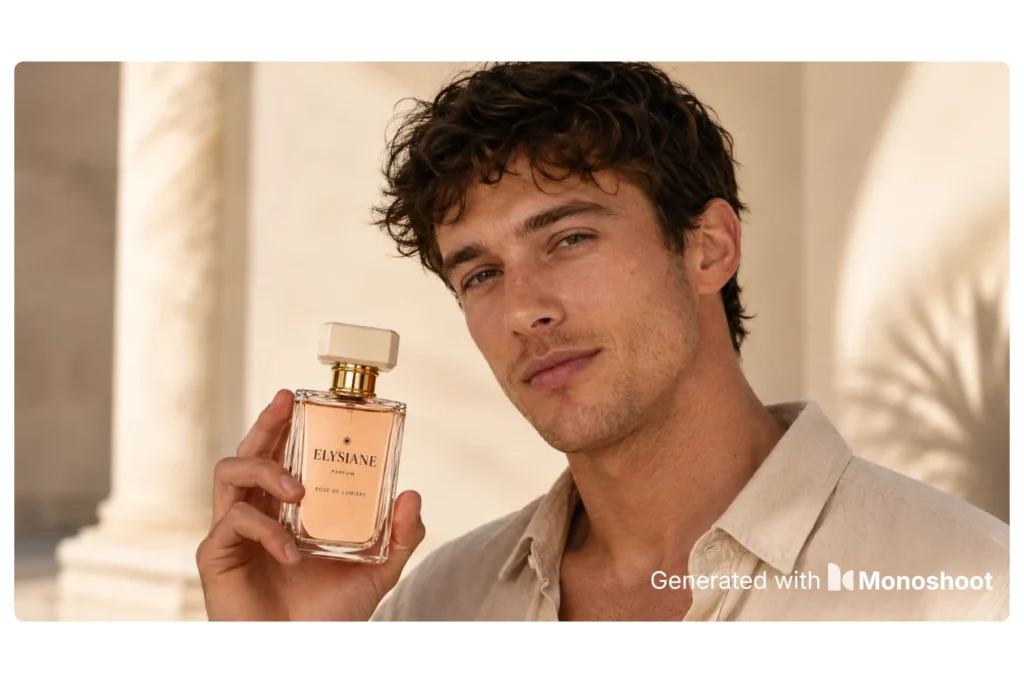
Best for: Social media, ads and landing pages.
Prompt
Create a realistic premium skincare lifestyle photograph using the uploaded product as the exact reference. Place the product on a light natural stone bathroom surface with subtle water droplets and a softly blurred spa-inspired background. Use soft morning window light from the upper left, creating gentle highlights on the packaging and realistic shadows beneath the product. Add one or two understated natural elements such as a folded cream-colored towel and a small green botanical detail, while keeping the product as the clear visual focus. Modern clean beauty campaign aesthetic, calm and premium mood, realistic materials, natural photography, vertical 4:5 composition.
Product accuracy: Preserve the exact product shape, packaging, color, cap, finish, label design, logo and visible text. Do not alter the formula color shown through transparent packaging. Do not add or remove packaging elements.
Looking for more ways to create best cosmetics product images? Check out Monoshoot
9. Cosmetic Texture + Product Shot
Best for: Skincare ads and beauty campaigns.
Prompt
Create a premium beauty campaign photograph featuring the uploaded cosmetic product as the exact hero product. Place the product on a clean warm neutral surface with a small controlled amount of the product’s visible texture beside it, styled as a realistic beauty editorial composition. Use soft directional studio lighting that reveals the packaging and texture without harsh reflections. Keep the product sharply focused while the background falls into a gentle blur. Sophisticated clean beauty photography, tactile and premium, minimal props, realistic material rendering, high-end commercial campaign aesthetic, vertical 4:5 composition.
Product accuracy: Preserve the exact packaging, product color, finish, label, logo, container shape and proportions. The texture beside the product must visually match the real product and must not invent an incompatible color or consistency.
10. Universal Ecommerce Ad Creative Prompt
Best for: Meta ads, Instagram, website banners and campaign creatives.
Prompt
Create a premium commercial advertising photograph using the uploaded product as the exact hero product reference. Build a visually refined lifestyle environment that matches the product category and brand positioning. Use realistic studio-quality lighting, natural shadows, believable surface contact, accurate scale, controlled reflections and a clean depth-of-field effect. Keep the product as the most visually important element in the frame. Use a restrained number of props that support the product instead of competing with it. Create clear negative space on one side for optional advertising copy. Premium ecommerce campaign photography, realistic materials, polished but believable styling, sophisticated color grading, highly detailed product presentation, vertical 4:5 composition.
Product accuracy: Preserve the exact product shape, proportions, materials, colors, packaging, labels, logos, textures, garment details or jewelry details from the uploaded reference. Do not redesign, replace or embellish the product. Do not add accessories that could be confused as part of the product.
A Reusable AI Product Photography Prompt Template
You can adapt this formula for almost any ecommerce product:
Create a professional [TYPE OF PRODUCT PHOTOGRAPHY] using the uploaded [PRODUCT] as the exact reference. Place it [POSITION / ENVIRONMENT] on [SURFACE]. Use [LIGHTING STYLE] with realistic highlights, shadows and material response. Photograph from [CAMERA ANGLE] with [DEPTH OF FIELD / FOCUS]. Composition should be [MINIMAL / EDITORIAL / LUXURY / LIFESTYLE / CATALOG] with [PROPS OR NO PROPS]. Use [BACKGROUND] and [COLOR PALETTE]. The final image should feel [BRAND MOOD] and be suitable for [SHOPIFY / AMAZON / ETSY / INSTAGRAM / META ADS / WEBSITE]. Use [ASPECT RATIO] composition.
Product accuracy: Preserve the exact uploaded product, including [SHAPE], [PROPORTIONS], [COLOR], [MATERIAL], [TEXTURE], [LABEL / LOGO / PATTERN / STITCHING / STONES / HARDWARE]. Do not redesign, simplify, replace, add or remove any product details. Do not alter visible packaging text or product-defining features.
Save this template. It is more useful than having dozens of random prompts because you can build your own repeatable system around it.
How to Get Better AI Product Photos
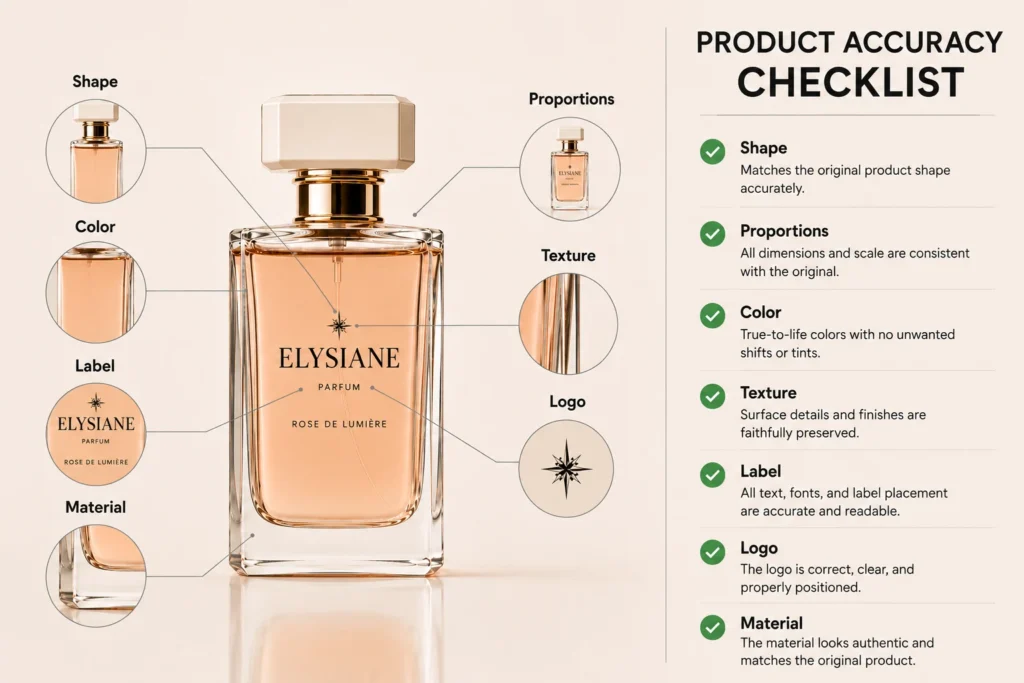
The biggest mistake is giving AI too much freedom over the product itself.
Your prompt should separate:
What stays the same:
Product shape, color, materials, packaging, details and proportions.
What changes:
Background, lighting, environment, camera angle, props and composition.
That is especially important for ecommerce because an attractive image is not enough if the product itself is inaccurate.
This is one reason product fidelity matters so much in AI product photography. For a deeper explanation, read Why Most AI Product Photography Fails Product Fidelity (And How to Fix It in 2026).
Do You Need to Write Prompts Every Time?
Not necessarily.
If you’re generating a handful of images, writing prompts manually can give you a lot of control.
But if you’re creating product images regularly, the process can become repetitive:
Upload photo → write prompt → generate → fix prompt → regenerate → check accuracy → repeat.
That’s where Monoshoot can save time.
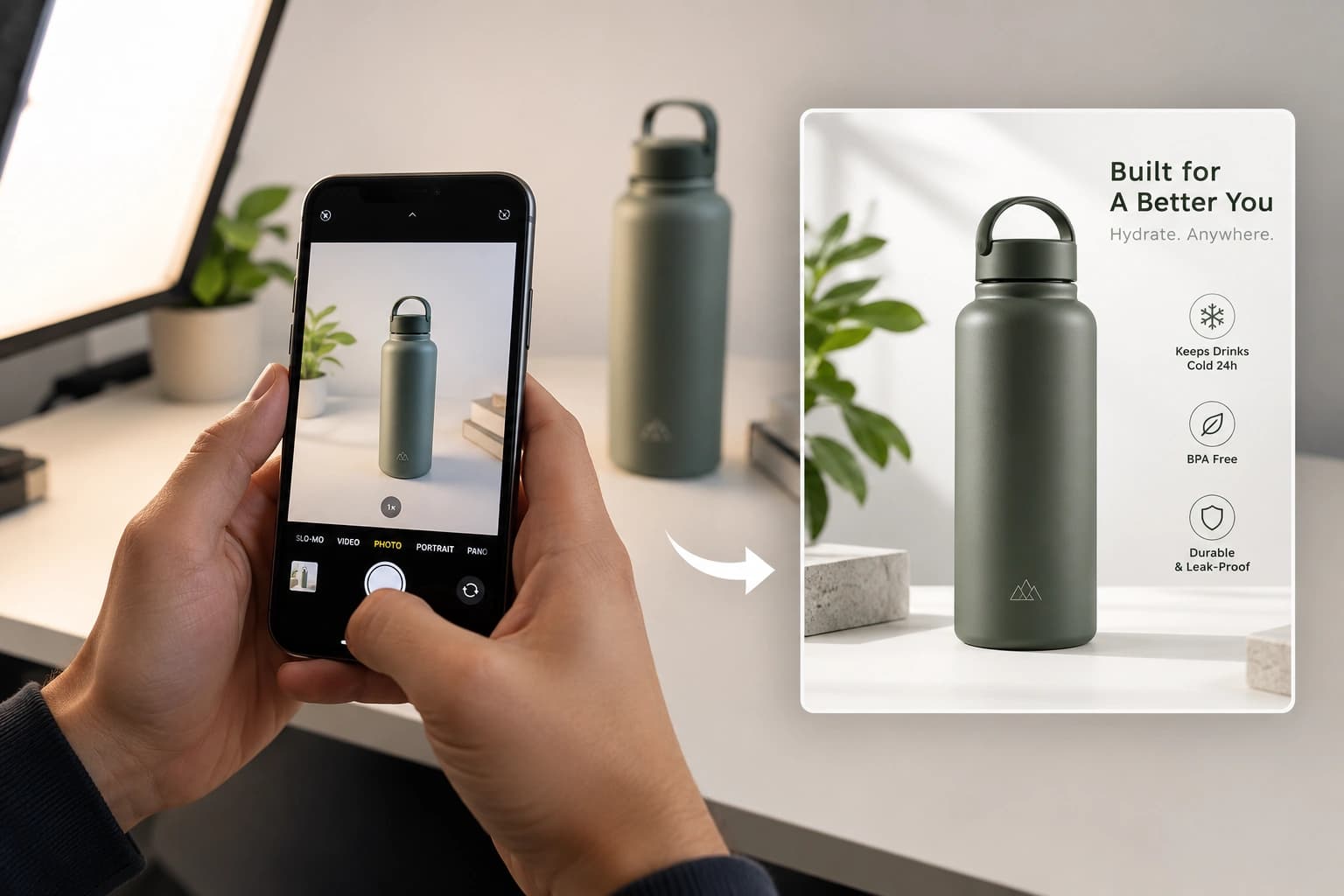
Instead of building every product scene from scratch, you can upload your existing product photo to Monoshoot and create studio-quality visuals designed for ecommerce use cases.
You can use it for products across:
- Jewelry & accessories
- Clothing & fashion
- Cosmetics & wellness
So rather than spending time figuring out how to phrase every prompt, you can focus on choosing the type of image you actually need.
A Simple Workflow for Ecommerce Brands
1. Start with a good product photo
Your reference image still matters. Make sure the product is visible, reasonably well-lit and not heavily obstructed.
For simple home setups, see How to Take Product Photos at Home: 6 Simple Steps to Studio-Quality Results.
2. Decide what the image needs to do
For a product page, start with a clean studio image.
For social media, try a lifestyle image.
For fashion or jewelry, consider an on-model image.
For ads, leave some negative space for copy.
3. Protect the product
Always check the final image against the original.
Look at:
- Shape
- Proportions
- Color
- Texture
- Labels
- Logos
- Stitching
- Stones
- Hardware
For more on maintaining accuracy across ecommerce imagery, see How E-Commerce Brands Maintain Accuracy in AI Product Photography.
4. Create variations
Once you’ve found a direction that works, create variations in:
- Lighting
- Background
- Surface
- Camera angle
- Crop
This is much faster with a workflow like Monoshoot, where the same product can be turned into different visual concepts without arranging another physical shoot.
AI Product Photography Prompts vs. Monoshoot
Prompts are useful when you want detailed control over a specific scene.
Monoshoot is useful when you want to turn product photography into a repeatable workflow.
You can still use the prompts in this article with your preferred AI image generator. But when you’re creating images for multiple products, a specialized product-photography platform can reduce the amount of prompt writing, scene planning and manual iteration required.
The goal isn’t simply to create one beautiful AI image.
It’s to create a consistent library of product images you can actually use across your store, ads and social channels.
Frequently Asked Questions
What are AI product photography prompts?
AI product photography prompts are instructions that tell an image-generation model how to present or photograph a product, including the scene, lighting, composition, camera perspective and product-preservation requirements.
What should an AI product photography prompt include?
A strong prompt should describe the product, scene, surface, lighting, camera angle, composition, mood and output format, along with explicit instructions about which product details must stay unchanged.
What are the best AI prompts for jewelry photography?
Jewelry prompts should focus on controlled reflections, realistic metal, gemstone detail, proportions and accurate product design. Studio, on-model and macro prompts are useful starting points.
What are the best AI prompts for clothing photography?
Clothing prompts should protect the garment’s silhouette, fabric, color, stitching, patterns and construction while controlling the environment and model styling.
What are the best AI prompts for cosmetics photography?
Cosmetics prompts should protect packaging shape, labels, logos, product color and visible text while controlling reflections, materials and beauty styling.
Can I use these prompts with Monoshoot?
The prompts can be used with different AI image-generation workflows. Monoshoot is designed specifically around product photography, so you can also use the platform to turn your existing product images into studio-style ecommerce visuals without having to build every scene from scratch/prompts.
How do I stop AI from changing my product?
Use a clear reference image and explicitly state which product attributes must remain unchanged. Protect shape, proportions, color, materials, packaging, labels and other product-defining details.
Final Thoughts
Good AI product photography prompts don’t need to be complicated.
They need to be specific about the photography and strict about the product.
Start with the real product, protect its important details, and then control the scene around it with lighting, surface, camera angle and composition.
These 10 prompts give you a strong starting point for jewelry, clothing and cosmetics.
And when you want to move beyond manually writing prompts for every image, Monoshoot lets you turn your existing product photos into studio-quality ecommerce visuals much faster.
Your next product shoot may already be sitting in your camera roll.
Turn your raw product photos into studio-quality images with Monoshoot →