Skip to comparison guide
Monoshoot
Compare toolsSee examplesPricing
Try your product photo
Menu +
Compare toolsFree alternativesSee examplesImage costsBuyer questions
Home/Photoroom alternatives
A product photography buyer’s guide

Find a Photoroom Alternative for AI Product Photography

Choose the workflow your products need.

Looking for a Photoroom alternative for ecommerce product photos? Compare Monoshoot, Pixelcut, Pebblely, Flair, and Claid for backgrounds, styled scenes, and on-model images—with real examples, free options, and clear limits on what we tested.

Try your product photo See the comparison

3 free Monoshoot credits · Account required · Free exports are watermarked

By MonoshootSources checked October 21, 2026How we compared
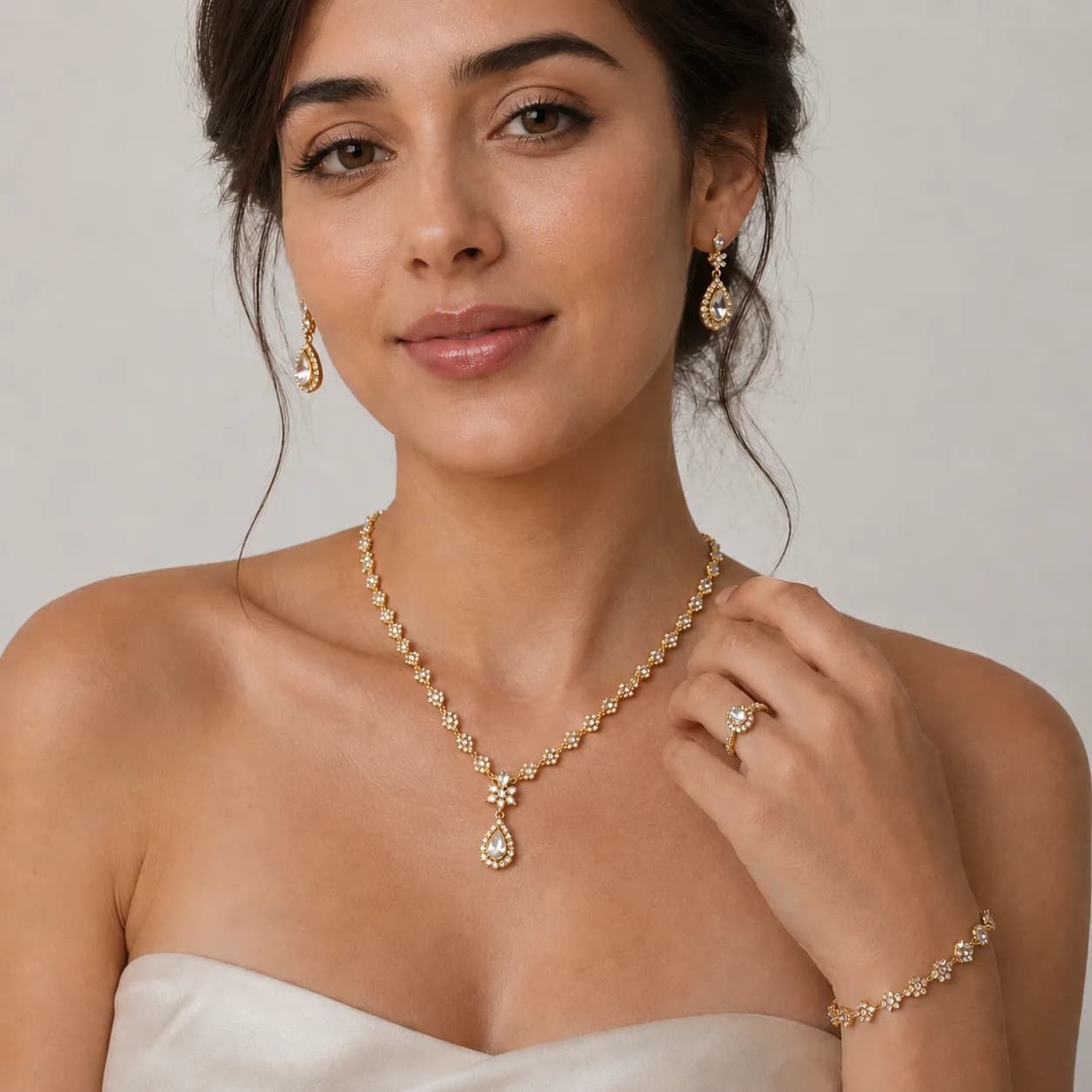
Monoshoot jewelry studio preview showing a model wearing a necklace, earrings, bracelet, and ring
Jewelry studio scene previewOn-model jewelry · Styled lookbook
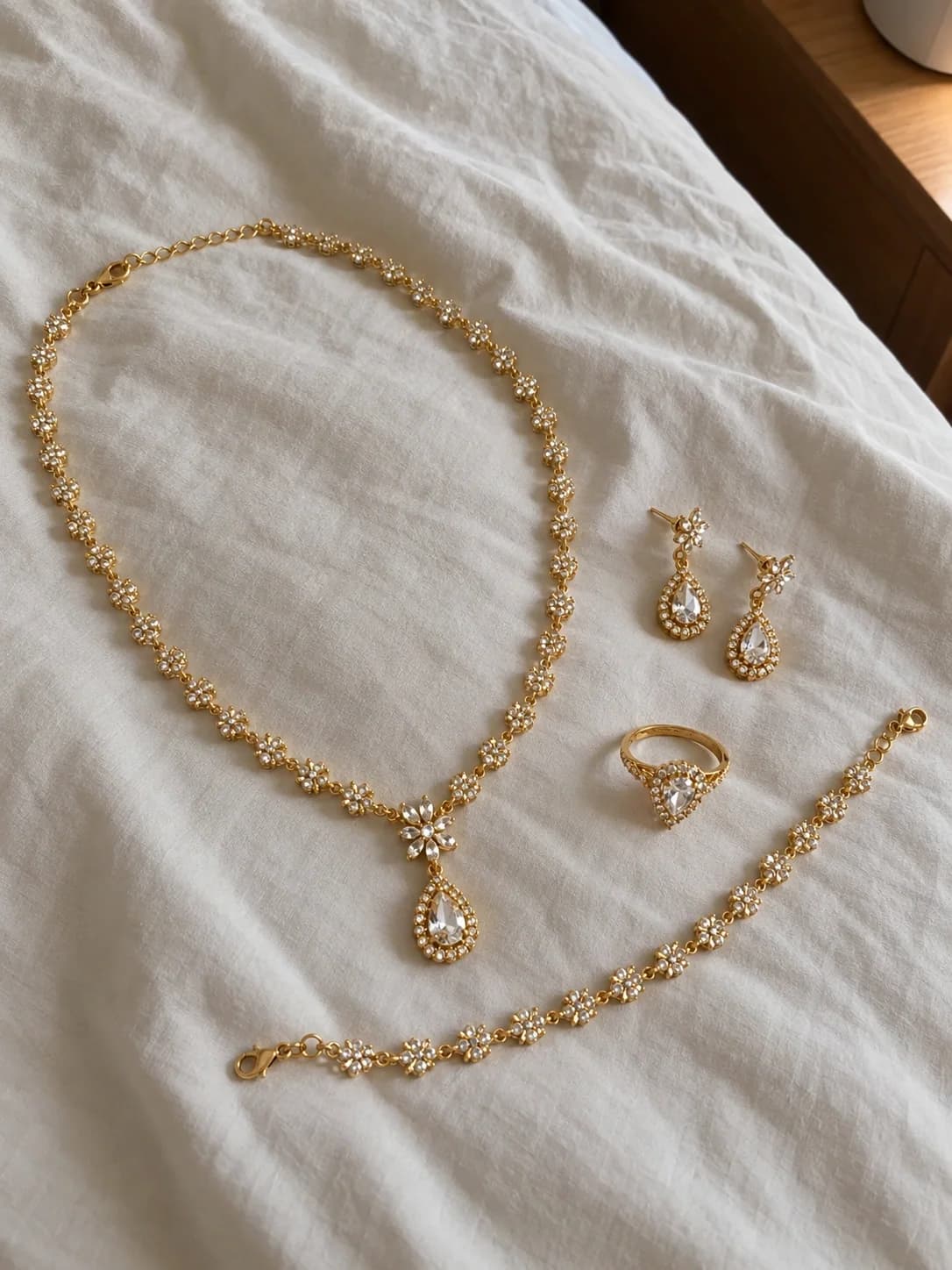
Original product photo of a coordinated gold and diamond necklace, earrings, bracelet, and ring laid on white fabric
Original product photo · Input
In this guideFind your fitTool comparisonFree alternativesMonoshoot vs PhotoroomReal examplesImage costsFAQs
01 / Start with the job

Which Photoroom alternative fits your needs?

The short answer: shortlist Monoshoot for category-led jewelry, fashion, and beauty shoots; Pixelcut for editing and scene ideas; Pebblely for backgrounds; Flair for composing scenes; and Claid for enhancement and API workflows. Keep Photoroom on your shortlist for listing edits, virtual models, and batch production. The right choice depends on what needs to change in your photo.

What do you need to create?

Four workflows to compare. Choose one to narrow your shortlist.

01

Background editing

Keep your existing product view and remove, replace, or clean up the backdrop. Start here for a clear packshot or transparent cutout.

Shortlist: Monoshoot, Photoroom, Pixelcut
What to check before switching +

Inspect transparent stones, fine chains, hair, and reflective edges at full size. If the product already looks right, background removal can be enough; a generated scene adds another product-detail check.

02

Product staging

Create a lifestyle scene with surfaces, props, lighting, and shadows around your product. Useful for a campaign image or a secondary listing photo.

Shortlist: Monoshoot, Pebblely, Flair
What to check before switching +

Choose Pebblely to explore themed backgrounds, Flair to arrange props on a canvas, or Monoshoot to start from a category scene. Check contact shadows, scale, reflections, and any changes to the product itself.

03

On-model photography

Show a necklace worn, a garment on a model, or a beauty product in hand. Compare the exact product with the source before publishing.

Shortlist: Monoshoot, Photoroom, Flair, Claid
What to check before switching +

Check supported input photos and model controls before buying. Inspect stone counts, garment patterns, product placement, fingers, and scale. An AI model image does not verify physical fit or sizing.

04

Catalog production

Apply a consistent visual standard across many SKUs. Compare shared edits, automation, export limits, and the work needed to review the set.

Shortlist: Photoroom, Claid
What to check before switching +

Evaluate Photoroom Batch and Claid APIs with a representative set, including difficult products. Count approved exports and manual corrections. Confirm API pricing separately from web subscriptions.

These are workflow shortlists based on the linked documentation below, not exclusive feature lists or measured quality rankings.

02 / The shortlist

5 alternatives to Photoroom, compared

Use cases come from current product documentation. Test status comes from our existing free-plan necklace benchmark; it is not a fresh test of every tool.

Five alternatives and Photoroom as the reference. Prices in USD as displayed on linked pages, checked October 21, 2026; taxes, region, and billing term can change the total.
Tool / workflowRelevant use caseTrade-off to checkPricing / sourceWhat we tested
Monoshoot Category-led shootsJewelry, fashion, and beauty shoots with category-specific scenes and model settings.Review each generated product detail. The necklace trial does not establish a catalog-wide pass rate.3 free credits; Starter $14/month with 40 credits.View pricing Saved outputs12 saved necklace outputs
Photoroom Reference toolListing edits, product staging, virtual models, and repeatable batch workflows.AI credits and exports have separate limits. Paid on-model output was not evaluated in our trial.Pro displayed at $7.50/month, billed yearly; regional offers and checkout can differ.View pricing Attempt recordedBackground editing tried; on-model paywall, no saved comparable output
Pixelcut Editing + scene ideasBackground cleanup, upscaling, and prompt-directed product scenes.Advanced models use credits; batch exports and feature limits are plan-dependent.Free tier; Pro displayed at $8/month, billed yearly, with 600 monthly AI credits.View pricing Not testedDocumentation review only; no output test
Pebblely Product backgroundsTurn a product photo into themed lifestyle backgrounds with shadows and reflections.Primarily a background workflow. Test separately if you need a wearable on a model.Lite $9/month for 30 images; Basic $19 for 200; Pro $39 for 500 (monthly billing).View pricing Not testedDocumentation review only; no output test
Flair Art-directed scenesArrange products and props on a drag-and-drop canvas; build model and campaign imagery.Expect scene setup. Our older free-plan attempt returned errors; output quality is unassessed.Free and paid tiers. Check the billing toggle, image quota, and commercial license for your plan.View pricing Attempt recordedTrial attempted; no completed output
Claid Catalog + API workflowsImage enhancement, controlled or creative product scenes, and API production workflows.Creative mode can reinterpret products. Different operations consume different numbers of credits.Web and API pricing are separate; the web page lists a 50-credit trial and operation costs.View pricing Saved outputs3 saved necklace outputs in Creative mode
i

Published by Monoshoot. We sell one of the products in this guide. The public trial contains 12 Monoshoot and 3 Claid necklace outputs. Photoroom’s attempted on-model flow required payment; Flair returned errors. Pixelcut and Pebblely were not tested. A missing output does not establish poor image quality. Inspect the full benchmark

Capability sources:Photoroom modelsPixelcutPebblelyFlairClaid
Try before choosing a plan

Free Photoroom alternatives: compare the limits

For free background edits with watermark-free exports, start by checking Pixelcut. To trial a category-based AI photoshoot, Monoshoot includes 3 free credits with watermarked downloads. Flair also offers limited free generation. Free access, export quality, and commercial-use rights are separate checks.

Free editor tier

Pixelcut

Its free plan lists limited background removal and upscaling, with exports without a watermark. Advanced model access and batch allowances depend on the plan.

Check Pixelcut’s free limits
Free photoshoot trial

Monoshoot

Try jewelry, fashion, or beauty generation with 3 free credits at Medium quality. An account is required. Free downloads have a watermark; paid plans remove it.

Try your product photo
Free scene-building trial

Flair

The free tier lists five generated images. Some generation types use more quota. Check the license for your use case and the limits on the current plan.

Check Flair’s free limits

Photoroom also offers free access. Check its current plans before switching just to save a subscription. Our necklace trial did not measure the quality or success rate of every free plan.

03 / The working difference

Monoshoot vs Photoroom for product photography

Monoshoot starts with a product category and a shoot style. Photoroom offers a wider editing and production toolkit, including its own on-model and staging tools.

Monoshoot

Upload → choose category and scene → generate → inspect → export

Photoroom

Upload → choose editing or AI tool → configure → inspect → export or batch

Monoshoot’s current studio controls compared with Photoroom’s documented workflows. Product checks are our recommended review steps.
StepMonoshootPhotoroom
Starting photoStart with a clear product photo: a necklace, garment flat lay or hanger shot, or beauty packshot. A second reference is available on Plus and above.Upload a product photo into the relevant editing or generation tool. Virtual Model accepts flat lays or existing worn-product shots.
ControlsChoose a jewelry, clothing, or beauty studio, then product type, scene, lighting, aspect ratio, and available model settings. Add an optional prompt.Choose the job: edit a background, stage the product, or use Virtual Model. Model workflows include model, pose, background, and dimensions.
OutputsCategory scenes include on-model jewelry, display stands, garment model shots, ghost mannequins, beauty hero images, and flat lays.Create edited listings, generated backgrounds, staged scenes, or on-model images. Batch applies shared edits across a product set.
Review before publishingCompare with your original: count stones and links, check prints and seams, read packaging text, and approve the crop. Regenerate if details change.Use the same product checks. Inspect cutout edges and shadows for edits, and product geometry or model fit for generated scenes.
Export and productionJPG, PNG, WebP, and AVIF export options. Paid plans include watermark-free, high-resolution downloads; quality and model access vary by tier.Formats and resolution depend on platform and export mode. Batch editing and API routes suit repeated catalog operations; export allowances still apply.
Check the workflows:Monoshoot photo guide Virtual ModelBatch editingFile formats
04 / Inspect the product

See where Monoshoot fits your product

Start with the original and ask whether you would publish the result for that exact SKU. Open either image to inspect it at full size.

Monoshoot site example

Jewelry

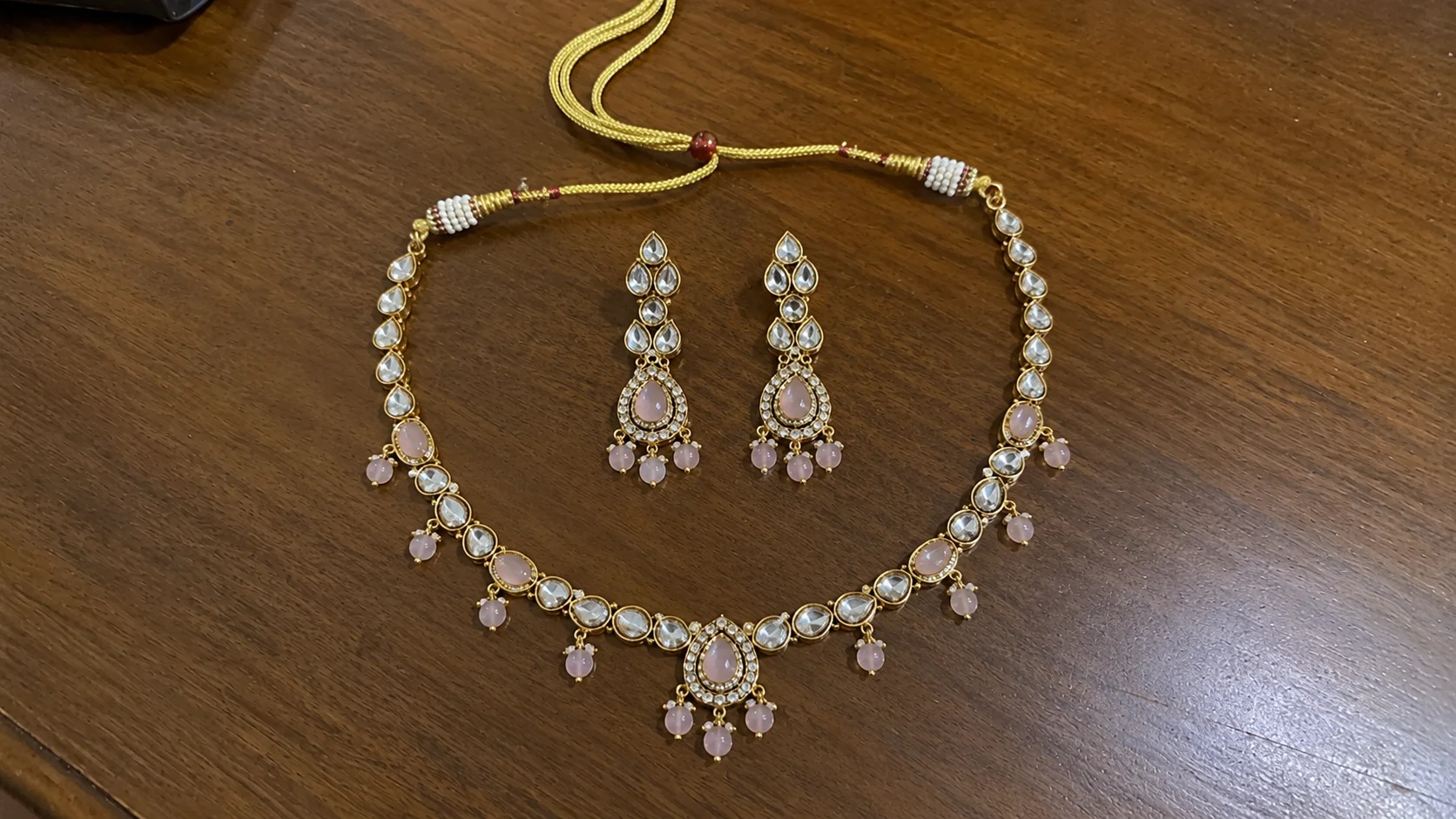
From a product photo to an on-model lookbook image. Compare the pendant, stone layout, chain, and matching earrings.

Explore the jewelry studio
Original photoInput
Original phone photo of a pink-stone necklace and matching earrings arranged on a table
Monoshoot outputAI generated
Monoshoot generated model wearing a pink-stone necklace with matching earrings
Monoshoot site example

Fashion

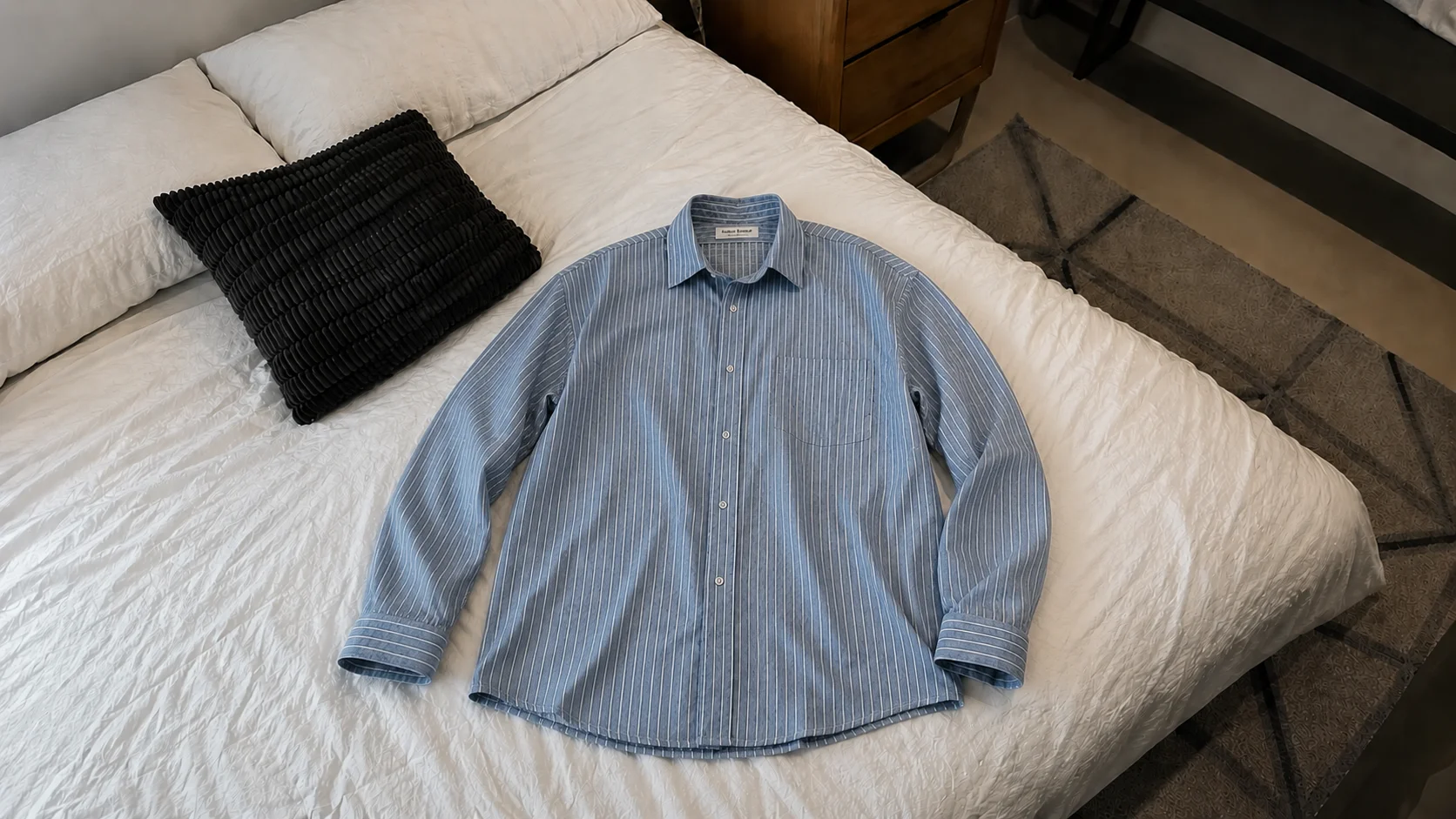
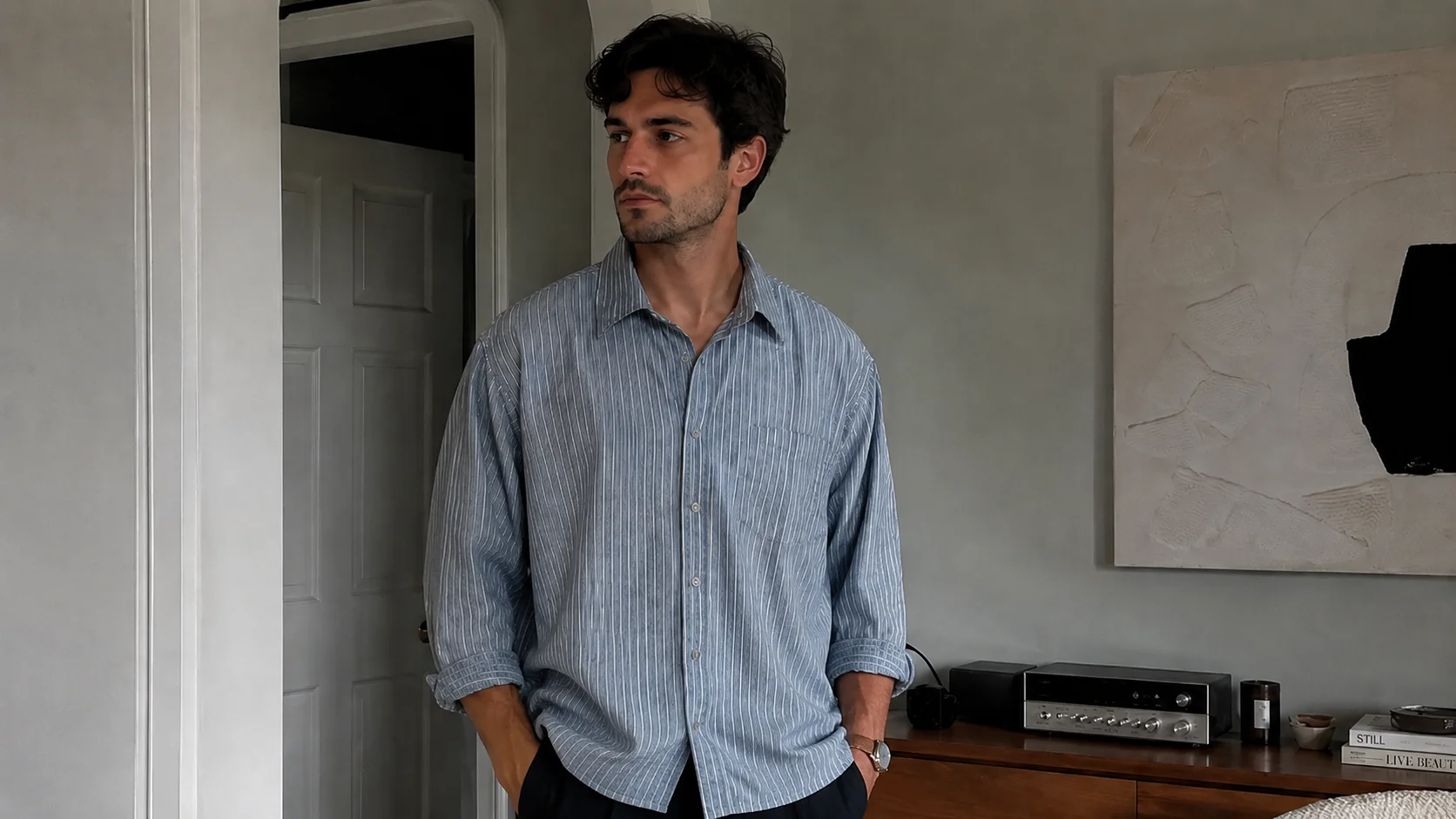
From a garment photo to a worn-product scene. Check stripe spacing, buttons, collar shape, and sleeve construction.

Explore the fashion studio
Original photoInput
Original blue striped shirt photographed on a bed
Monoshoot outputAI generated
Monoshoot generated male model wearing the blue striped shirt
Monoshoot site example

Beauty

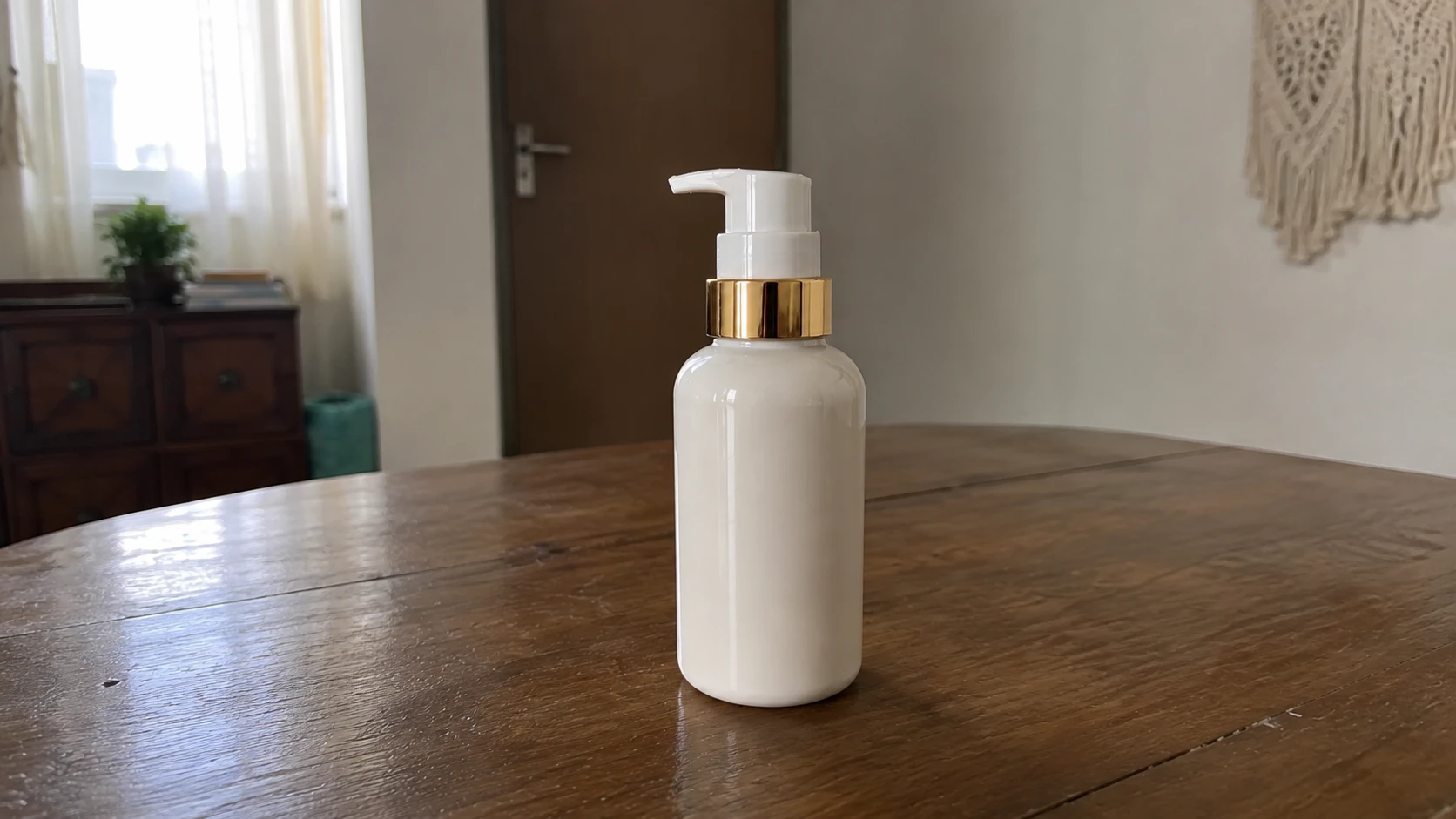
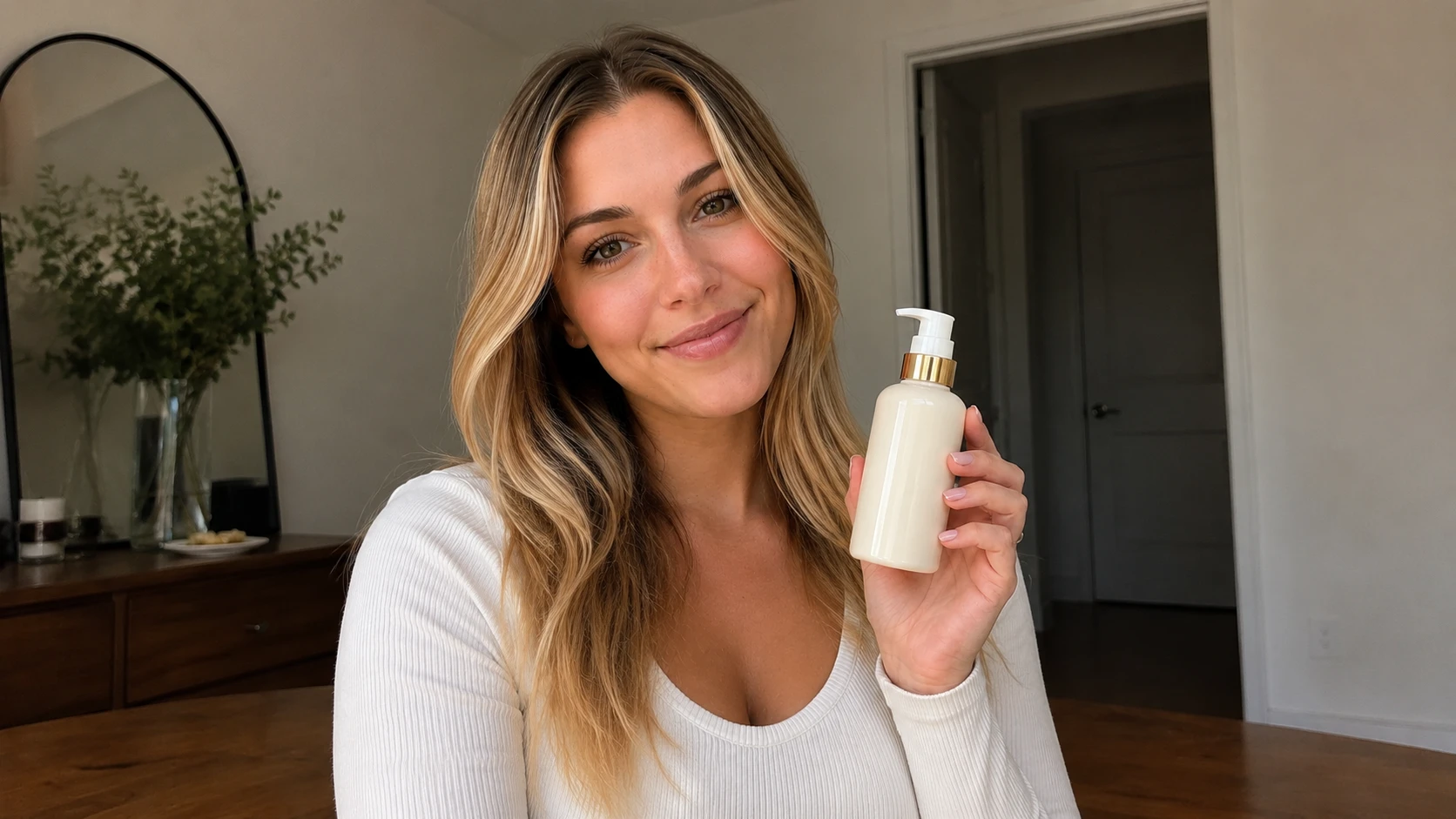
From packshot to product-in-hand imagery. Check bottle shape, cap, pump, proportions, and any label text.

Explore the cosmetics studio
Original photoInput
Original white skincare pump bottle with a gold collar on a table
Monoshoot outputAI generated
Monoshoot generated model holding the white and gold skincare pump bottle

These are selected Monoshoot site examples, not controlled competitor tests. The jewelry benchmark below shows the saved trial outputs. Selected examples do not establish a typical success rate.

Match the scene to the sale

What could your next product shoot look like?

Open a category to explore three scene styles and what each image helps shoppers see. Jewelry comes from the public trial; fashion and beauty are studio previews.

Jewelry photography

3 scene styles+
Saved necklace benchmark outputs

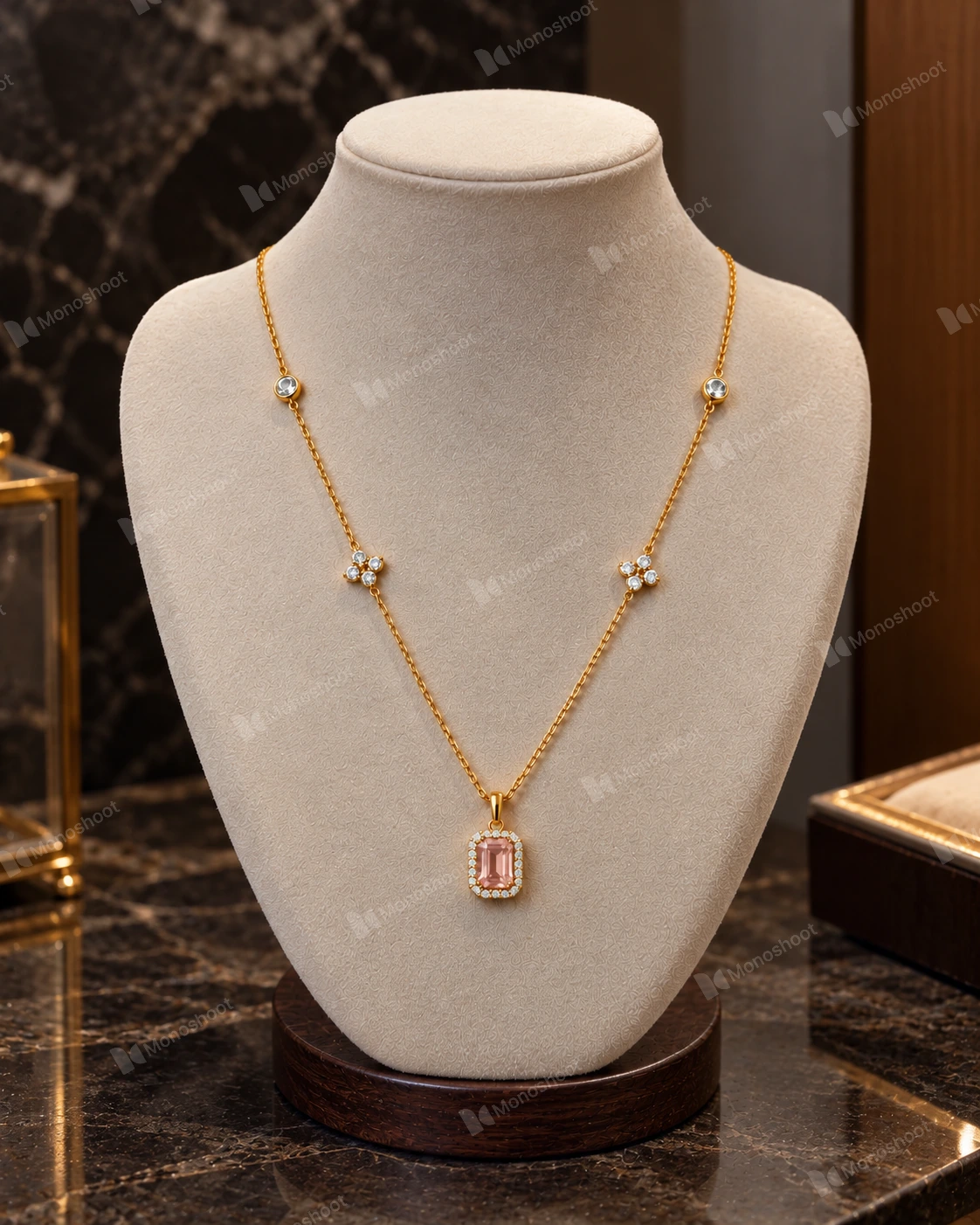
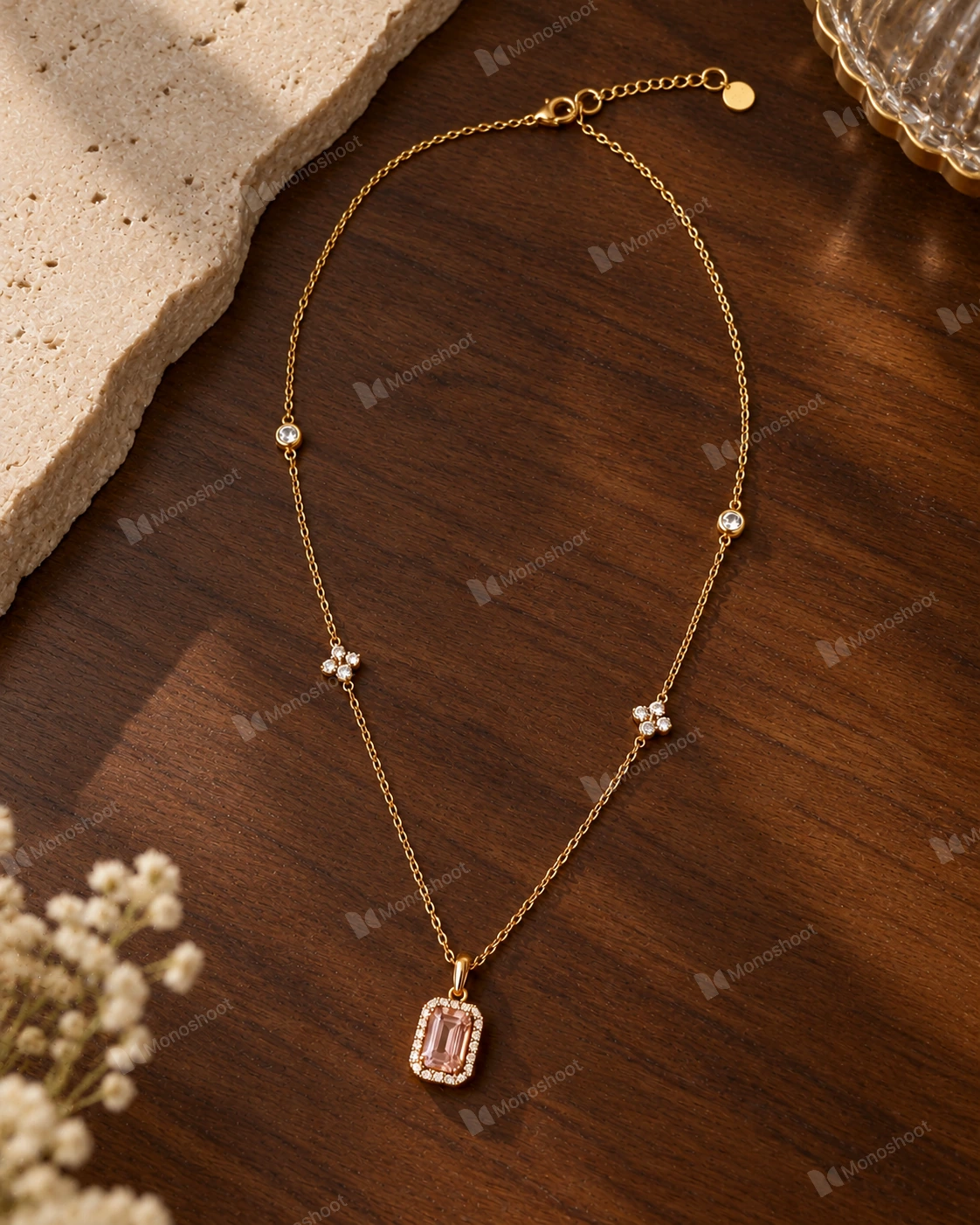
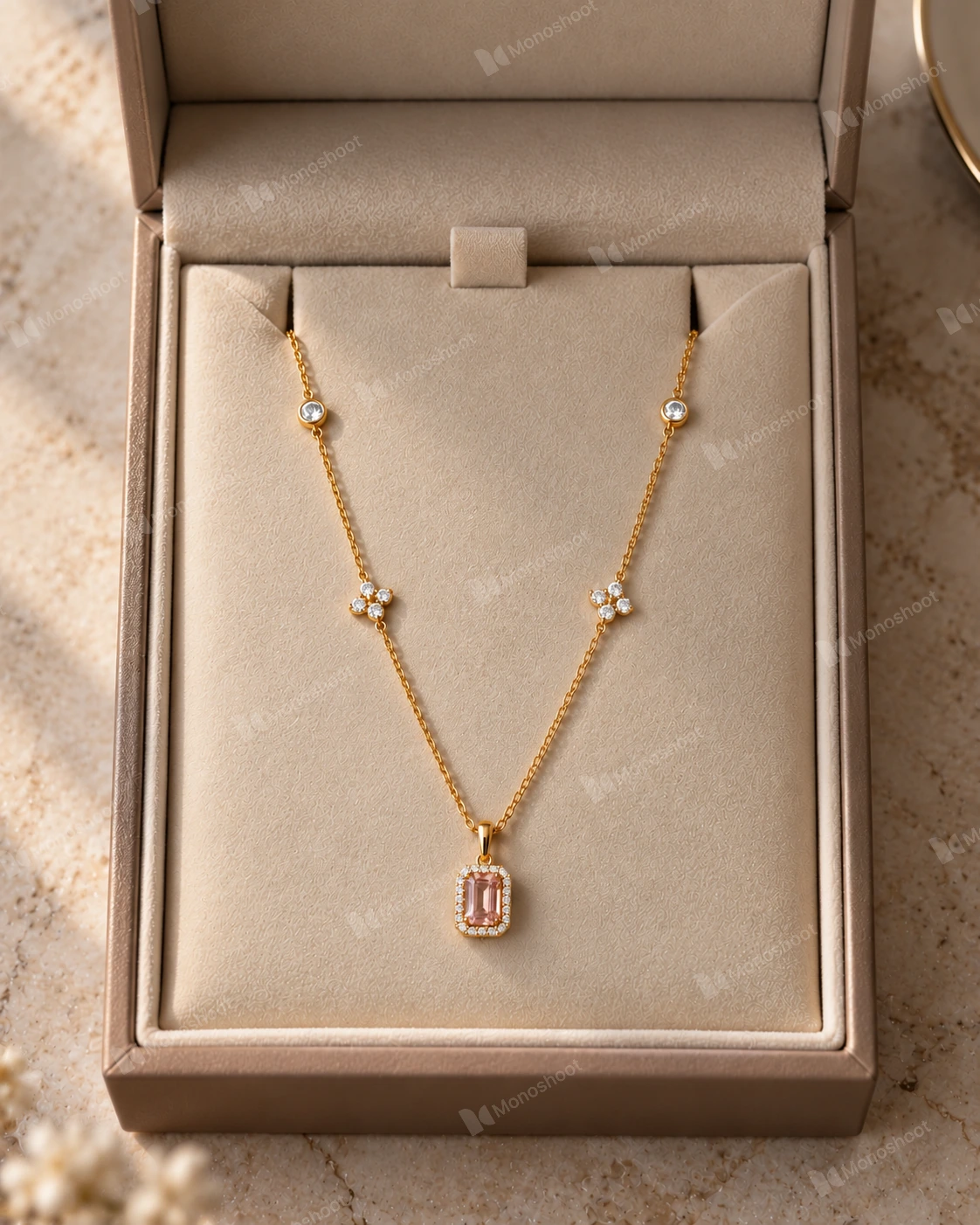
A Photoroom alternative for jewelry should be evaluated on the piece you sell. These three saved Monoshoot results use the same necklace reference. Compare the pink center stone, surrounding stones, side motifs, and chain across scenes.

Saved Monoshoot benchmark image of the pink gemstone necklace on a jewelry display stand, with the original watermarkView full image ↗
Display stand

A structured display for a collection or product detail page.

Saved Monoshoot flat-lay benchmark image of the pink gemstone necklace, with the original watermarkView full image ↗
Flat lay

A top-down composition to inspect the full necklace shape.

Saved Monoshoot benchmark image of the pink gemstone necklace presented in a jewelry box, with the original watermarkView full image ↗
Premium box

A gift-focused scene for a campaign or secondary listing image.

Explore AI jewelry photography →

Fashion & clothing photography

3 scene styles+
Monoshoot studio scene previews

Compare fashion tools on a patterned or detailed garment. On-model photos communicate styling; ghost mannequin and flat-lay views show construction. These are selected studio style previews, not a controlled same-reference benchmark.

Monoshoot clothing studio preview of a full-body fashion model wearing a styled outfitView full image ↗
On-model

Show the complete outfit and how its pieces work together.

Monoshoot clothing studio preview of a garment with an invisible mannequin effectView full image ↗
Ghost mannequin

Show garment volume and shape without a visible model.

See ghost mannequin photography →
Monoshoot fashion studio preview of clothing arranged in a flat-lay sceneView full image ↗
Flat lay

Present a garment from above and inspect its outline and print.

Explore AI fashion photography →

Beauty & cosmetics photography

3 scene styles+
Monoshoot studio scene previews

For beauty product photography, check packaging as carefully as the setting. Read labels, inspect pumps and caps, and compare the bottle silhouette. These previews illustrate scene styles, not a controlled product-accuracy test.

Monoshoot cosmetics studio preview of beauty packaging in a premium product hero sceneView full image ↗
Product hero

Create a focal image for a launch, collection, or campaign.

Monoshoot beauty studio preview showing a cosmetic product with a model in close-upView full image ↗
Product in hand

Give shoppers context for how a product is held or presented.

Monoshoot cosmetics studio preview of beauty products arranged in a flat layView full image ↗
Flat lay

Build a product grouping for a collection or social campaign.

Explore AI cosmetics photography →
Go beyond the selected example

One necklace. All the saved results.

See the reference, all 12 Monoshoot images, 3 Claid images, and the other tools in the wider jewelry trial.

Open the jewelry benchmark
05 / Budget for the keepers

Pricing and cost per usable image

The cheapest generation is not necessarily the cheapest publishable photo. Count retries, unused allowances, export constraints, and review time.

A better comparison

(Plan + top-ups + paid edits + review cost) ÷ approved images

Monoshoot plans

Free includes 3 credits at Medium quality with watermarked downloads. Paid plans include high-resolution, watermark-free downloads and monthly credit rollover.

StarterHigh quality
$14/month40 credits
PlusHigh quality
$34/month100 credits
Production LiteUltra quality
$99/month100 credits
ProductionUltra quality
$199/month200 credits

Plus and above support two reference images. Model access differs by plan. The studio shows the selected model’s credit cost; a new generation can spend credits even when you reject its appearance.

See plan details and credit packs
Plan your own approval rate

What does a usable image cost?

Illustrative Monoshoot budget. Use your selected model’s credit cost and an approval rate you expect to achieve.

Budget assumptions, not model prices. Check the cost shown in the studio.

More retriesFewer retries
20approved images / month
$0.70per approved image

40 credits ÷ 1 per attempt = 40 generations; at 50% approval, that gives 20 approved images (counts rounded down). $14.00 ÷ 20 = $0.70 each. Assumes you spend the full monthly allowance. Approval is an assumption, not a tested result. Taxes, top-ups, rollover credits, and review time are excluded.

01 / Credits & retries

Compare the same operation

Photoroom separates AI credits from exports. Pixelcut’s advanced models use credits. Claid lists different costs per operation; Flair notes that instant and ad generation use more quota. A “credit” is not the same unit across vendors.

PhotoroomPixelcutClaidFlair
02 / Watermarks & rights

Free means different things

Monoshoot free exports carry a watermark; paid plans remove it. Pixelcut documents watermark-free free exports, and Photoroom announced removal of its free watermark. Export limits and permission for commercial use are separate checks.

Pixelcut free planPhotoroom updateMonoshoot terms
03 / Export quality

Inspect the downloaded file

Check dimensions, sharpness, crop, transparency, and format in an actual export. Photoroom’s resolution limits vary across web, mobile, API, and Batch. More pixels do not by themselves prove better product fidelity.

Resolution limitsFormat support

Budget example: Starter’s $14 ÷ 40 credits is $0.35 per credit. At one credit per generation and 50% approval, the whole allowance gives 20 keepers at $0.70 each. Neither figure is a measured cost per usable image from the benchmark.

06 / Choose with a reason

When to choose Monoshoot—and when Photoroom fits better

Choose Monoshoot when…

You want a shoot built around your category.

  • You sell jewelry, clothing, or beauty products and want relevant scene presets.
  • You want to choose model and styling settings without describing the entire scene from scratch.
  • You can inspect each output against the exact product, then keep or regenerate it.

The necklace archive demonstrates available scenes and real outputs. Use it to decide what to trial; it does not prove superiority across products.

Try your product photo
Choose Photoroom when…

You need a broad editing and catalog workflow.

  • Your main job is cleaning up existing listings and standardizing backgrounds, framing, or shadows.
  • You want shared edits across a batch or an API workflow for repeated catalog work.
  • You already use its editor and want to evaluate staging or Virtual Model within that workflow.

Photoroom documents these capabilities. Our on-model trial stopped at a paywall, so paid output quality needs a separate evaluation.

Explore Photoroom’s batch workflow

Need exact source pixels and no product reinterpretation? Start with a cutout or conventional retouch. Use generation when a new scene or model context earns its place in the listing.

07 / Before you switch

Run a small, fair product-photo pilot

  1. 01

    Use the same references

    Pick a detailed jewelry piece, a patterned garment, or packaging with small text. Use identical source photos and comparable paid features.

  2. 02

    Give each tool the same brief

    Request the same crop, scene, and output size. Record plan, model, date, settings, generation count, and time spent.

  3. 03

    Score the product before the scene

    Reject changed stones, missing seams, altered logos, unreadable labels, or implausible scale. Then assess model realism and visual style.

  4. 04

    Count every attempt

    Include rejects and paid refinements. Divide the actual spend by approved exports, then add review time and integration effort.

Prepare your source photos →Remove a product background →Explore ghost mannequin photos →

For marketplace work, check the current requirements for your category and image placement. A convincing AI photo does not automatically satisfy a channel’s listing rules.

08 / Before you decide

Photoroom alternative FAQs

What is the best Photoroom alternative for product photography?+

Choose by the job. Shortlist Monoshoot for category-led jewelry, fashion, and beauty shoots; Pixelcut for editing and scene generation; Pebblely for product backgrounds; Flair for arranging scenes; and Claid for enhancement and API workflows. Photoroom remains worth considering for editing, virtual models, and batch production. There is no measured overall winner across these tools in this guide.

Is there a free Photoroom alternative without a watermark?+

Pixelcut documents watermark-free free exports, with feature limits. Monoshoot offers 3 free credits at Medium quality, but free downloads carry a watermark; paid plans remove it. Photoroom has also announced removal of its free export watermark. Check generation allowances, export limits, and commercial-use terms separately from watermark status.

Is Monoshoot better than Photoroom for jewelry?+

Monoshoot is worth trying if you want jewelry-specific scenes and model controls. Our existing free-plan necklace benchmark contains 12 Monoshoot outputs, while the attempted Photoroom on-model workflow required payment. We therefore cannot claim better paid image quality from that comparison. Inspect the public necklace files and test your own most detailed piece.

Can Photoroom and its alternatives put products on AI models?+

Yes. Photoroom documents Virtual Model for fashion items, including jewelry. Monoshoot has on-model scenes in its jewelry, clothing, and beauty studios; Flair and Claid also document model workflows. Compare the input each workflow needs and check the actual product details in the result. A generated garment image does not verify physical fit or sizing.

How much does an AI product photo really cost?+

Use total spend divided by approved images, including the cost of retries and review. As an illustration, Monoshoot Starter is $14/month for 40 credits. At one credit per generation and 50% approval, using the whole allowance yields 20 approved images at $0.70 each before tax or review time. This is a budgeting assumption, not an observed pass rate.

Which tool is suitable for a large ecommerce catalog?+

Start by evaluating Photoroom batch editing and Claid API workflows if you need shared edits or automated processing across many SKUs. Monoshoot is worth evaluating when category scenes and individual output review matter most. Pilot a representative product set and measure approval rate, manual time, export limits, and integration work before choosing a production plan.

Which Photoroom alternative works for fashion and ghost mannequin photos?+

Monoshoot includes clothing scenes for on-model photos, flat lays, hangers, and ghost mannequins. Photoroom also documents fashion model workflows, while Flair and Claid offer model tools. Start with a sharp garment photo, then check the pattern, neckline, seams, buttons, and silhouette in every result. Use a real garment measurement or fit guide to communicate sizing.

Can I use an alternative just to remove a product background?+

Yes. For a transparent cutout or a clean background around an existing product photo, start with a background remover rather than generating a new product scene. Monoshoot has a separate background-removal tool, and Photoroom and Pixelcut document background removal. Inspect fine edges, transparent materials, and reflections before exporting.

Is there a Photoroom alternative for PC?+

Monoshoot works in a web browser on a PC, with no desktop installation required. Upload a product photo, choose a jewelry, fashion, or beauty scene, generate, inspect, and export. It includes a limited free trial with watermarked downloads. Pixelcut, Pebblely, Flair, and Claid also offer web workflows; check each provider’s supported browser, plan limits, and export options for the task you need.

Were all of these Photoroom alternatives tested?+

No. This guide combines current official documentation with an existing free-plan necklace trial. That trial saved Monoshoot and Claid outputs, recorded a Photoroom on-model paywall and Flair generation errors, and did not test Pixelcut or Pebblely. The original trial did not record test dates or model versions. No fresh paid head-to-head test was performed for this guide.

Sources, evidence & limits

How this guide was researched

Written and published by Monoshoot. We reviewed official product, pricing, and help pages on October 21, 2026. Recommendations about workflow fit are our interpretation of those capabilities.

The output evidence comes from an existing free-plan necklace trial with public notes and a public file archive. Test dates, model versions, and a complete attempt log were not recorded. We performed no fresh paid head-to-head generation for this guide and make no measured cross-tool accuracy, speed, or success-rate claim. Fashion and beauty examples are Monoshoot’s own site assets.

View the official sources +
  • Photoroom plans and pricing
  • Photoroom AI Fashion Models
  • Photoroom batch editing
  • Photoroom export allowances
  • Photoroom export resolution
  • Photoroom supported file formats
  • Photoroom watermark update
  • Pixelcut plans and credits
  • Pixelcut Product Showcase
  • Pebblely plans and image allowances
  • How Pebblely works
  • Flair plans and generation quotas
  • Flair scene builder and model tools
  • Claid web plans and operation credits
  • Claid AI Photoshoot modes
The most useful comparison is your own product

Try the photo
you actually sell.

Start with 3 free credits. Compare the result with your original before you commit to a production workflow.

Try your product photo
Jewelry studioFashion studioCosmetics studioPricing
Monoshoot - AI Product Photography StudioMonoshoot

AI studio images from raw product photos for jewelry, fashion, and cosmetics.

Monoshoot - Turn raw product photos into studio-grade images | Product HuntMonoshoot - Featured on Startup FameFeatured on Twelve Tools

Free Tools

Background RemoverPNG to JPGJPG to PNGWEBP to PNGView all tools →

Resources

About UsCustomer StoriesBlogJewelry AI BenchmarkPhotography GuideFAQRefer & EarnCreator Program

Product

How It WorksAI Background GeneratorPricingStart Free

Categories

Clothing & FashionAI Ghost MannequinJewellery & AccessoriesCosmetics & Wellness

Legal

Privacy PolicyTermsCancellation PolicyContact

© 2026 Monoshoot. All rights reserved.